Workspace updates from June 2023
59 Workspace updates were tracked in June 2023.
-
2023-06-30Content & Collaboration
Easily duplicate groups and objects in Google Sites.
Google Sites editors can now duplicate individual objects—such as images, buttons, and text boxes—as well as groups when editing a site, extending the existing functionality that allowed only the duplication of entire sections.
Release: Both • Rapid: 2023-06-30 • Scheduled: 2023-06-30 -
2023-06-30Content & Collaboration
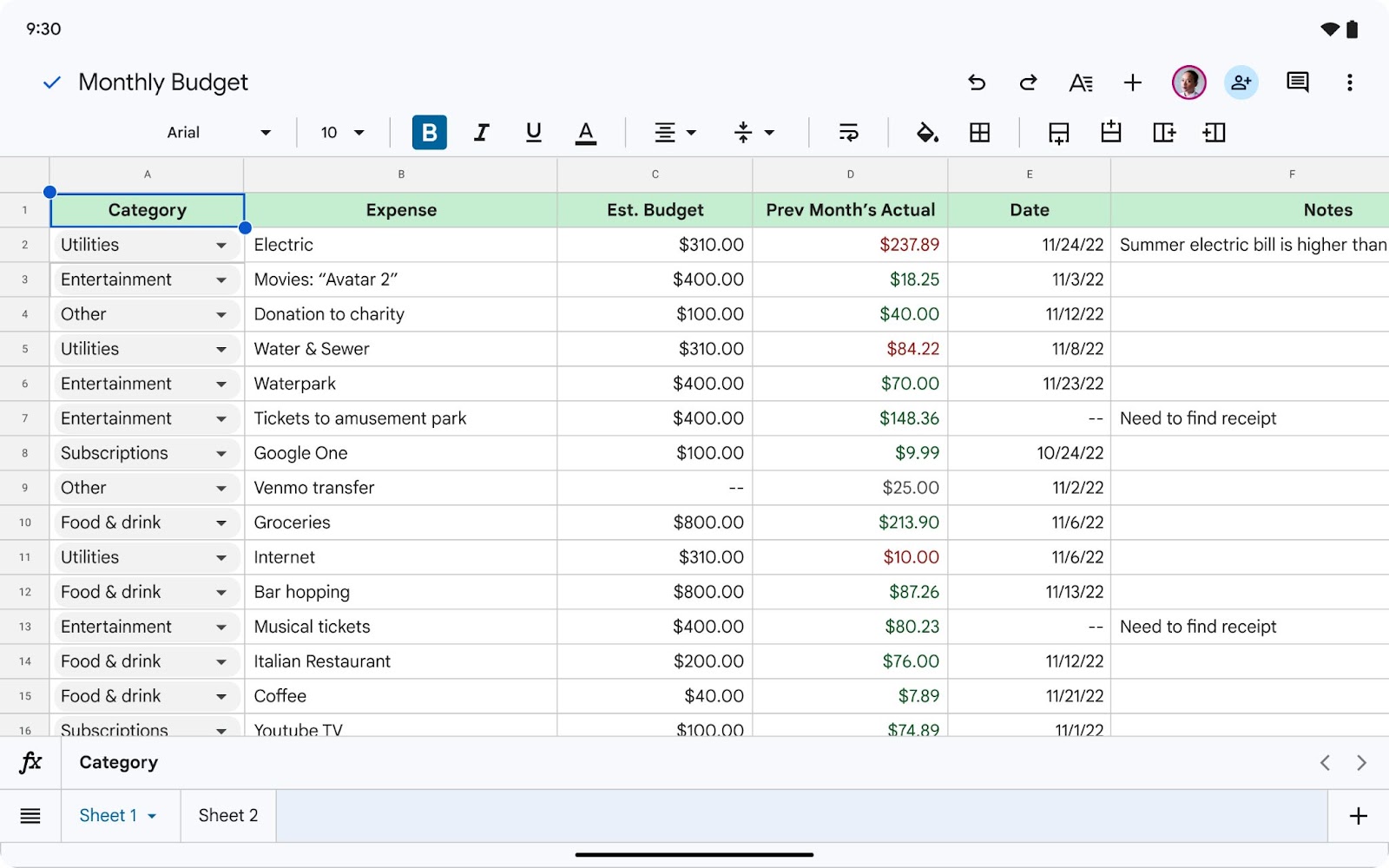
Revamped First Open Experience for Sheets and Slides on Android tablets and foldables.
Google is introducing a more creation-focused experience when first opening the Sheets and Slides apps on Android foldable and tablet devices. In Sheets, users will see larger tap targets and easier access to the formula bar, tab bar, and contextual formatting toolbar. In Slides, a filmstrip will now appear on the left-hand side, and selecting an object will expose the contextual toolbar and an on-screen keyboard.
Release: Both • Rapid: 2023-06-30 • Scheduled: 2023-06-30 -
2023-06-30Content & Collaboration
Easily duplicate objects (images, buttons, text boxes) and groups when editing a Site.
Extending the duplicate feature by enabling you to easily duplicate objects (images, buttons, text boxes) and groups when editing a Site.
Release: Both • Rapid: 2023-06-30 -
2023-06-30Comms & Meetings

Improvements for client-side encryption in Gmail, highlights ineligible recipients and blocked attachments.
We’re introducing two new features for client-side encryption in Gmail which will help you quickly identify ineligible recipients and any attachments that may be blocked: When you’re composing a Gmail message using client-side encryption, any recipient who is not able to receive encrypted messages will be denoted with a red chip. The email will not be able to be sent until those recipients are removed. Gmail blocks attachments that may spread viruses, like messages that include executable files or scripts. If you receive a client-side encrypted message in Gmail, we’ll automatically check if any attachments are blocked file types. If there are blocked file types, you’ll see a warning banner and you won’t be able to download the file.
Release: Both • Rapid: 2023-06-30 • Scheduled: 2023-06-30 -
2023-06-30Content & Collaboration
Ability to paste HTML elements into Google Docs on Android.
To improve the user experience on large screen devices, Google is introducing the ability for users to copy HTML elements to the clipboard and paste them into a Google Doc on Android while maintaining the original formatting elements.
Release: Both • Rapid: 2023-06-30 • Scheduled: 2023-06-30 -
2023-06-29Comms & Meetings
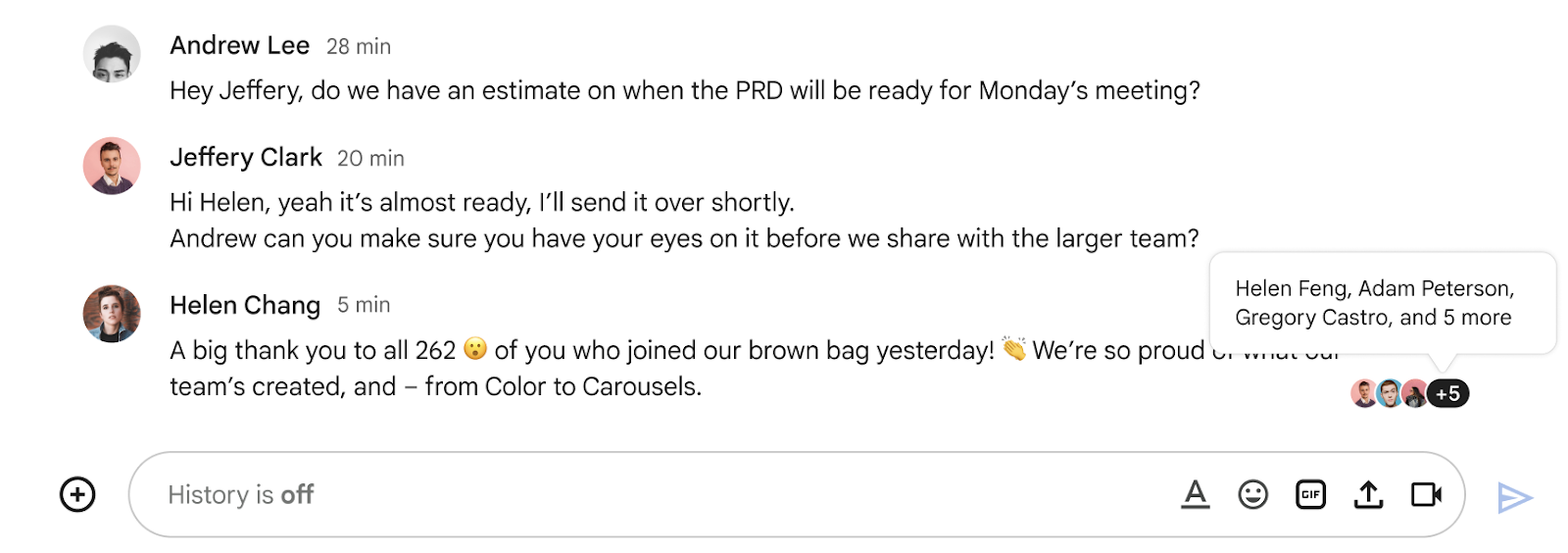
Introducing read receipts in Google Chat group direct messages.
Following the recent updates in Google Chat that add context without breaking the flow of conversations and enable you to declutter your chat conversations, we’re introducing read receipts in group direct messages. With this feature, you can now quickly identify if other members of a group have read your latest message within a Chat stream.
Release: Both • Rapid: 2023-06-29 • Scheduled: 2023-06-29 -
2023-06-29Comms & Meetings
Read receipts are now available for group direct messages in Google Chat.
Google Chat has introduced read receipts for group direct messages, enabling users to identify which members of a group have read their latest message. This feature is available for group chats of 20 people or fewer and is designed to help users manage communication expectations and ensure visibility of topics. It is available to all Google Workspace customers and users with personal Google Accounts.
Release: Both • Rapid: 2023-06-29 • Scheduled: 2023-06-29 -
2023-06-28Comms & Meetings
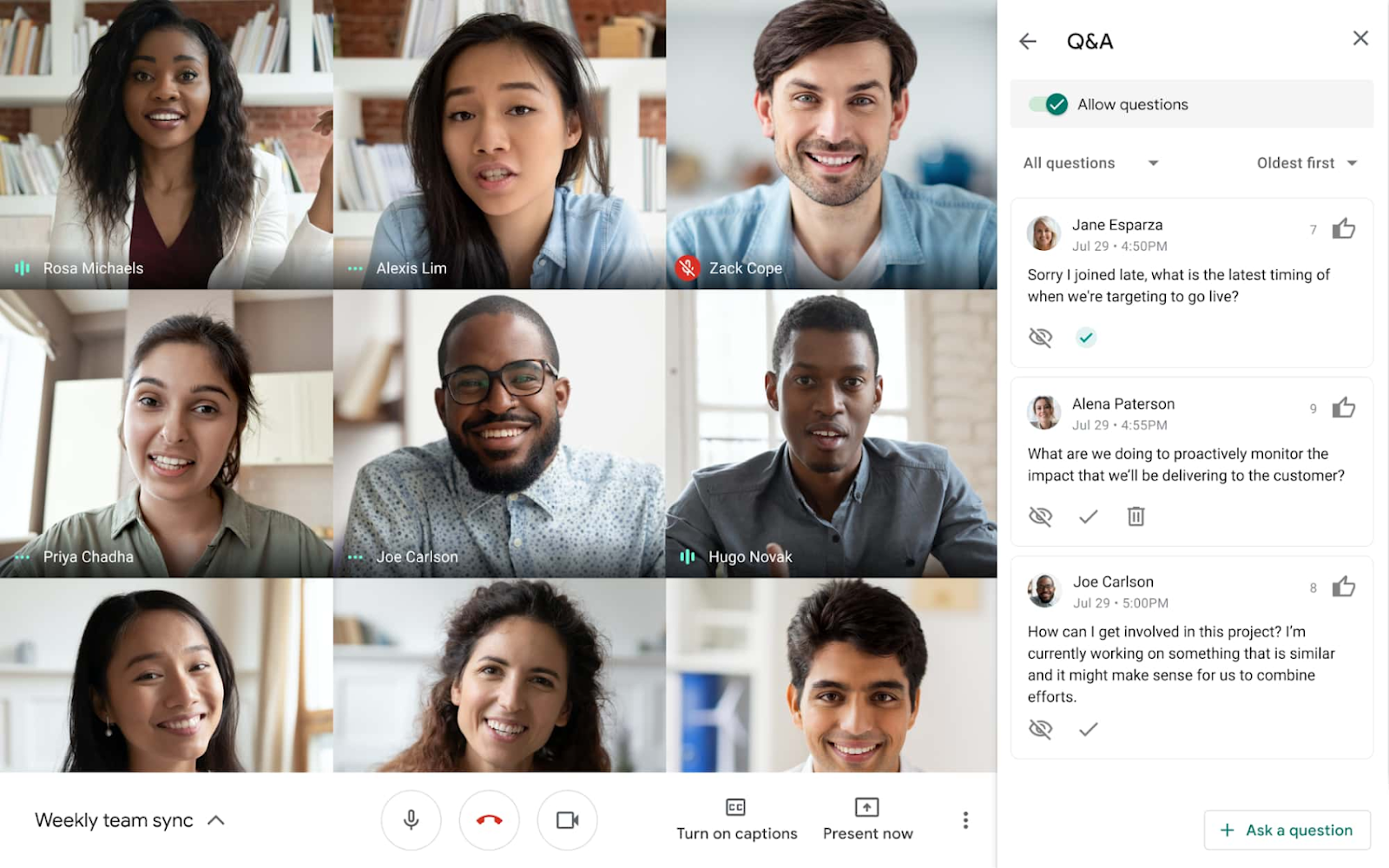
Polls and Q&A features are now available for Google Meet live streams.
Meeting hosts can now enable Q&A and poll features during live-streamed Google Meet meetings, expanding capabilities that were previously only available in traditional Meet meetings. These tools allow hosts to better engage audiences, gather real-time feedback, and provide a structured way for participants to ask and upvote questions without disrupting the flow of the presentation.
Release: Both • Rapid: 2023-06-28 • Scheduled: 2023-06-28 -
2023-06-28Comms & Meetings
Meeting hosts can now enable the Q&A and poll features during live streamed meetings.
If you’re live streaming a video meeting, meeting hosts can now enable the Q&A and poll features, which previously were only offered in traditional Meet meetings. Expanding these features to live streamed meetings will help take your meetings to the next level with a more feature-rich, collaborative experience.
Release: Both • Rapid: 2023-06-28 • Scheduled: 2023-06-28 -
2023-06-28Comms & Meetings

New Google Calendar setting mutes notifications for the duration of your focus time directly in Calendar.
To increase concentration and bridge the gap between do not disturb and focus time, you can now mute notifications for the duration of your focus time directly in Calendar.
Release: Both • Rapid: 2023-06-28 • Scheduled: 2023-07-12 -
2023-06-28Comms & Meetings
Mute Google Chat notifications directly when creating focus time in Google Calendar.
Google Calendar now allows users to mute notifications for the duration of their focus time directly within the Calendar interface. By checking the 'Do not disturb' box when adding a Focus time entry, users can automatically synchronize their Calendar focus time with Google Chat's do not disturb setting to minimize distractions during heads-down work.
Release: Both • Rapid: 2023-06-28 • Scheduled: 2023-07-12 -
2023-06-27Comms & Meetings
.png)
Google Meet is introducing simplified access controls to replace the existing Quick access settings.
Google Meet is replacing 'Quick access' with three intuitive access levels: Open, Trusted, and Restricted. Meeting organizers can now explicitly control who can join a meeting without asking (knocking), with specific rules for organization members and invited guests. Additionally, hosts can configure whether guests are allowed to join the meeting before the host. This update also removes the Quick access setting from the Admin console and implements new default access behaviors based on the user's Workspace edition.
Release: Both • Rapid: 2023-07-17 • Scheduled: 2023-07-17 -
2023-06-27Comms & Meetings

Mail merge will support Google Sheets in the web version of Gmail.
Today, we’re excited to announce that mail merge will support Google Sheets in the web version of Gmail. This integration will allow you to link a Sheet with up to 1,500 recipients and use any data column from your Sheet as a mail merge tag.
Release: Both • Rapid: 2023-06-27 • Scheduled: 2023-07-19 -
2023-06-27Comms & Meetings
Google Sheets is now integrated with mail merge in Gmail.
Gmail's mail merge feature now supports integration with Google Sheets, allowing users to link a spreadsheet with up to 1,500 recipients and use any data column from the Sheet as a personalized mail merge tag. This update fully replaces the previous multi-send functionality and moves the mail merge icon to the top-right corner of the compose window. Users can still use built-in merge tags like @firstname and @lastname without linking a Sheet.
Release: Both • Rapid: 2023-06-27 • Scheduled: 2023-07-19 -
2023-06-26Comms & Meetings

Background blur and light adjustment are now available for Google Meet calls joined via virtual desktop infrastructure (VDI).
Users joining Google Meet meetings through a virtual desktop infrastructure (VDI) can now utilize background blur and automatic light adjustment. Background blur intelligently isolates the user from their surroundings, while light adjustment improves visibility for underexposed users. These features are applied after joining the call and help reduce the resource demand (CPU, GPU, and memory) on VDI environments, potentially allowing admins to reduce GPU resources for cost savings.
Release: Both • Rapid: 2023-06-26 • Scheduled: 2023-06-26