Workspace updates from July 2023
39 Workspace updates were tracked in July 2023.
-
2023-07-13Comms & Meetings
.gif)
Add hyperlinks to text in Google Chat
Users can now hyperlink text on web and Android when composing or editing messages in Google Chat. This update also includes the ability to copy over hyperlinks from other Google Workspace applications such as Gmail, Docs, Sheets, and Slides to make messages cleaner and more compact.
Release: Both • Rapid: 2023-07-13 • Scheduled: 2023-08-01 -
2023-07-11Comms & Meetings

Negotiate meeting times and create events directly within Gmail.
Google is adding a new Calendar icon to Gmail that consolidates scheduling actions. Users can now 'Offer times you're free' by selecting available slots from their primary calendar to insert into an email, allowing recipients to book a time directly. Additionally, the 'Create an event' feature allows users to quickly schedule meetings with recipients and titles pre-filled from the email, automatically inserting an event summary into the email body.
Release: Both • Rapid: 2023-07-11 • Scheduled: 2023-08-09 -
2023-07-10Comms & Meetings

Paid appointment bookings are now available in Google Calendar via Stripe integration.
Google Calendar is integrating paid appointment bookings, allowing appointment providers to connect their Stripe accounts to set a price for their booking pages. Bookers can select their preferred time and enter credit card information to pay upfront. Google does not process or store payment information, and all cancellations and refunds are managed through the Stripe dashboard.
Release: Both • Rapid: 2023-07-27 • Scheduled: 2023-08-07 -
2023-07-07Content & Collaboration

Convert email addresses and links into smart chips using the tab key in Google Sheets.
Google Sheets now allows users to quickly convert pasted email addresses or links to Google Drive files, Google Maps places, or YouTube videos into smart chips by simply pressing the tab key.
Release: Both • Rapid: 2023-07-07 • Scheduled: 2023-07-07 -
2023-07-07Content & Collaboration
Revamped first open experience for Google Docs on Android foldable and tablet devices.
The Google Docs app for Android foldable and tablet devices now opens directly in edit mode. This update includes a more visible formatting toolbar, an I-beam cursor, and automatic on-screen keyboard exposure when tapping, unless a physical keyboard is connected.
Release: Both • Rapid: 2023-07-07 • Scheduled: 2023-07-07 -
2023-07-07Comms & Meetings
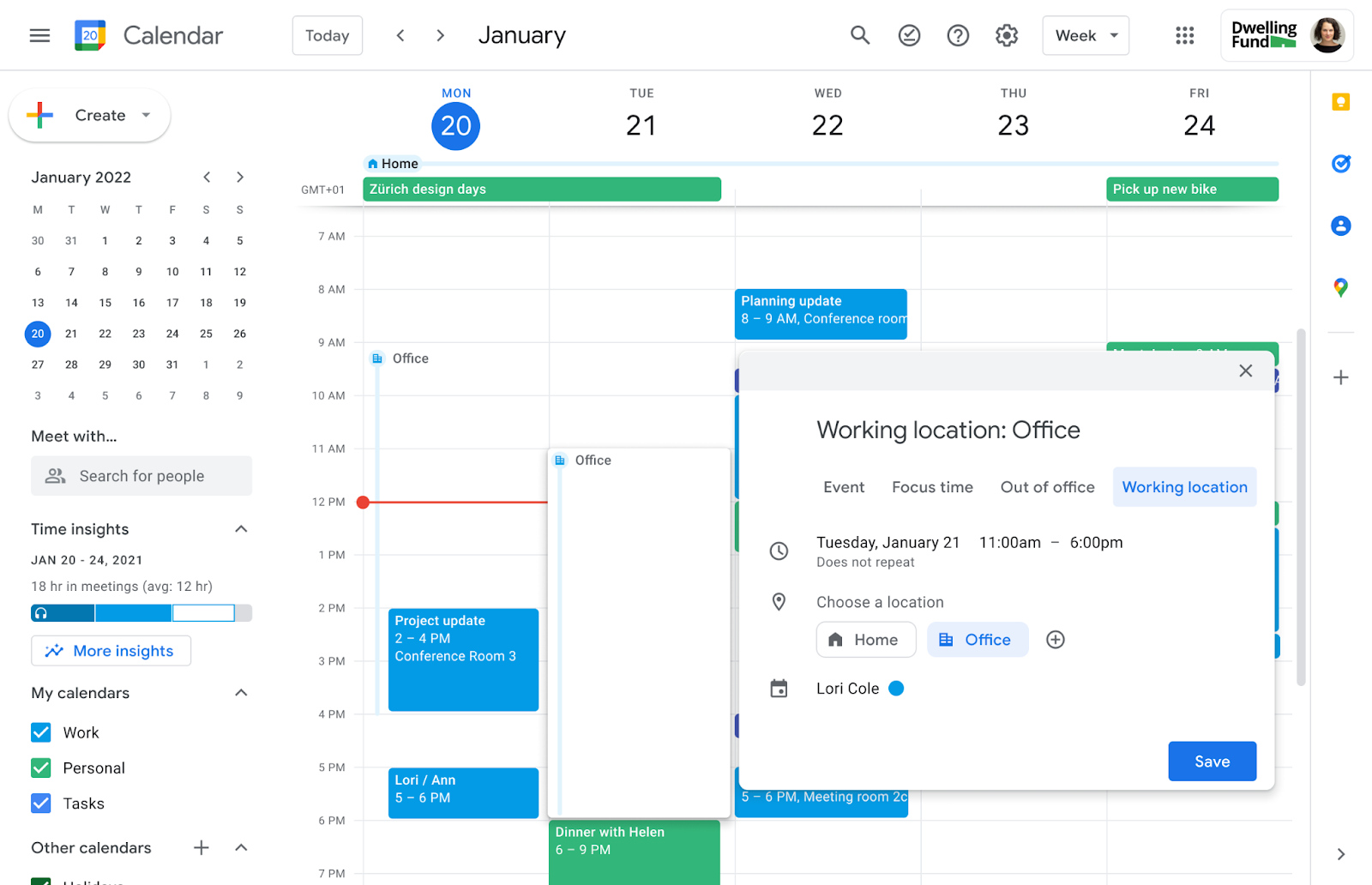
Delegates can now edit working locations for the calendars they manage.
Users with delegate access to another person's Google Calendar can now fully edit working locations for the entire day or for specific portions of the day. This update is designed to assist those who manage calendars for others, such as executive assistants.
Release: Both • Rapid: 2023-07-07 • Scheduled: 2023-07-14 -
2023-07-07Comms & Meetings
Google Calendar now allows users to set working locations for specific portions of the day.
Google Calendar is introducing the ability to set working locations for specific portions of the day rather than just the full day. This allows users in hybrid work environments to more accurately reflect their physical availability as it changes throughout the day.
Release: Both • Rapid: 2023-07-07 • Scheduled: 2023-07-14 -
2023-07-06Comms & Meetings

Customizable error messages for Google Chat data loss prevention (DLP) rules are now in open beta.
Admins can now customize the messages displayed to users when a Google Chat message is blocked or intercepted by data loss prevention (DLP) rules. Instead of a standard warning, admins can provide specific context, instructions on how to unblock the message, or links to additional safety resources. This feature is available in open beta for web users across various Google Workspace Enterprise, Education, and Frontline editions.
Release: Both • Rapid: 2023-07-06 • Scheduled: 2023-07-06 -
2023-07-05Admin & Security

Admins can now pin up to five links to the top of the navigation bar in the Admin console.
To improve navigation efficiency, Google Workspace admins can now pin up to five frequently used links to the top of the left-hand navigation menu in the Admin console. This feature helps admins save clicks and access relevant pages faster.
Release: Both • Rapid: 2023-07-05 • Scheduled: 2023-07-05