-
2024-01-31Education

Shareable class templates and classwork in Google Classroom are now generally available.
Curriculum leads and verified teachers can now share links to high-quality classes and class templates so other educators in their organization can preview and import classwork to an existing class or to a new class. This will provide educators with ideas for instructional design and enable them stay up-to-date with the best materials.
Release: Both • Rapid: 2024-01-31 • Scheduled: 2024-01-31 -
2024-01-30Comms & Meetings

Enhancements to Google Calendar appointment scheduling include co-hosts, secondary calendars, delegate access, and availability checks.
Google Calendar appointment scheduling is improved with the options to add up to 20 co-hosts, create appointment schedules on secondary calendars, expand delegate access functionality, and select “Check calendars for availability”.
Release: Both • Rapid: 2024-01-30 • Scheduled: 2024-02-12 -
2024-01-29Comms & Meetings

Google Meet Hardware AUE is now referred to as 'end of Meet support'.
The terminology for when a Meet hardware device is no longer supported is changing. ‘End of Meet support date’ replaces Auto-Update Expiration (AUE) in the Meet hardware Help Center. The Admin console will show ‘end of Meet support’ instead of ‘EOL (end of life)’ in both device information and fleet overview pages.
Release: Both • Rapid: 2024-01-29 • Scheduled: 2024-01-29 -
2024-01-26Content & Collaboration

When a Site editor clicks on a collaborator’s avatar, they will jump to the selected tile of the clicked collaborator.
When a Site editor clicks on a collaborator’s avatar, they will jump to the selected tile of the clicked collaborator. If the collaborator is on a different page, the site editor will be taken to that page.
Release: Both • Rapid: 2024-01-26 • Scheduled: 2024-02-12 -
2024-01-25Comms & Meetings

Improvements to space creation in Google Chat: preventing duplicate space names and configuring spaces for specific use cases.
Two improvements are made to the space creation flow in Google Chat: preventing duplicate space names and providing a method to configure spaces for Collaboration or Announcements.
Release: Both • Rapid: 2024-01-25 • Scheduled: 2024-02-12 -
2024-01-23Comms & Meetings
Closed caption support in Google Meet expands to an additional thirty-one languages.
Support for closed captioning has been expanded to include additional languages.
Release: Both -
2024-01-22Comms & Meetings

Manage reported Google Chat content from the new moderation tool in the Admin console.
A centralized location for reviewing and taking action on reported Google Chat content is introduced in the Admin console under Apps > Google Workspace > Moderation, alongside the email quarantine tool for Gmail.
Release: Both • Rapid: 2024-01-22 • Scheduled: 2024-01-22 -
2024-01-19Comms & Meetings

Star messages in Google Chat is now available on Android and iOS mobile devices.
Starred messages, an additional shortcut in the redesigned Google Chat navigation panel that helps you stay on top of your most important messages, is now available on Android and iOS mobile devices.
Release: Both • Rapid: 2024-01-19 • Scheduled: 2024-01-19 -
2024-01-17Comms & Meetings
.gif)
Combine multiple video effects, improve lighting and audio in Google Meet.
New features to personalize your appearance in Google Meet are launched. Specifically, combining multiple video effects on web and mobile, studio lighting on web and studio sound.
Release: Both • Rapid: 2024-01-17 • Scheduled: 2024-01-29 -
2024-01-17Comms & Meetings

Join meetings as a guest without a Google account is now available on mobile devices.
You can now quickly join a meeting as a guest without signing into a personal or work Google account or creating a new Google account. This functionality already exists for meetings on the web and, by expanding to mobile, guests now have greater flexibility for joining Meet meetings on the go.
Release: Both • Rapid: 2024-01-17 -
2024-01-16Content & Collaboration

Use comments & action items on your client-side encrypted Google Docs.
You can now collaborate with others on client-side encrypted Google Docs to add, edit, reply, filter, or delete comments. You can also assign action items to yourself or others.
Release: Both • Rapid: 2024-01-16 • Scheduled: 2024-02-01 -
2024-01-12More

For all new scripts, you’ll be able to create and save up to 200 versions of your script.
For all new scripts, you’ll be able to create and save up to 200 versions of your script. If needed, you can permanently delete a script version from the project history page.
Release: Both -
2023-12-07Other
Updated grace periods for resolving policy violations in managed iOS devices
Improving these safeguards helps ensure that only managed applications can access sensitive organization information.
Release: Both • Rapid: 2023-12-07 • Scheduled: 2023-12-07 -
2023-12-05Admin & Security
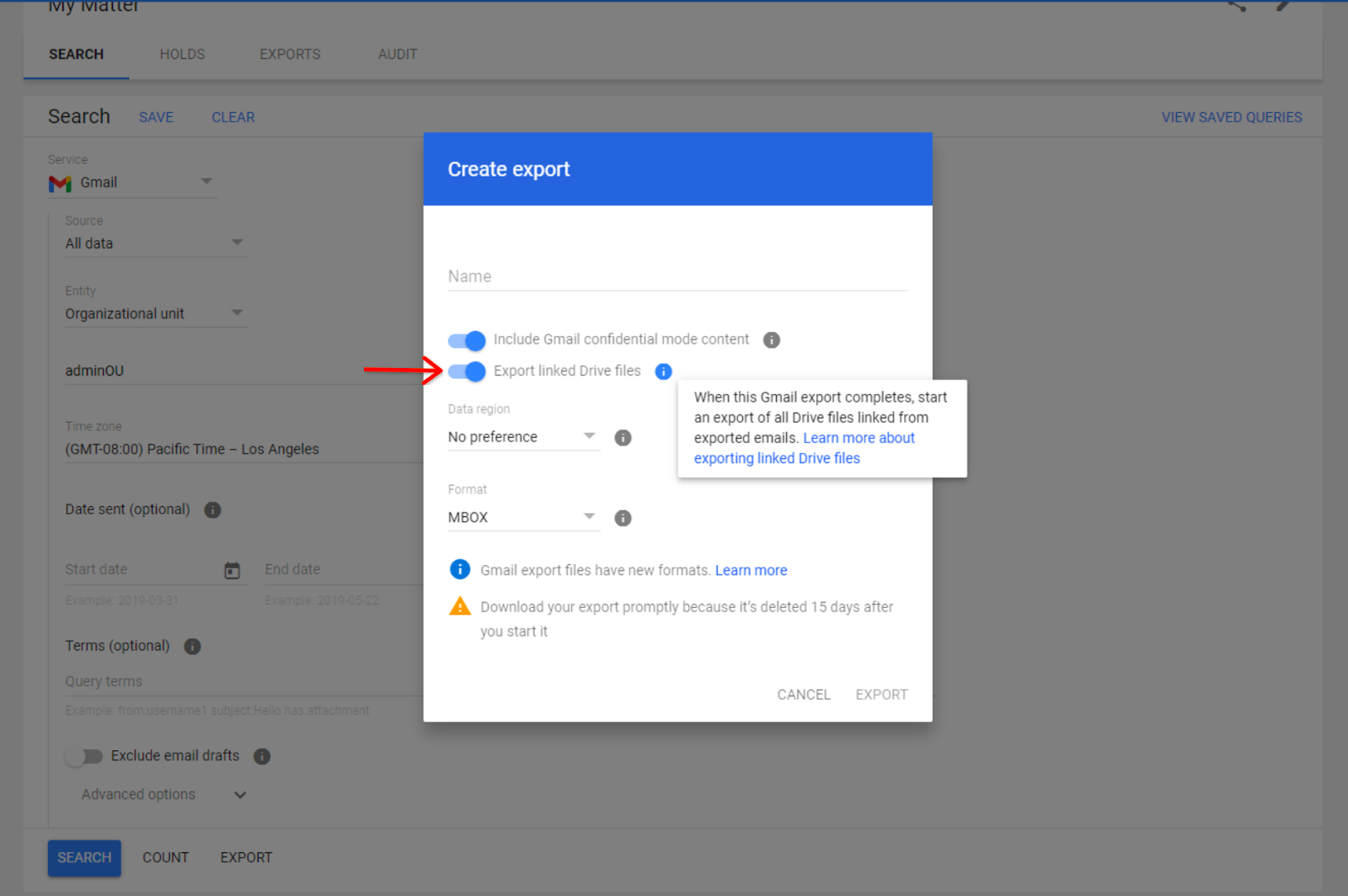
Admins in Google Vault can now export hyperlinked Google Drive content from Gmail messages
Starting December 8, 2023, admins can export Drive files hyperlinked in Gmail messages directly in Google Vault.
Release: Both • Rapid: 2023-12-04 • Scheduled: 2023-12-04 -
2023-12-04Admin & Security
Access Google Vault audit logs alongside other Workspace audit logs
We’re excited to announce the general availability of an improved Google Vault audit log experience. As a result of this change, you can now find Vault audit logs in the Admin console alongside other Google Workspace apps like Gmail, Google Drive, and more.
Release: Both • Rapid: 2023-12-04 • Scheduled: 2023-12-04