-
2023-08-29Content & Collaboration

AI-powered 'Help me write' features in Google Docs for content generation and refinement.
Google Docs now features 'Help me write' powered by Duet AI, enabling users to generate initial drafts from a few words. Users can refine content by adjusting the tone, summarizing sections, converting text to bullets, elaborating, shortening, or providing custom instructions. Additionally, the feature integrates smart canvas elements like smart chips, variables, and building blocks into the generated content.
Release: Rapid • Rapid: 2023-08-29 -
2023-08-29Comms & Meetings
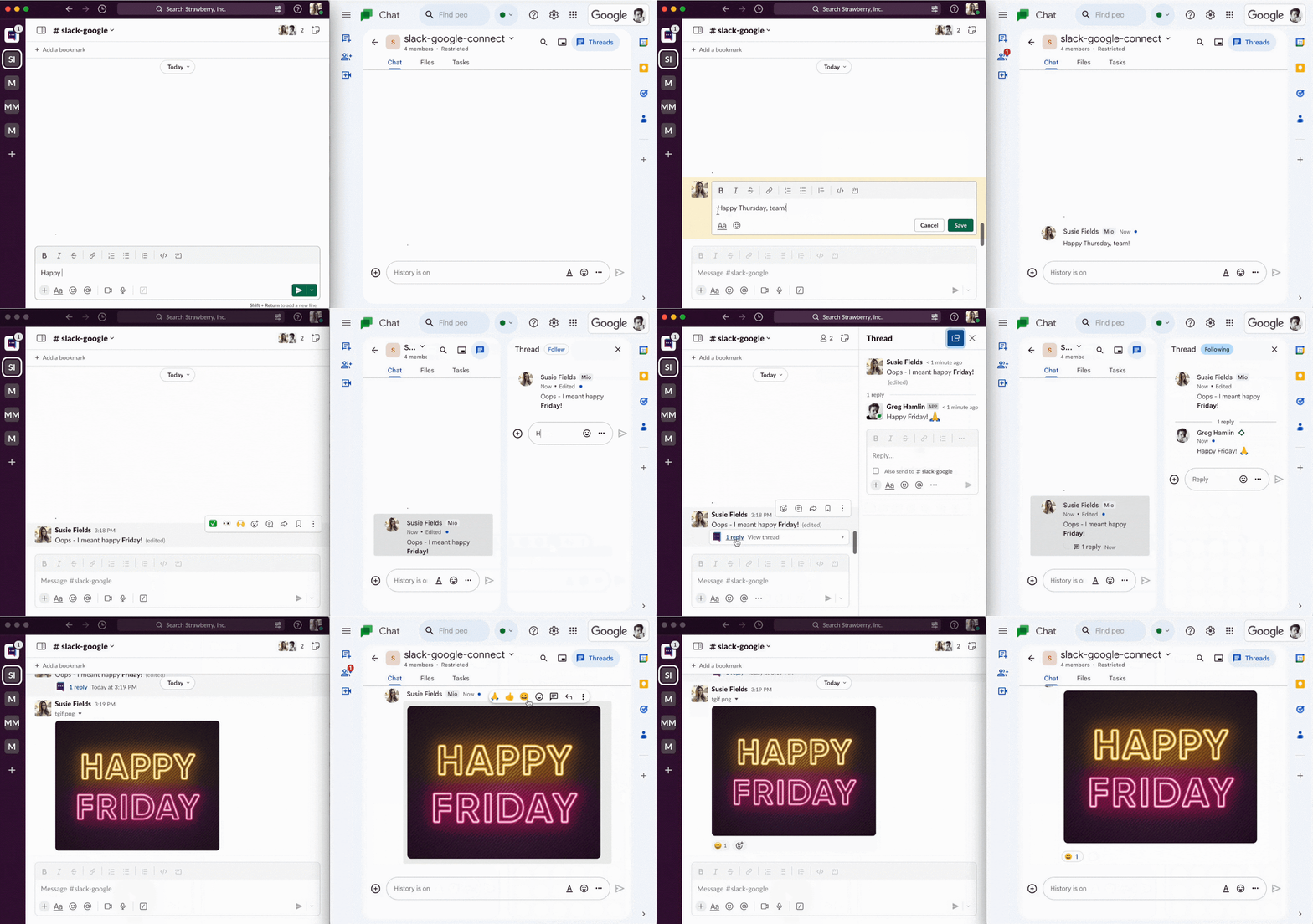
Google Chat now supports messaging interoperability with platforms like Slack and Microsoft Teams via Mio.
Google is partnering with Mio to enable messaging interoperability between Google Chat and other platforms such as Slack and Microsoft Teams. This integration allows organizations using a mixture of messaging tools to streamline communication, reduce silos, and avoid missed messages. The feature is currently available in beta, with general availability expected in early 2024 for various Google Workspace editions including Business, Enterprise, Frontline, and Nonprofits.
Release: Both -
2023-08-28Education

Introducing customizable grading scales so that a school’s or teacher’s grading preferences are better reflected in Google Classroom
In order to support other forms of grading, such as letter grades or proficiency ratings (ex. unsatisfactory to excellent), we’re introducing customizable grading scales so that a school’s or teacher’s grading preferences are better reflected in Google Classroom. With this update, teachers will have the option to select from numerical, letter grade, proficiency, four-point grading scales, or set up their own scale.
Release: Both • Rapid: 2023-08-28 • Scheduled: 2023-08-28 -
2023-08-28Education
Google Classroom now supports customizable grading scales, including letter grades and proficiency ratings.
Google Classroom is introducing customizable grading scales to provide teachers with more flexibility in how they assess students. Teachers can now select from numerical, letter grade, proficiency, or four-point grading scales, or create their own custom scale. These scales can be applied to new and existing assignments, and teachers can enter grades using either the point value or the scale level, with Classroom automatically displaying both to the teacher and student.
Release: Both • Rapid: 2023-08-28 • Scheduled: 2023-08-28 -
2023-08-25Content & Collaboration
Filter by expression for Connected Sheets for Looker
Users can now use common Looker filter expressions, such as “last 30 days”, “last quarter”, or “NOT 50”, to filter pivot tables in Connected Sheets for Looker.
Release: Both -
2023-08-25Comms & Meetings
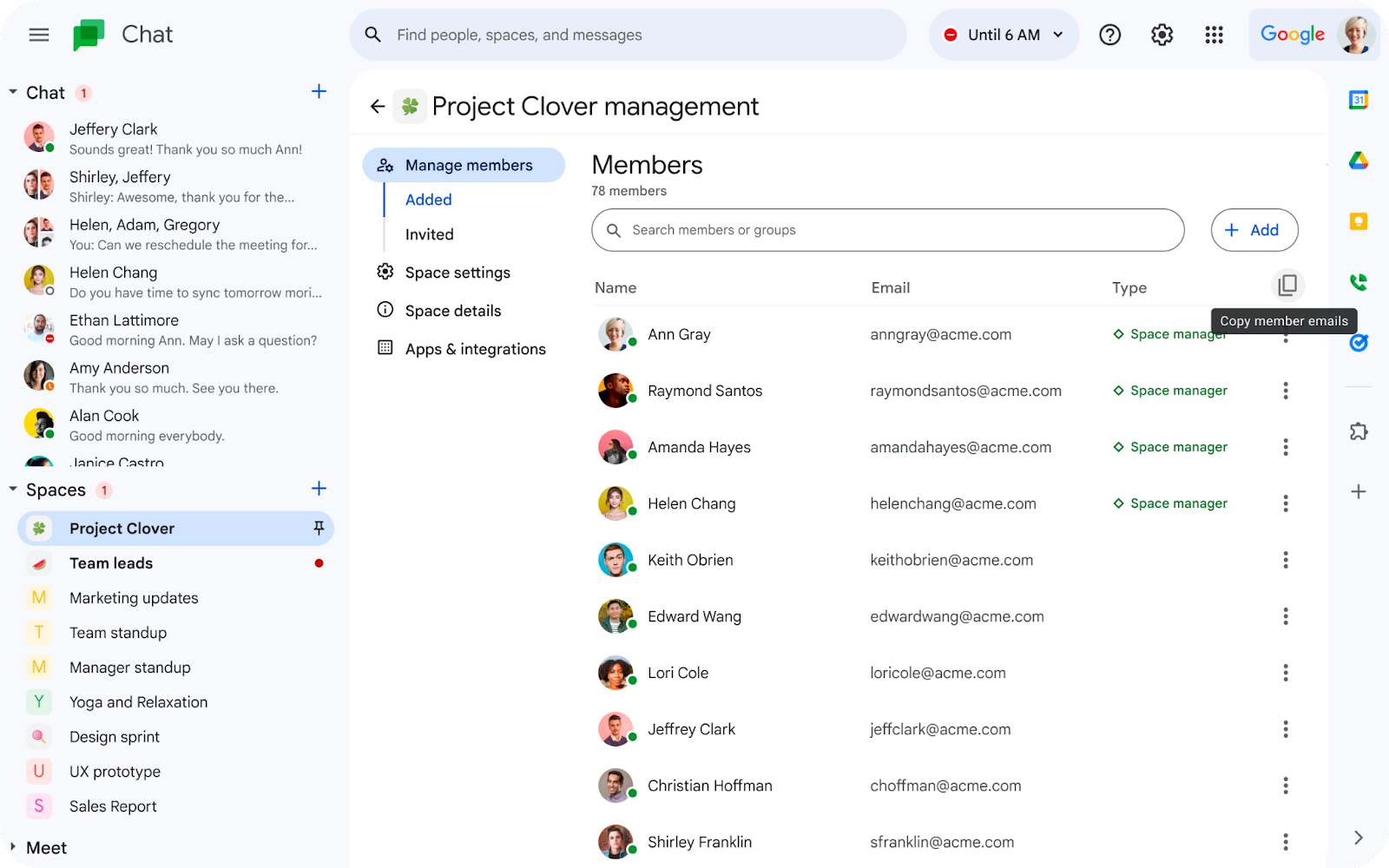
Copy space member email addresses in Google Chat
Space managers and members can now copy the email addresses of members in a space on Google Chat. This option is enabled by default for spaces with 100 members or less, while it is disabled for spaces with more than 100 members.
Release: Both -
2023-08-24Comms & Meetings
Join client-side encrypted meetings from mobile devices
Users can now join client-side encrypted meetings directly from the Google Meet and Calendar mobile apps. Client-side encryption gives users direct control over their encryption keys and the identity service that authenticates them, ensuring that Google cannot access audio and video content under any circumstances.
Release: Both • Rapid: 2023-08-24 • Scheduled: 2023-08-24 -
2023-08-24Content & Collaboration
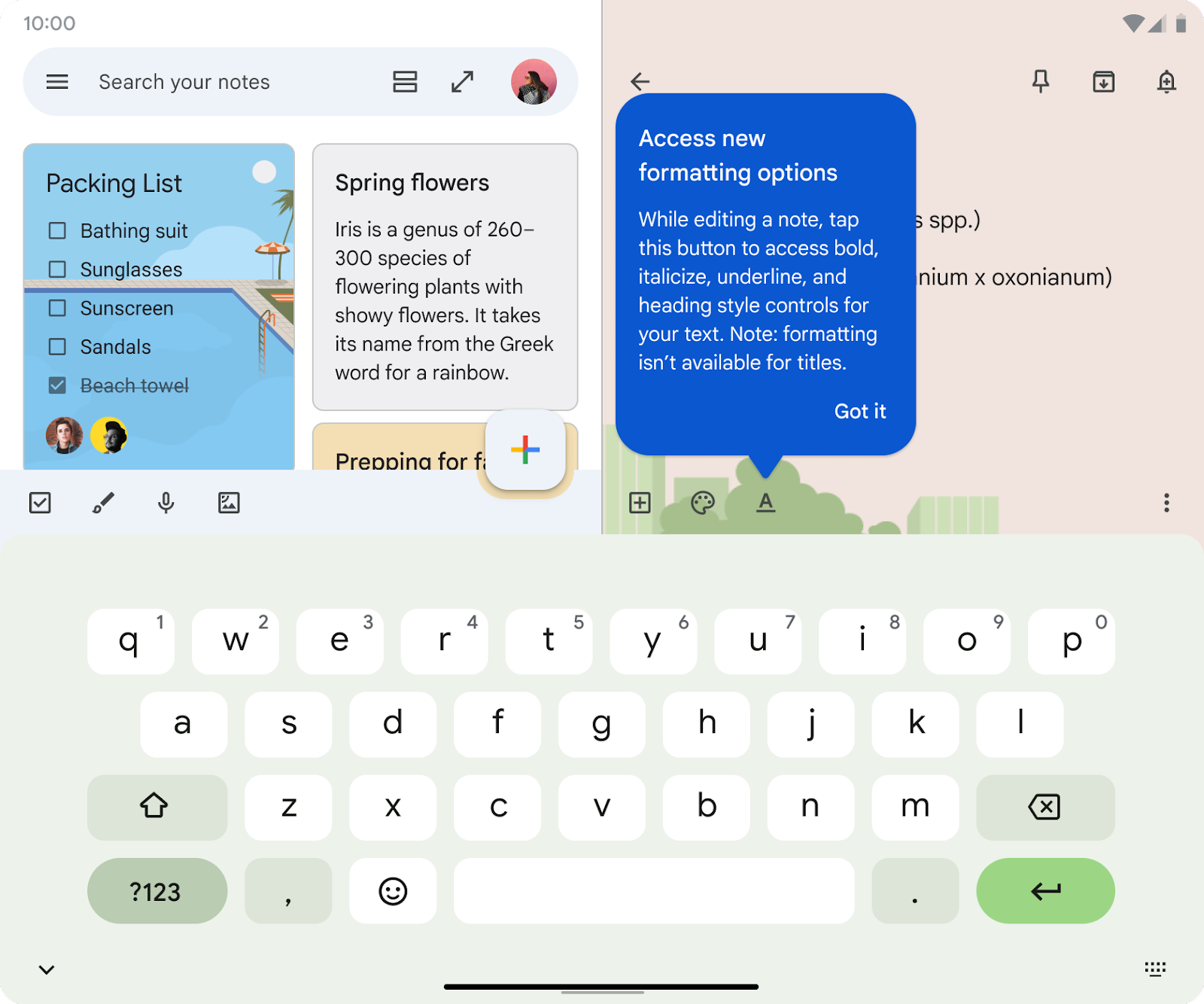
Rich text formatting coming to existing notes in Google Keep on Android.
Rich text formatting options will be extended to existing notes in Google Keep on Android devices, enabling users to apply styles to previously created content.
Release: Both • Rapid: 2023-10-01 • Scheduled: 2023-10-01 -
2023-08-24Content & Collaboration
Rich text formatting added to new notes in Google Keep on Android.
Google Keep on Android now supports rich text formatting for new notes, allowing users to customize and add emphasis to their text using bolding, underlining, italicizing, and heading styles.
Release: Both • Rapid: 2023-08-24 • Scheduled: 2023-08-24 -
2023-08-24Education
Google Workspace for Education Admins must review and confirm access settings for third-party configured apps by Oct 23, 2023.
Through the app access control settings, we’re making it easier for Google Workspace for Education admins to control how third-party apps access their organizations' Google data when users sign-in using their Google Workspace for Education accounts.
Release: Both -
2023-08-24Comms & Meetings
You can join a client-side encrypted meeting directly from the Google Meet and Calendar apps.
Beginning today, you can join a client-side encrypted meeting directly from the Google Meet and Calendar apps. Client-side encryption gives users direct control of their encryption keys and the identity service that authenticates those keys. Further, client-side encryption ensures that Google cannot access audio and video content under any circumstances.
Release: Both • Rapid: 2023-08-24 • Scheduled: 2023-08-24 -
2023-08-24Content & Collaboration
Adding rich text formatting options to new notes on Keep.
Building upon our recent updates to Google Keep on Android devices, such as multi-instance support and the single note widget, we’re adding rich text formatting options to new notes on Keep. This highly requested feature enables you to customize and add emphasis to your text through bolding, underlining, italicizing, and heading styles.
Release: Both • Rapid: 2023-08-24 -
2023-08-24Content & Collaboration
Adding rich text formatting options to new notes on Keep for Android.
Adding rich text formatting options to new notes on Keep. This enables you to customize and add emphasis to your text through bolding, underlining, italicizing, and heading styles. You will be able to access rich text formatting in existing Keep notes on Android devices in the coming weeks.
Release: Both • Rapid: 2023-08-24 • Scheduled: 2023-08-24 -
2023-08-24Comms & Meetings

Adding a new Workday app for Google Chat that allows you to perform quick actions in Workday.
We’re adding a new Workday app for Google Chat that allows you to perform quick actions in Workday, such as requesting time off, filing expense reports and looking up colleague's information, all without leaving Google Chat.
Release: Both -
2023-08-24Comms & Meetings
Microsoft Outlook user who organize meetings are now listed amongst the other meeting attendees in Calendar as the meeting organizer.
Previously, if a Microsoft Outlook user invited a Google Calendar user to a meeting event, the Outlook user’s display name would not appear at all in the list of meeting attendees on Google Calendar. Starting today, we’re updating this experience so that the Outlook user who organized the meeting is listed amongst the other meeting attendees in Calendar as the meeting organizer.
Release: Both • Rapid: 2023-08-24 • Scheduled: 2023-08-24