Google Drive updates from January 2016
4 updates to Google Drive were tracked in January 2016.
-
2016-01-25Content & Collaboration
Increased admin control over Google Drive file sharing options.
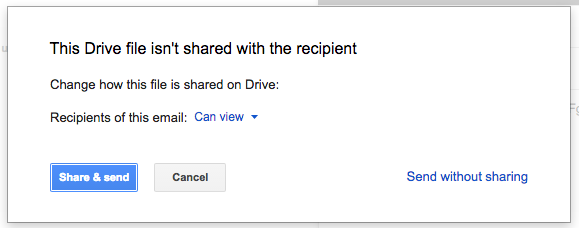
Google has introduced new Access Checker settings in the Admin console, allowing administrators to define the sharing options users see when sharing Drive files via Gmail, comments in Docs, Sheets, or Slides, protected ranges in Sheets, or Calendar invites. Depending on whether external public sharing is permitted, admins can now restrict these options to 'Recipients only', 'Recipients only or their domain', or 'Recipients only, their domain, or public'.
Release: Both • Rapid: 2016-01-25 • Scheduled: 2016-01-25 -
2016-01-12Content & Collaboration
Improved file and folder organization in Google Drive via new toolbar options and drag-and-drop functionality.
Google Drive is making it easier to organize files and folders. Users will now see 'Add to My Drive' or 'Move to' options in the toolbar when viewing search results, Shared with me, Recent, or Starred views. Additionally, users can now drag and drop items from search results into folders and organize files directly from the preview screen.
Release: Both • Rapid: 2016-01-12 • Scheduled: 2016-01-26 -
2016-01-07Content & Collaboration
Google Drive iOS app adds support for several new languages.
The Google Drive iOS app has been updated to support additional languages, including Hindi, Indian English, Canadian French, and Chinese (Hong Kong), improving accessibility for a wider range of global users.
Release: Both • Rapid: 2016-01-07 • Scheduled: 2016-01-07 -
2016-01-07Content & Collaboration

Google Drive iOS app introduces Peek and pop support via 3D Touch.
The latest version of the Google Drive iOS app adds Peek and pop functionality for iPhone 6s and 6s Plus users. This feature allows users to utilize 3D Touch to preview a file or folder and perform common actions before fully opening or sharing the item.
Release: Both • Rapid: 2016-01-07 • Scheduled: 2016-01-07