Workspace updates from July 2015
21 Workspace updates were tracked in July 2015.
-
2015-07-29Google Chrome
New Chrome policies and improvements added to the Google Apps Admin console.
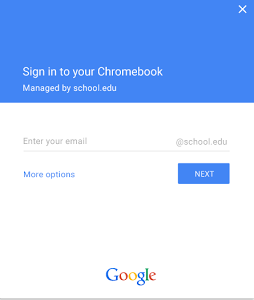
The Google Apps Admin console has been updated with new Chrome policies and enhancements to the device details page. Admins can now autocomplete the default domain for user logins and enable asset identifiers during the enrollment process. Additionally, a new 'System Activity and Troubleshooting' section has been added to the device details page, providing admins with 'Reboot Device' and 'Screen Capture' options for devices running version 44 or above.
Release: Both • Rapid: 2015-07-29 • Scheduled: 2015-07-29 -
2015-07-28More
Changes to YouTube commenting behavior for Google Apps customers
Google is streamlining the interaction between YouTube and Google+ for Google Apps customers. Comments posted on YouTube will no longer be shared to Google+ (and vice versa), and the 'Also share on Google+' checkbox will be removed. Additionally, both users and administrators in Google Apps domains will no longer be able to restrict YouTube comments to be viewable only within their domain; new comments will be public.
Release: Both • Rapid: 2015-08-03 • Scheduled: 2015-08-03 -
2015-07-27Content & Collaboration
New uniform interface for Google Docs, Sheets, and Slides viewers on the mobile web.
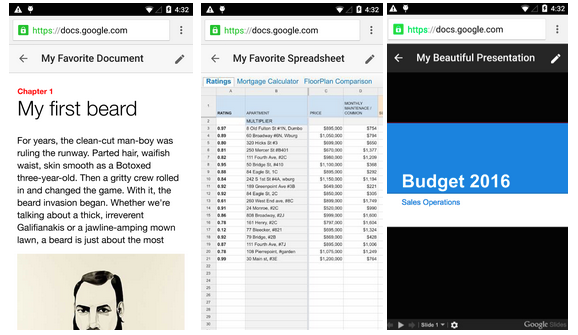
Google is introducing a simpler and more uniform interface for the viewers of Google Docs, Sheets, and Slides on the mobile web to ensure a consistent user experience across these three products.
Release: Both • Rapid: 2015-07-27 • Scheduled: 2015-07-27 -
2015-07-27Content & Collaboration
Editing Google Docs files on the mobile web is being replaced by the mobile app.
To encourage the use of the more robust mobile app, Google is removing the ability to edit Google Docs files on the mobile web. Users attempting to edit Docs files on the mobile web will now be directed to the app or prompted to download it.
Release: Both • Rapid: 2015-07-27 • Scheduled: 2015-07-27 -
2015-07-23Admin & Security
Attachment compliance now identifies actual file types instead of relying on extensions.
The Attachment compliance setting has been improved to scan and identify the actual file type of attachments. This prevents users from circumventing attachment policies by simply renaming file type extensions.
Release: Both • Rapid: 2015-07-23 • Scheduled: 2015-07-23 -
2015-07-23Admin & Security
Admins can now prevent users from changing their Google+ profile names.
Google has introduced a new setting in the Google Apps Admin console that allows administrators to control whether users in their organization can edit their profile names in Google+. If administrators disallow name changes, any previously user-edited Google+ profile names will be replaced by the corresponding names listed in the Admin console directory.
Release: Both • Rapid: 2015-07-23 • Scheduled: 2015-07-23 -
2015-07-21Content & Collaboration
Google Drive plug-in for Microsoft Office allows opening and saving Office files directly to Drive.
Google has released a plug-in for Microsoft Office on Windows that enables users to open Word, Excel, and PowerPoint documents stored in Google Drive and save changes directly back to Drive. Users can also save local Office files to Google Drive from within the Office applications. The plug-in supports Office 2007, 2010, 2013, and Office 365.
Release: Both • Rapid: 2015-07-21 • Scheduled: 2015-07-21 -
2015-07-20Content & Collaboration
Google Drive, Docs, Sheets, and Slides now display warnings for invalid sharing settings.
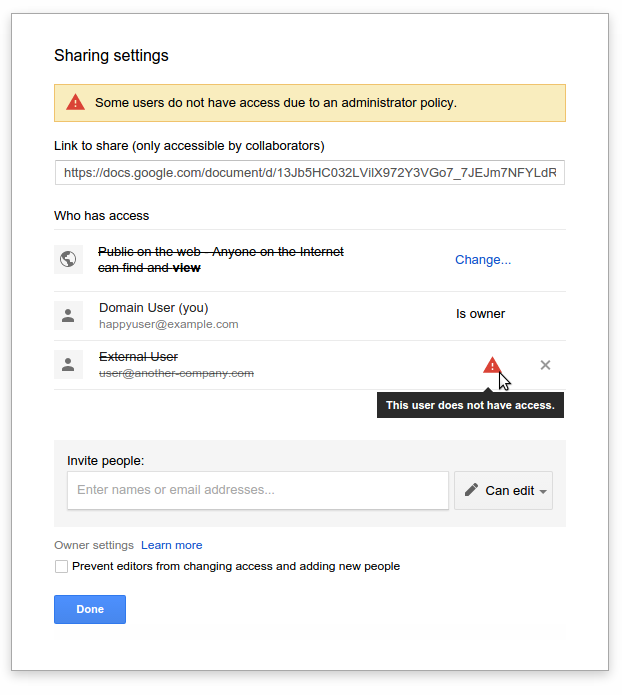
Google is introducing warnings within the 'Sharing with others' dialog in Google Drive, Docs, Sheets, and Slides to notify users when sharing settings are invalid. Warnings will appear if a user attempts to share a file with someone outside their domain when such sharing is disabled by an administrator, or if they use 'anyone' sharing options while external publishing is restricted.
Release: Both • Rapid: 2015-07-20 • Scheduled: 2015-08-03 -
2015-07-20Other
Clearer indication of 'View' and 'Comment' access in Google Docs editors
Google is introducing UI tweaks to Google Docs, Sheets, Slides, and Drawings to make it more apparent when a user has only 'View' or 'Comment' access. Users with 'View only' access will see a new blue button in the toolbar, while those with 'Comment only' access (in Sheets, Slides, and Drawings) will see a green button, both of which allow the user to easily request edit access from the file owner.
Release: Both • Rapid: 2015-07-20 • Scheduled: 2015-08-03 -
2015-07-16Admin & Security
Introduction of a new Data Transfer privilege in the Admin console for transferring Google Drive content.
Google has introduced a new Data Transfer privilege in the Admin console. To transfer Google Drive content from one employee to another, delegated admins will now require both the Drive service privilege and this new Data Transfer privilege. Super admins will continue to be the only ones capable of transferring data during user deletion and can manage the assignment of this privilege to other admins.
Release: Both • Rapid: 2015-07-16 • Scheduled: 2015-07-16 -
2015-07-15Education
New mobile content notifications for Google Classroom app on Android and iOS.
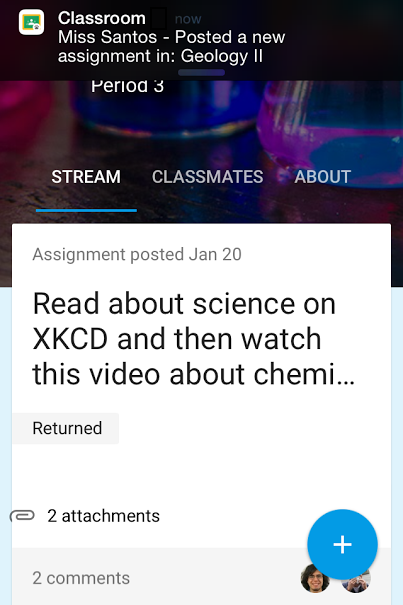
Students will begin receiving mobile notifications via the Google Classroom app for Android and iOS when new content is added to their classes. This includes immediate alerts for new assignments, grades, notes from teachers, and comments from classmates, helping students stay updated on their schoolwork.
Release: Both • Rapid: 2015-07-15 • Scheduled: 2015-07-15 -
2015-07-14Content & Collaboration
Disable downloading, printing, and copying for Google Drive files
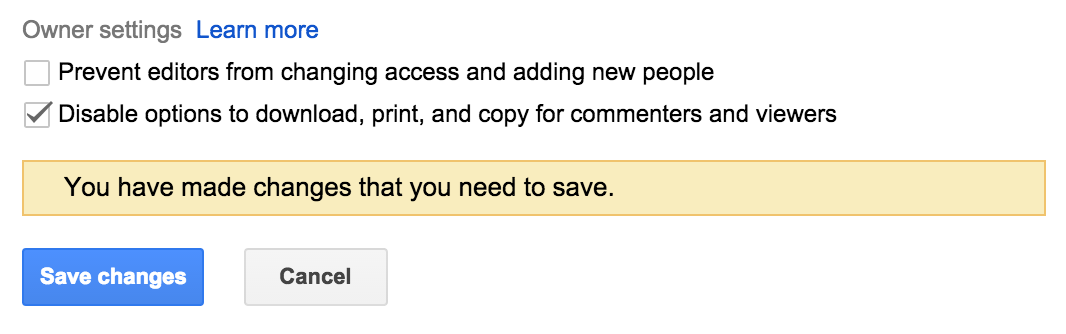
Google Drive has introduced Information Rights Management (IRM) features that allow file owners to disable the ability for commenters and viewers to download, print, or copy files. This setting can be managed through the advanced sharing menu on the web or via API and applies to all file types in Drive, including Google Docs, Sheets, and Slides.
Release: Both • Rapid: 2015-07-14 • Scheduled: 2015-07-28 -
2015-07-13Content & Collaboration
Print and preview event support added to Google Drive audit logs
Google has added support for print and preview events to the Google Drive audit logs for both Google and non-Google file formats. Administrators can now filter these events by document name, user name, and timestamp, and can set alerts for specific files based on filenames and owners. This feature is available to Google Apps Unlimited/Google Drive for Work and Google Apps for Education customers.
Release: Both • Rapid: 2015-07-13 • Scheduled: 2015-07-13 -
2015-07-13Other
Users can now customize the App Launcher by rearranging app icons.
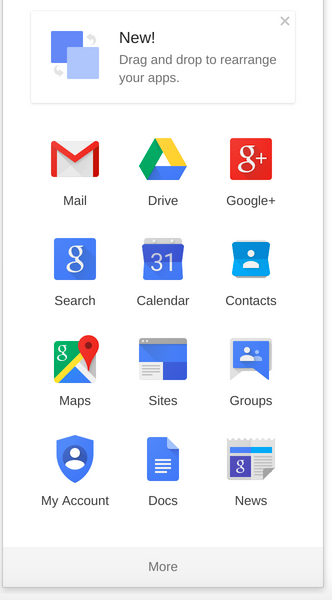
Individual users can now customize their App Launcher by moving app icons between rows and screens to make frequently used apps more accessible. While administrators cannot customize the launcher for their employees, users can configure it themselves. A temporary notification will be displayed to inform users of this new capability.
Release: Both • Rapid: 2015-07-13 • Scheduled: 2015-07-13 -
2015-07-09Content & Collaboration
Change slide layouts in Google Slides for Android
Within the Google Slides app for Android, users can now change the layout of an existing slide to one of several predefined layouts, allowing them to update presentations on mobile more effectively.
Release: Both • Rapid: 2015-07-09 • Scheduled: 2015-07-09