Workspace updates from July 2015
21 Workspace updates were tracked in July 2015.
-
2015-07-09Content & Collaboration
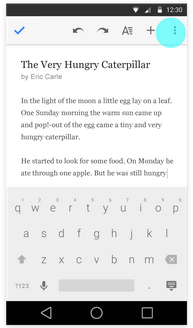
Easier file renaming in Android apps
Users can now edit document, spreadsheet, and presentation titles directly from the overflow menu in the top right corner of the Google Docs, Sheets, and Slides apps for Android, making renaming files faster and simpler.
Release: Both • Rapid: 2015-07-09 • Scheduled: 2015-07-09 -
2015-07-09Content & Collaboration
Improved comment and suggestion handling in Office Compatibility Mode for Android
In the Google Docs app for Android, users can now reply to comments when working in Office Compatibility Mode. Additionally, suggestions and comments in this mode now appear in the Comments panel in the order they were made, rather than grouped by type.
Release: Both • Rapid: 2015-07-09 • Scheduled: 2015-07-09 -
2015-07-07Admin & Security

Google Vault updates how admins set new retention rules.
Google Vault is changing the way admins configure new retention rules. Admins will now be prompted to choose between two options: expunging messages only if they were deleted during the coverage period (the default) or expunging messages even if they are still present in a user's mailbox. This change does not affect existing retention settings, which will continue to operate under their original configurations.
Release: Both • Rapid: 2015-07-07 • Scheduled: 2015-07-07 -
2015-07-06Other
Improvements to G Suite launch announcement structure.
Google is adding more structured information to its launch announcements to help G Suite admins better digest and communicate updates to their users. Future announcements will now include specific details regarding the release track, eligible editions, rollout pace, impact, and recommended admin actions.
Release: Both • Rapid: 2015-07-06 -
2015-07-06Content & Collaboration

New download functionality for Microsoft Office files in Google Docs, Sheets, and Slides.
The Office Compatibility Mode extension in Chrome now includes a feature that allows users to instantly download a local copy of edited Microsoft Office files. This functionality is accessible via the File drop-down menu and a button in the top right corner of the screen, making it easier for users to share files in Microsoft Office format or upload them via webforms.
Release: Both • Rapid: 2015-07-06 • Scheduled: 2015-07-06 -
2015-07-01Content & Collaboration
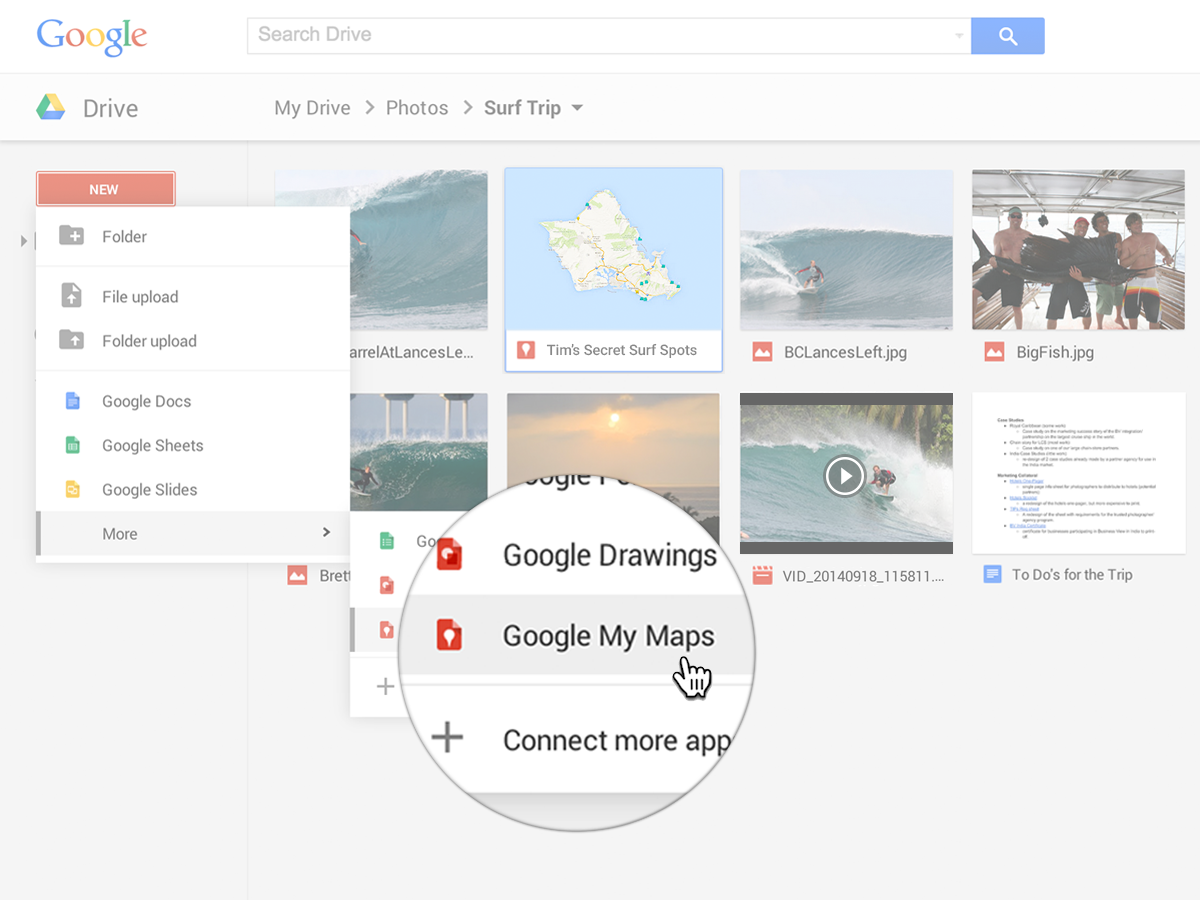
Google My Maps is now integrated with Google Drive for easier creation, sharing, and management of custom maps.
Google My Maps is now integrated with Google Drive, allowing users to create custom maps with lines, shapes, and placemarks, import geographic data, and share maps using Drive's permission settings. Google Apps admins can enable or disable the service for their domains or specific organizational units via the Admin console. These maps are web-only and do not count toward the user's Google Drive storage limit.
Release: Both • Rapid: 2015-07-01 • Scheduled: 2015-07-01