Workspace updates from March 2018
25 Workspace updates were tracked in March 2018.
-
2018-03-29Other
Twenty three third-party applications added to the G Suite pre-integrated SAML apps catalog
Building on other recent launches, we’re adding SAML integration for 23 additional applications: Adaptive Insights, Buildkite, Citrix ShareFile, CrashPlan, Fuze, HappyFox, Huddle, Image Relay, itsLearning, Jobvite, Klipfolio, Mimecast, Mozy Enterprise, Periscope Data, Pipedrive, Pritunl, Qubole, Runscope, Saba, Solium Shareworks, Spotinst, VictorOps, Zuora
Release: Both • Rapid: 2018-03-29 • Scheduled: 2018-03-29 -
2018-03-29Other
Twenty-three third-party applications added to the G Suite pre-integrated SAML apps catalog
Google has added SAML integration for 23 additional third-party applications to its pre-integrated apps catalog, including Adaptive Insights, Buildkite, and Zuora. This update simplifies the Single Sign-On (SSO) setup process for administrators, allowing users to access these enterprise cloud applications after signing in just once.
Release: Both • Rapid: 2018-03-29 • Scheduled: 2018-03-29 -
2018-03-27Admin & Security
Admins can now manage the frequency of 2-step verification (2SV) challenges.
Admins across all G Suite editions can now control whether users are allowed to trust their devices during 2-step verification. Admins can choose to display the 'Remember this computer' checkbox, allowing users to skip the second factor on trusted devices, or disable it to force a 2SV challenge every time a user signs in.
Release: Both • Rapid: 2018-03-27 • Scheduled: 2018-03-27 -
2018-03-27Admin & Security

Admins can now control the session length for Google services on the web.
G Suite Business, Enterprise, and Education admins now have the ability to specify the duration of web sessions for Google services (e.g., four hours, seven days, or infinite). Users will be automatically signed out at the end of the specified duration and prompted to re-enter their login credentials, unless they log out manually beforehand. This applies to desktop web sessions and some mobile browser sessions, but not native mobile apps or domains using SAML federation.
Release: Both • Rapid: 2018-03-27 • Scheduled: 2018-03-27 -
2018-03-26More
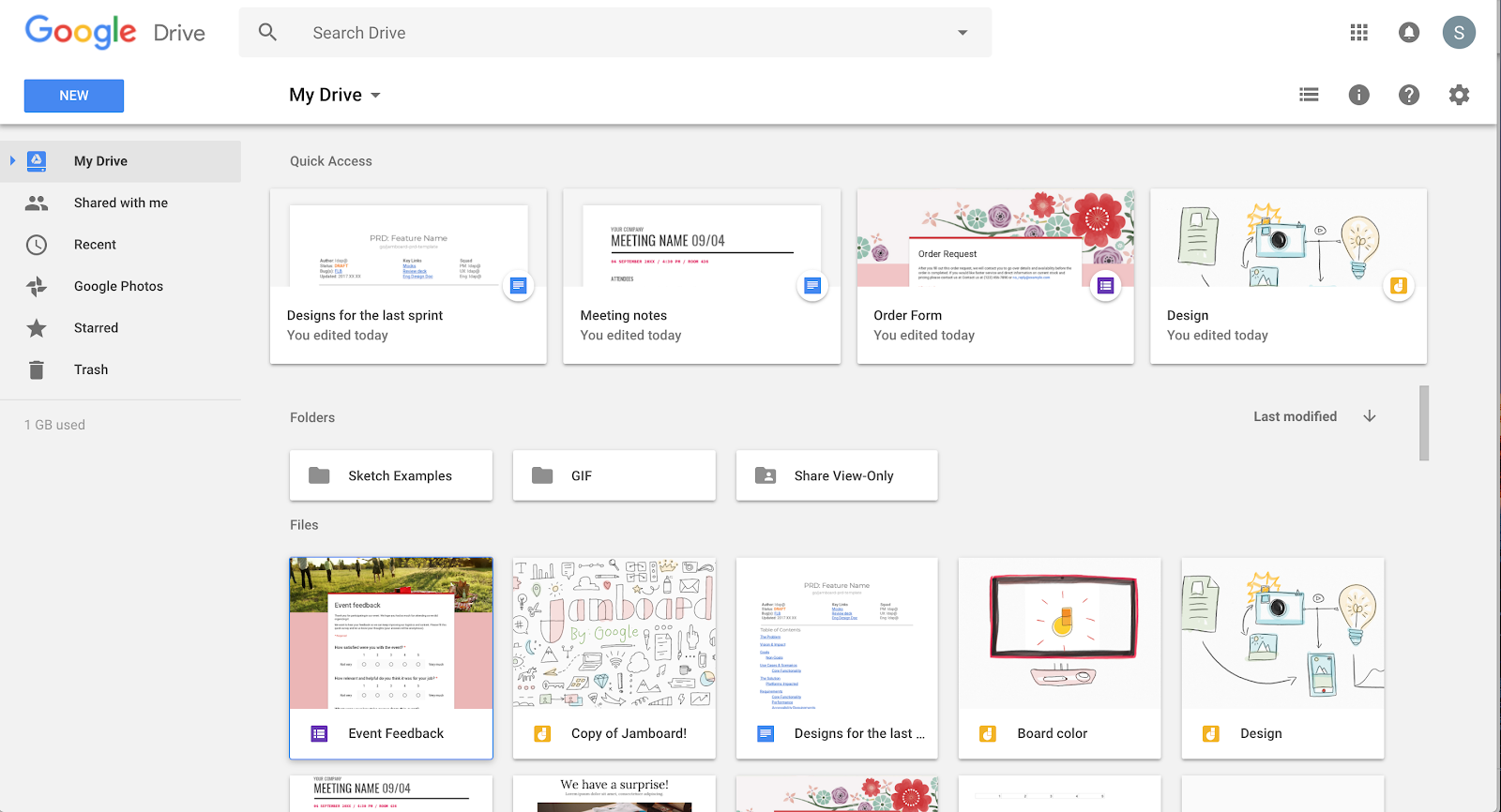
Jamboard files now appear in Google Drive for easier management and sharing.
To improve integration with G Suite, Jamboard files owned by users will now appear in their Google Drive folder. This allows users to open, copy, share, and search for jam files (using the search term 'type:jam') directly from My Drive across both web and mobile applications.
Release: Both • Rapid: 2018-03-26 • Scheduled: 2018-03-26 -
2018-03-26Other

New 'highlights' notification option for Google+ communities and collections.
Google is introducing a 'highlights' notification option for Google+ communities and collections. Instead of receiving all notifications or none, users can now opt for a digest notification featuring the top posts from across all their subscribed communities and collections to save time and focus on the most important content.
Release: Both • Rapid: 2018-03-26 • Scheduled: 2018-03-26 -
2018-03-23Admin & Security

All G Suite editions can now manage security keys for two-step verification.
Google has expanded security key management capabilities to all G Suite editions. Admins can now restrict users' two-step verification methods to security keys only, add or revoke security keys for users, and view reports on security key usage within the Admin console to enhance organizational security against phishing attacks.
Release: Both • Rapid: 2018-03-23 • Scheduled: 2018-03-23 -
2018-03-21Admin & Security
Basic mobile management is now enabled by default for G Suite.
Basic device management for mobile devices accessing G Suite is now automatically enabled for iOS and Android, removing the need for employees to install profiles. This provides admins with a single dashboard to see devices accessing corporate data, the ability to enforce passcodes, and the option to perform selective account wipes for confidential data.
Release: Both • Rapid: 2018-03-21 • Scheduled: 2018-03-21 -
2018-03-21More
Landscape support for Jamboard mobile apps
Users can now interact with jams in landscape mode on both the iOS and Android Jamboard mobile applications.
Release: Both • Rapid: 2018-03-21 • Scheduled: 2018-03-21 -
2018-03-21More
Object connectors for Jamboard shapes
Users can now connect shapes on the Jamboard together by drawing lines between them, facilitating better diagramming and brainstorming.
Release: Both • Rapid: 2018-03-21 • Scheduled: 2018-03-21 -
2018-03-21More
Custom screensaver messages for Jamboard
Admins can now create a custom message in the Jamboard Admin console settings page under "Screensaver Message," which will display as a ticker on the Jamboard screensaver.
Release: Both • Rapid: 2018-03-21 • Scheduled: 2018-03-21 -
2018-03-21More

Custom backgrounds for Jamboard jams
Users can now select from a list of 7 unique backgrounds and patterns for their jams. Once selected, the background is applied to the jam across all devices.
Release: Both • Rapid: 2018-03-21 • Scheduled: 2018-03-21 -
2018-03-21More
Automatic document closeout for Jamboard kiosks
Admins can now configure a "Document Timeout" in the Jamboard Admin console, which allows Jams to be automatically closed if they are left open on a Jamboard kiosk for longer than a specified period of time.
Release: Both • Rapid: 2018-03-21 • Scheduled: 2018-03-21 -
2018-03-21Comms & Meetings

Advanced anti-phishing and malware protection settings added to the Admin console.
Google has introduced new security settings in the Gmail Admin console under Apps > G Suite > Gmail > Safety to protect against phishing and malware. These updates include protections against encrypted attachments and scripts from untrusted senders, identification of shortened URLs, scanning of linked images, and various spoofing protections (similar domain names, employee names, and unauthenticated emails). While most settings are disabled by default for existing customers, 'Identify links behind shortened URLs' and 'Scan linked images' will be automatically enabled on April 4, 2018.
Release: Both • Rapid: 2018-03-21 • Scheduled: 2018-03-21 -
2018-03-21Content & Collaboration
Enhanced security and Information Rights Management (IRM) controls for Team Drives.
Google is enhancing Team Drives with new security controls, including Information Rights Management (IRM) to prevent users from printing, downloading, or copying files. Admins will also be able to modify settings to limit file access privileges specifically to Team Drive members or only to users within their domain.
Release: Both • Rapid: 2018-03-21 • Scheduled: 2018-03-21