Workspace updates from June 2023
59 Workspace updates were tracked in June 2023.
-
2023-06-07Comms & Meetings

Enhanced picture-in-picture experience for Google Meet in Chrome.
Google is updating the picture-in-picture (PiP) experience for Google Meet in Chrome to be more engaging and feature-rich. Users can now raise their hand, use the meeting chat, toggle captions, resize the PiP window more effectively, and access flexible layouts directly from the PiP window, offering greater flexibility when screen sharing or navigating between screens.
Release: Both • Rapid: 2023-06-07 • Scheduled: 2023-06-07 -
2023-06-07Comms & Meetings
We’re updating the Google Meet picture-in-picture experience to be more engaging and feature-rich in Chrome.
Directly from the picture-in-picture window, you can now raise your hand, use in-meeting chat, turn captions on and off, more effectively resize the picture-in-picture view, and access flexible layouts.
Release: GA • Rapid: 2023-06-07 • Scheduled: 2023-06-07 -
2023-06-07Comms & Meetings

Updated user interface for the Email Log Search tool.
Google has updated the Email Log Search interface in the Admin console to help administrators find relevant email information more efficiently. The update introduces a 'Predefined search' tab for common basic queries (e.g., messages from the last 7 days) and a 'Custom search' tab for advanced parameters such as message IDs or sender IPs, streamlining the process of troubleshooting missing emails and monitoring domain email flow.
Release: Both • Rapid: 2023-06-07 • Scheduled: 2023-06-07 -
2023-06-06Education
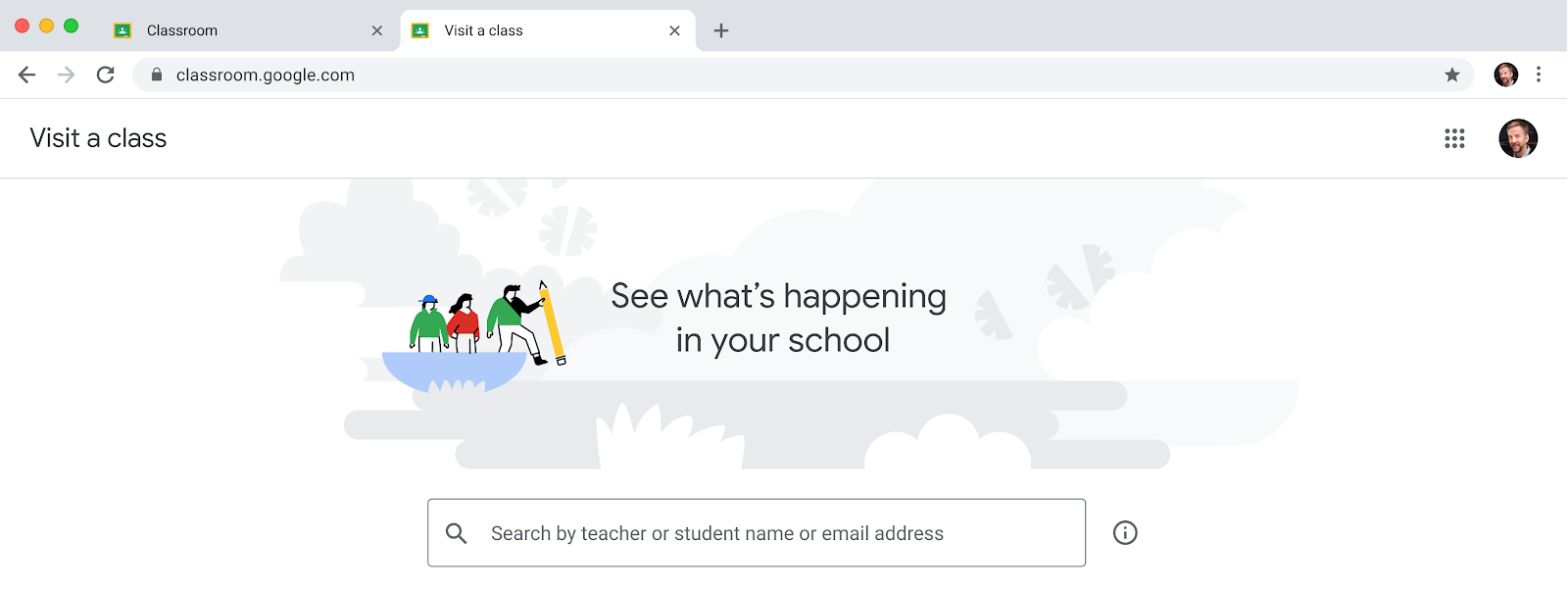
Introduction of the 'visit a class' feature for education leaders and support staff in Google Classroom.
Google Classroom is introducing a new ability for permissioned users, such as principals, department heads, and school counselors, to temporarily access classes to support educators, post announcements, and view student profiles without being assigned as permanent co-teachers. This feature helps reduce homepage clutter and unnecessary notifications for support staff. Access is managed by Super Admins through a custom admin role with the 'Manage Classes' privilege in the Admin Console and requires a Google Workspace for Education Plus license.
Release: Both • Rapid: 2023-06-06 • Scheduled: 2023-06-06 -
2023-06-05Comms & Meetings

Smart compose is now available in Google Chat on web.
Google Chat on web now features smart compose, a machine-learning powered tool that suggests relevant contextual phrases as users type. This feature is designed to help users communicate more efficiently by reducing repetitive writing and minimizing spelling and grammatical errors. It is available in English, Spanish, Portuguese, French, and Italian.
Release: Both • Rapid: 2023-06-05 • Scheduled: 2023-06-26 -
2023-06-05Admin & Security

Google Workspace enables passkeys as a simpler and safer passwordless sign-in alternative in open beta.
Google Workspace is introducing passkeys in open beta, allowing users to sign in to their accounts using fingerprints, face recognition, or other screen-lock mechanisms instead of passwords. Admins can enable this feature in the Admin console under Security > Passwordless, providing a more secure and faster authentication experience that is resistant to phishing and other online attacks.
Release: Both • Rapid: 2023-06-05 • Scheduled: 2023-06-05 -
2023-06-02Content & Collaboration

Hardware keyboard support for formulas in Google Sheets on Android
Google is enhancing the Google Sheets app on Android devices by allowing users to use a hardware keyboard to insert ranges in a formula via arrow keys and adding more formula-related keyboard shortcuts.
Release: Both -
2023-06-02Comms & Meetings
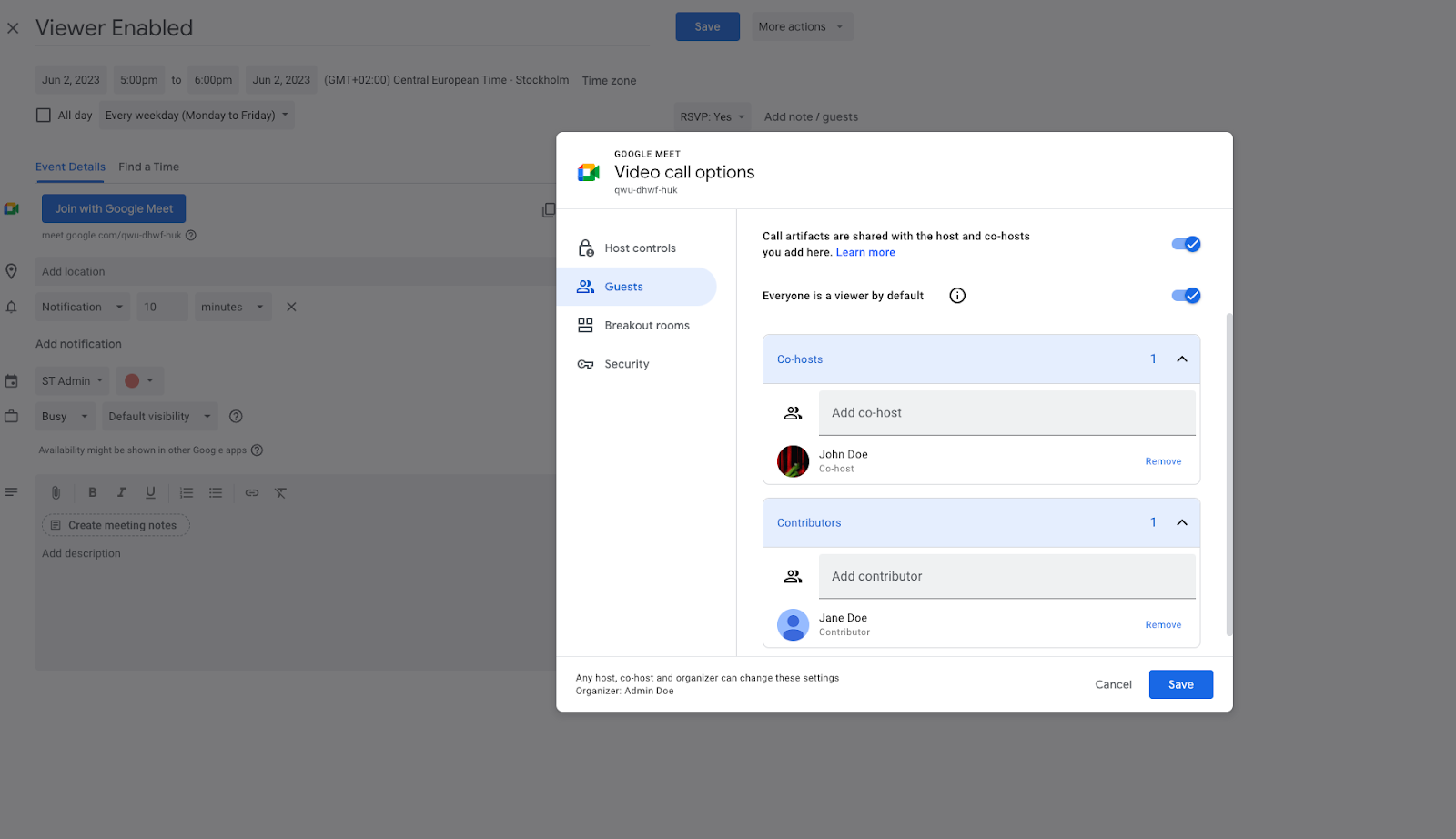
Google Meet increases maximum meeting capacity to 1,000 attendees for select Enterprise and Education editions.
Google Workspace Enterprise Plus, Enterprise Essentials Plus, and Education Plus customers can now scale their meetings to a maximum of 1,000 attendees, with up to 500 of those attendees being viewers. This represents an increase from the previous limit of 500 contributors for Enterprise Plus and Enterprise Essentials Plus.
Release: Both • Rapid: 2023-06-02 • Scheduled: 2023-06-02 -
2023-06-02Comms & Meetings
Google Meet introduces viewer mode to better control meeting flow for large events.
Google Meet now allows hosts to designate attendees as 'viewers' when creating Calendar invites. Viewers are unable to share their audio or video, which helps reduce distractions during large-scale meetings like webinars or town halls. Hosts can transition viewers to contributors via the people panel. While viewers can use Q&As and polls, support for in-meeting chat and emoji reactions is planned for a future update.
Release: Both • Rapid: 2023-06-02 • Scheduled: 2023-06-02 -
2023-06-02Comms & Meetings
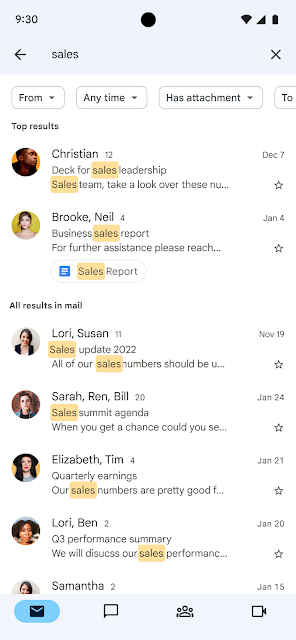
Gmail on mobile now displays the most relevant search results at the top of the list.
Google is improving the search experience in Gmail on mobile by introducing a feature that uses machine learning models to identify and display the most relevant search results at the top of the list. These top results are determined by the search term, most recent emails, and other relevant factors, followed by all other results sorted by recency.
Release: Both • Rapid: 2023-06-02 • Scheduled: 2023-06-02 -
2023-06-02Content & Collaboration
Vertical context menu for Google Docs and Slides on Android
Google is improving the experience on large screen Android devices by adding the ability to access a vertical context menu when using mouse right-clicking in the Google Docs and Slides apps.
Release: Both -
2023-06-02Education

Google Classroom introduces grading periods to help teachers organize and analyze assignments and grades.
Google Classroom is introducing grading periods, allowing teachers to define and apply specific segments of the school year to their assignments. In the gradebook view, teachers can now filter by grading period while sorting by student, enabling them to track student performance trends over time as an aggregate or within a specific period.
Release: Both • Rapid: 2023-06-02 • Scheduled: 2023-06-02 -
2023-06-02Comms & Meetings

Google Chat now automatically hides inactive conversations to declutter the interface.
Google Chat is introducing a decluttering feature that automatically hides direct messages and spaces that have been inactive for the last 7 days. This feature activates when a section contains more than 10 conversations and does not affect pinned conversations. Users can still access a comprehensive list of all conversations by clicking the 'More' button.
Release: Both • Rapid: 2023-06-02 • Scheduled: 2023-06-02 -
2023-06-01Comms & Meetings
.png)
Simplified controls for meeting access in Google Meet are introduced replacing Quick access settings.
We’re introducing simplified controls for meeting access in Google Meet. These will replace the existing Quick access meeting settings and the admin setting to turn Quick access on or off by default will be removed. This update will begin rolling out on July 17, 2023.
Release: Scheduled • Scheduled: 2023-07-17