All Admin console updates
158 updates to Admin console tracked so far.
-
2019-11-20Admin & Security

Advanced Protection Program for the enterprise is now generally available to protect high-risk users.
The Advanced Protection Program for the enterprise is now generally available, offering a bundle of high-security policies for employees most at risk of targeted attacks, such as IT admins and executives. The program enforces the use of security keys, blocks most untrusted third-party apps from accessing Drive and Gmail data, and provides enhanced email scanning. Additionally, a new default option 'allow security codes without remote access' has been introduced, restricting security code usage to the same device or local network.
Release: Both • Rapid: 2019-11-20 • Scheduled: 2019-11-20 -
2019-10-29Admin & Security
New filter added to the device list to identify devices without endpoint verification.
Google is introducing a new filter in the Admin console device list that allows admins to identify devices accessing corporate data without endpoint verification. This enhancement helps admins better manage the deployment of Endpoint Verification and Context-Aware Access by identifying potential user disruptions before the controls are turned on.
Release: Both • Rapid: 2019-10-29 • Scheduled: 2019-10-29 -
2019-10-29Admin & Security

Fundamental device management is now enabled by default for all desktop computers logging into G Suite.
All desktop devices (Windows, Mac, Chrome, or Linux) that log in to G Suite will now be registered with fundamental device management by default. This agentless feature allows admins to see device type, operating system, and sync times in the Admin console, and provides the ability to remotely sign users out of devices that are lost, stolen, or compromised.
Release: Both • Rapid: 2019-10-29 • Scheduled: 2019-10-29 -
2019-10-23Admin & Security

Updated card-based interface for Directory settings in the Admin console.
Google is introducing a new card-based interface for the Directory settings section of the Admin console. The updated design organizes settings into three clear sections: Sharing settings, Profile editing, and Visibility settings, allowing admins to more easily control contact information visibility and determine which profile details users can edit themselves.
Release: Both • Rapid: 2019-10-23 • Scheduled: 2019-10-23 -
2019-10-16Admin & Security

Custom reporting alerts are moving to the Security rules section of the Admin console.
Google is consolidating the management of custom reporting alerts by moving them from the Reporting section to the Security rules section of the Admin console. These alerts will now be listed with the 'Reporting' rule type, providing admins with a more centralized view of rules and alerts within their domain to make management easier.
Release: Both • Rapid: 2019-10-16 • Scheduled: 2019-10-16 -
2019-10-09Admin & Security
Admins can now save filter views in the alert center.
Admins can now save frequently used filter combinations in the alert center to quickly return to specific views without reapplying individual filters each session. Saved filters are individual to each user, although the applied filter URL can be shared with colleagues.
Release: Both • Rapid: 2019-10-09 • Scheduled: 2019-10-09 -
2019-10-09Admin & Security

Admins can now leave comments on alerts in the alert center.
Admins with alert center privileges can now leave comments on alerts, which appear in the 'Alert history' section. This feature facilitates collaboration during investigations and provides a record of resolution actions. Comments can be deleted only by the user who created them.
Release: Both • Rapid: 2019-10-09 • Scheduled: 2019-10-09 -
2019-10-08Admin & Security
Google is adding a diagnostics page in the Admin console to validate MTA-STS configurations.
Google Workspace is introducing a new diagnostics page within the Admin console that allows administrators to validate their MTA-STS and TLS reporting configurations. If any domains are not configured correctly, the page will provide suggested configurations to make it easier for admins to set up new MTA-STS settings. This feature is available to all G Suite editions.
Release: Both • Rapid: 2019-10-08 • Scheduled: 2019-10-08 -
2019-09-26Admin & Security

Google 2-Step Verification and risk-based login challenges are now available for organizations using 3rd-party identity providers.
Organizations using 3rd-party identity providers can now enable Google 2-Step Verification and risk-based login challenges to enhance account security. 2-Step Verification adds an extra verification step when certain conditions are met, while risk-based challenges analyze user access patterns to detect and challenge suspicious behavior. These features are available to all G Suite and Cloud Identity editions and are turned off by default.
Release: Both • Rapid: 2019-09-26 • Scheduled: 2019-09-26 -
2018-06-14Admin & Security

Introduction of Endpoint Verification for desktop device reporting in the Admin console.
Google is introducing 'Endpoint Verification,' a new feature in the Admin console that provides G Suite admins with visibility into the computers used to access corporate data. By utilizing Chrome extensions and native apps on ChromeOS, macOS, and Windows devices, admins can access a report containing an inventory of devices and security information such as screen lock status, disk encryption, and OS version.
Release: Both • Rapid: 2018-06-14 • Scheduled: 2018-06-14 -
2018-05-24Admin & Security
Absolute count metrics for Drive removed from Admin console Reports API
Starting May 29, 2018, Google is removing absolute count metrics for Google Drive from the Admin console Reports API. These metrics have been replaced by activity-based metrics, a change that was previously announced and implemented in the Admin console user interface in October 2017.
Release: Scheduled • Scheduled: 2018-05-29 -
2018-05-16Admin & Security

Enhanced visibility for emails in Admin Quarantine.
Google is updating the Admin Quarantine interface to make it easier for admins to identify why emails were quarantined. Admins with the necessary privileges will now be able to see the specific rule that was triggered and the matched content, allowing for quicker review and more accurate actions to protect the organization.
Release: Both • Rapid: 2018-05-16 • Scheduled: 2018-05-16 -
2018-05-15Admin & Security
Twelve third-party applications added to the G Suite pre-integrated SAML apps catalog
Google has expanded its pre-integrated SAML apps catalog by adding 12 additional third-party applications: Black Duck, Brightcove, Chartio, Duo, Hootsuite, Jenkins, Jostle, Mango Apps, SumTotal, TextMagic, Veracode, and Zinc. This allows administrators to more easily set up Single Sign-On (SSO) for these services compared to the manual process of installing custom SAML applications.
Release: Both • Rapid: 2018-05-15 • Scheduled: 2018-05-15 -
2018-05-11Admin & Security
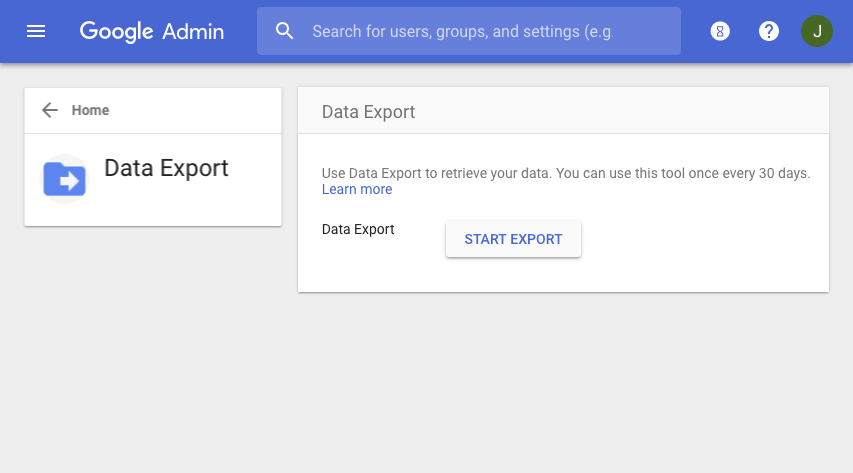
Google introduces a new data export feature for G Suite admins to securely export and download organization-wide data.
Google has launched a data export tool in the Admin console that allows super admins to export and download a copy of data from G Suite core services, including Gmail, Google Contacts, and Google Docs, for all users in the organization. To ensure security, the feature requires 2-step verification, is limited to super admins created more than 30 days prior, and notifies other admins when initiated. For domains with more than 1,000 users, the feature is disabled by default and requires contacting Google Cloud support to enable.
Release: Both • Rapid: 2018-05-11 • Scheduled: 2018-05-11 -
2018-05-02Admin & Security
Auto-provisioning support added for six new third-party applications.
Google Workspace is expanding its auto-provisioning capabilities by adding support for six new third-party applications: DeskPro, Federated Directory, Front App, ScreenSteps, ThousandEyes, and Trello. This feature allows administrators to automatically sync user creation, modification, and deletion from G Suite to these third-party SaaS applications, reducing management overhead. G Suite Education, Business, and Enterprise customers can enable auto-provisioning for all supported apps, while Basic, Government, and Nonprofit customers can configure it for up to three applications.
Release: Both • Rapid: 2018-05-02 • Scheduled: 2018-05-02