All Gmail updates
253 updates to Gmail tracked so far.
-
2018-03-21Comms & Meetings

Advanced anti-phishing and malware protection settings added to the Admin console.
Google has introduced new security settings in the Gmail Admin console under Apps > G Suite > Gmail > Safety to protect against phishing and malware. These updates include protections against encrypted attachments and scripts from untrusted senders, identification of shortened URLs, scanning of linked images, and various spoofing protections (similar domain names, employee names, and unauthenticated emails). While most settings are disabled by default for existing customers, 'Identify links behind shortened URLs' and 'Scan linked images' will be automatically enabled on April 4, 2018.
Release: Both • Rapid: 2018-03-21 • Scheduled: 2018-03-21 -
2018-03-07Comms & Meetings
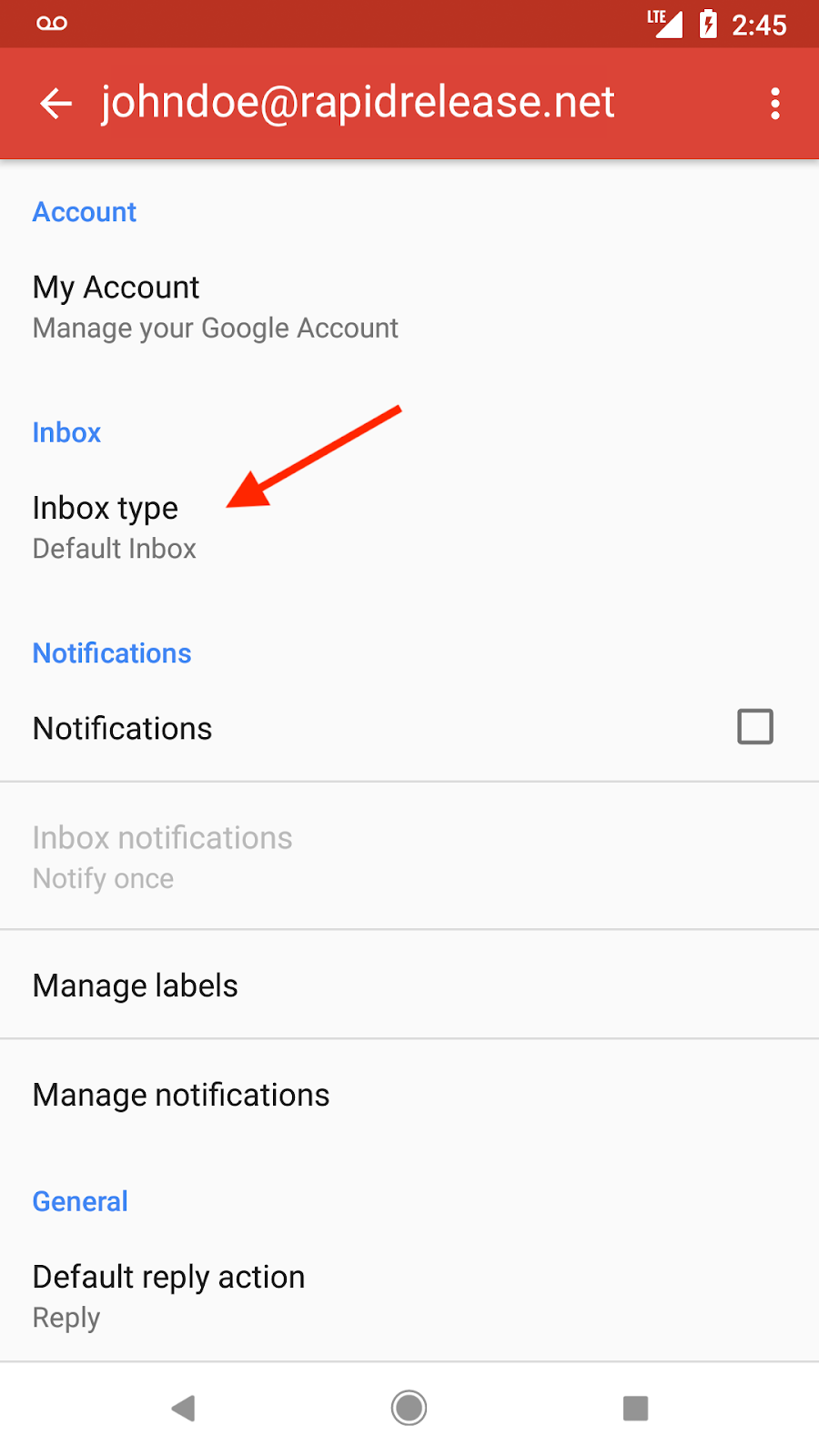
Inbox types are now supported in the Gmail app for Android.
Gmail is bringing inbox sorting options—including unread first, important first, starred first, and priority inbox—to the Android app. Users can now sync their web inbox configuration to Android or change the inbox type directly within the Android app settings, which will then reflect across web and iOS platforms.
Release: Both • Rapid: 2018-03-07 • Scheduled: 2018-03-07 -
2018-01-31Comms & Meetings
Gmail contextual gadgets will be shut down on August 1st, 2018.
Google is planning to shut down all Gmail contextual gadgets on August 1st, 2018. These gadgets are triggered by clues in Gmail, such as the content of a subject line or an email message. Google recommends that administrators turn off their contextual gadgets and transition to Gmail Add-ons, which offer a better developer experience, cross-platform support, and increased stability.
Release: Scheduled • Scheduled: 2018-08-01 -
2018-01-24Comms & Meetings

Improved attachment compliance in Gmail DLP by scanning file contents for custom file types.
Google has enhanced Gmail Data Loss Prevention (DLP) capabilities regarding attachment compliance. Previously, custom file type searches only scanned the message's MIME header for filename extensions, which could be bypassed by renaming the file. Now, administrators can enable a feature to scan the actual contents of the attachment to determine its file type for supported types, providing better protection against data loss.
Release: Both • Rapid: 2018-01-24 • Scheduled: 2018-01-24 -
2018-01-09Comms & Meetings

G Suite super admins can now delegate specific Gmail privileges to other users without granting full super admin status.
Google has introduced three new Gmail privileges that super admins can delegate to other users: Email Log Search, Access Admin Quarantine, and Access Restricted Quarantines. This allows designated users to track message delivery and manage quarantined emails without requiring full super administrator permissions. These privileges can be assigned by creating a new custom role in the Admin console under Services > Gmail.
Release: Both • Rapid: 2018-01-09 • Scheduled: 2018-01-09 -
2018-01-08Comms & Meetings

G Suite admins can now install Gmail Add-ons for their entire domain, with enhanced publishing options for developers.
G Suite administrators now have the ability to install Gmail Add-ons for their entire domain, simplifying how users access business apps directly from Gmail. Additionally, developers can now install Add-ons for their own G Suite accounts before publishing to aid the development process, and they can publish Add-ons specifically to users within their own G Suite domains or to the general public upon receiving permission.
Release: Both • Rapid: 2018-01-08 • Scheduled: 2018-01-08 -
2016-05-24Comms & Meetings
Secure Passport and CURP numbers with our new predefined detectors for Data Loss Prevention for Gmail
In this latest release, we’re adding several new Personally Identifiable Information (PII) predefined detectors to enhance your DLP for Gmail solutions. The new detectors are as follows: Mexico - Passport Number, Mexico - CURP Code, Korea - Passport Number and more.
Release: Both • Rapid: 2016-05-24 • Scheduled: 2016-05-24 -
2015-12-15Comms & Meetings

Simplified email routing settings in the Google Apps Admin console.
Google has introduced a new 'Routing' section under Gmail > Advanced settings > General settings in the Admin console to simplify the email routing experience. This new section consolidates Sending routing, Receiving routing, Outbound gateway, Default routing, and Email routing into a single location. These updated settings also provide enhanced functionality by applying to SMTP-relayed messages and messages sent to email groups, features that were unavailable in the previous settings.
Release: Both • Rapid: 2015-12-15 • Scheduled: 2015-12-15 -
2015-12-09Comms & Meetings
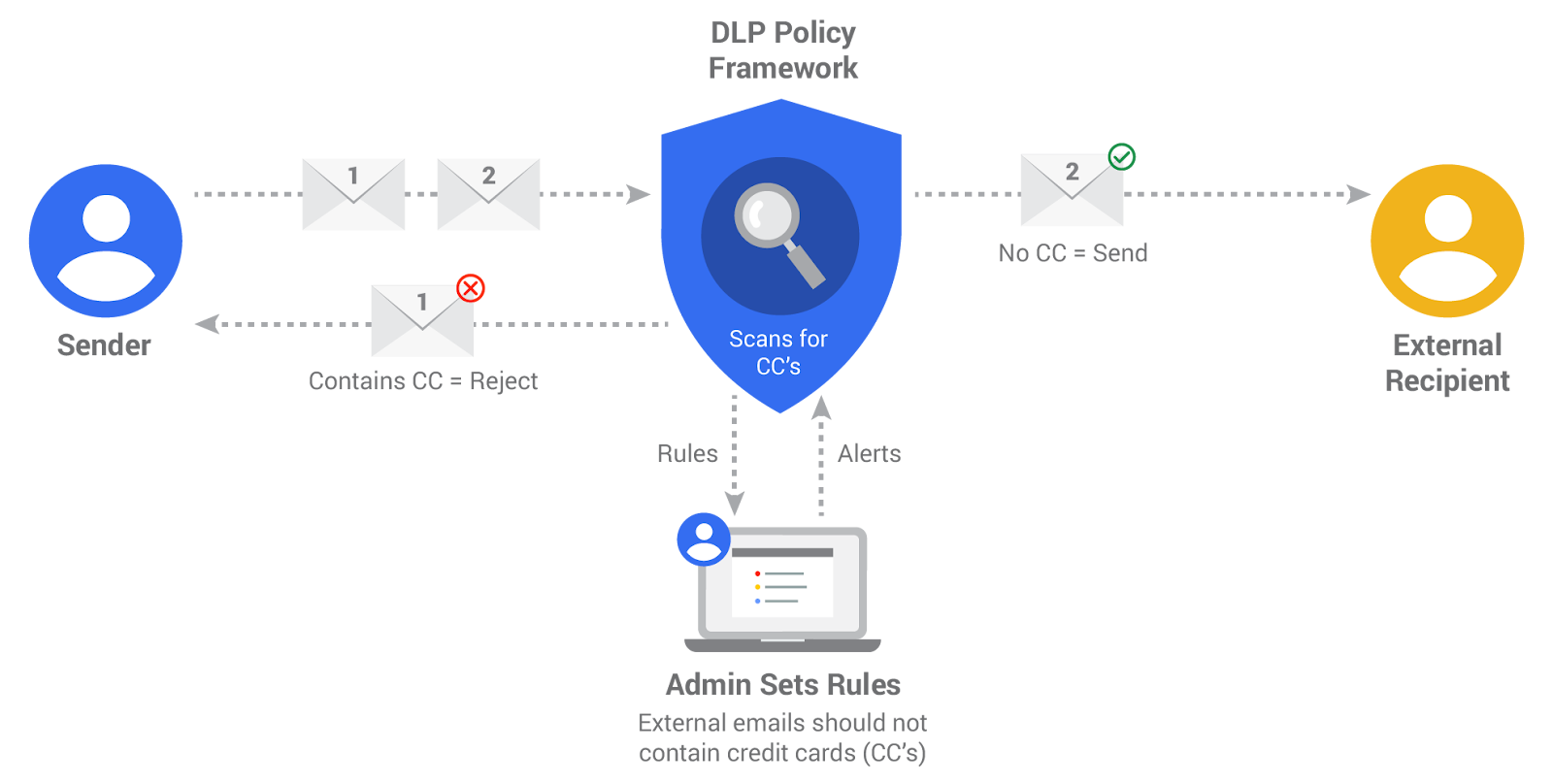
Data Loss Prevention (DLP) for Gmail is now available for Google Apps Unlimited customers.
Google has introduced Data Loss Prevention (DLP) for Gmail for Google Apps Unlimited customers to prevent sensitive information from being leaked. Admins can set up DLP policies using a library of predefined content detectors (such as credit card numbers) or create custom rules using keywords and regular expressions. The system scans both email text and common attachment types, allowing admins to quarantine emails for review, prompt users to modify content, or block the email entirely.
Release: Both • Rapid: 2015-12-09 • Scheduled: 2015-12-09 -
2015-11-09Comms & Meetings
Gmail now provides a footer guiding users to advanced search for general queries.
When a search query is too general to return useful results, Gmail will now display a footer suggesting that the user refine their search using Gmail's advanced search features to find specific emails more effectively.
Release: Both • Rapid: 2015-11-09 • Scheduled: 2015-11-23 -
2015-11-09Comms & Meetings
Gmail search now includes the Spam folder in addition to the Trash folder.
To help users find emails mistakenly marked as spam or put into Trash, Gmail now indexes both folders during searches. When a match is found in these folders, a footer at the bottom of the search results will notify the user and provide a link to view the messages.
Release: Both • Rapid: 2015-11-09 • Scheduled: 2015-11-23 -
2015-09-22Comms & Meetings
Unsubscribe option now available in Gmail for Android
The Unsubscribe option is being introduced to the Gmail app on Android, allowing users to more easily opt out of eligible mailing lists and newsletters directly from the application.
Release: Both • Rapid: 2015-09-22 • Scheduled: 2015-09-22 -
2015-09-22Comms & Meetings
New Block feature for Gmail on Android and web
Gmail is launching a new Block feature for the Android app and the web. Future emails from blocked addresses will be automatically sent to the Spam folder, and users can manage these blocked addresses within their Settings.
Release: Both • Rapid: 2015-09-22 • Scheduled: 2015-09-22 -
2015-08-31Comms & Meetings
Gmail now allows embedded emails to be viewed as both inline expansions and downloadable attachments.
Gmail has updated its handling of embedded emails with the 'message/rfc822' content type. Previously, if an embedded message was marked as an attachment, users only saw a download link for 'noname.eml'. Now, these messages can be viewed both as an inline expansion and as a full downloadable attachment when the content disposition header is set as an attachment. This functionality applies to new messages.
Release: Both • Rapid: 2015-08-31 • Scheduled: 2015-08-31 -
2015-06-23Comms & Meetings
Undo Send is now a formal setting for Gmail on the web.
Google has introduced 'Undo Send' as a formal setting in Gmail on the web, allowing users to cancel a sent email immediately after sending. The feature can be enabled via the General tab in Gmail settings; it is turned off by default for new users but remains on for those who previously used the Labs version.
Release: Both • Rapid: 2015-06-23 • Scheduled: 2015-07-07