-
2015-08-24Education
Ability to reuse posts across classes.
Teachers can now reuse assignments, announcements, or questions from any of their current or previous classes, including co-taught classes. They can modify the content before posting or assigning it to a new class.
Release: Both • Rapid: 2015-08-24 • Scheduled: 2015-08-24 -
2015-08-24Education
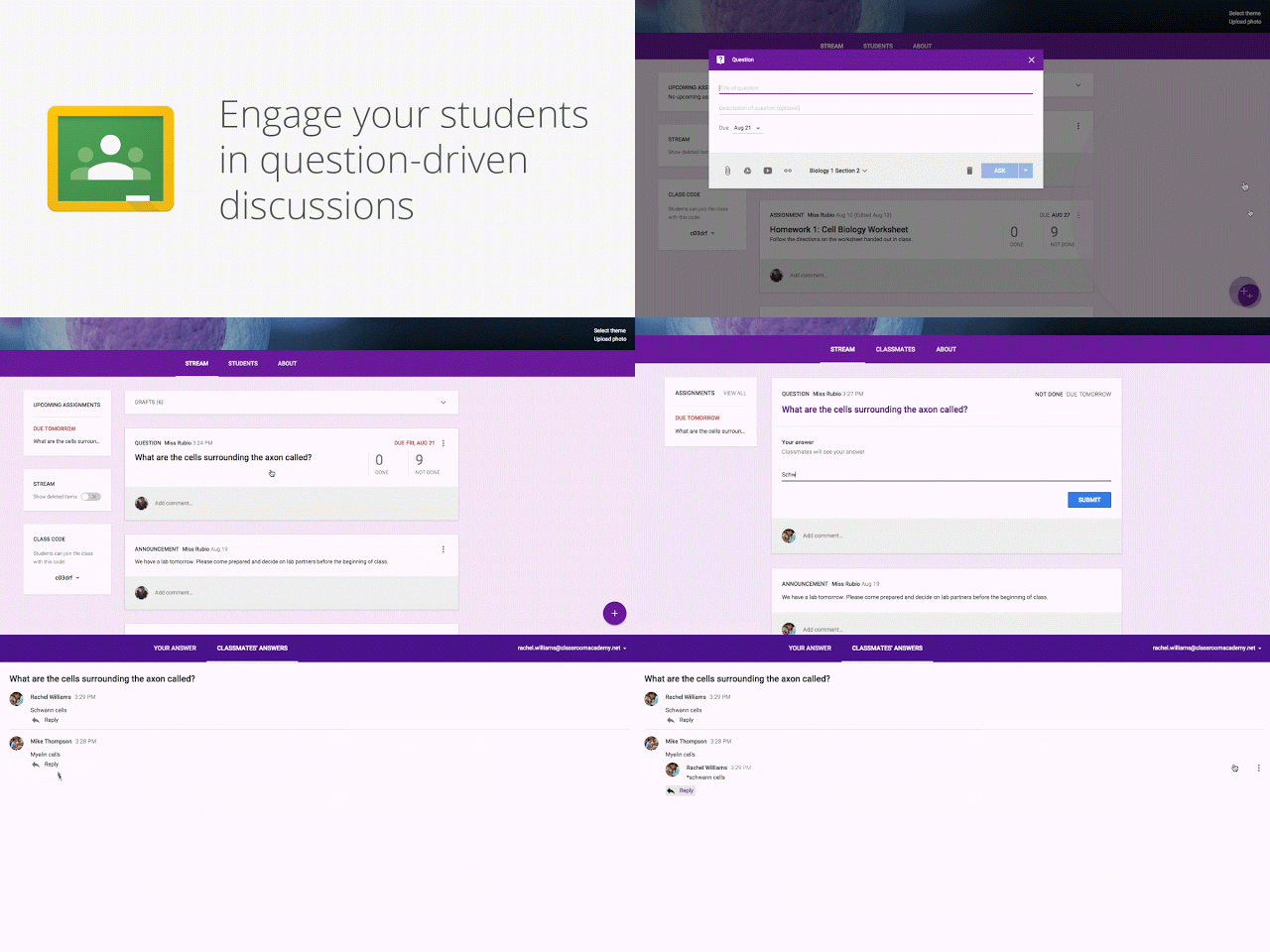
Introduction of question-driven discussions in Google Classroom.
Teachers can now post questions to their class stream and allow students to engage in collaborative discussions by responding to each other's answers, with settings to control whether student-to-student interaction is permitted.
Release: Both • Rapid: 2015-08-24 • Scheduled: 2015-08-24 -
2015-08-20Content & Collaboration
More intuitive keyboard functionality in Google Sheets for Android
The Google Sheets Android app now automatically launches the alphabetic keyboard when a cell contains text and the numeric keyboard when a cell contains numbers or symbols, while also offering an easy way to shift between the two options.
Release: Both • Rapid: 2015-08-20 • Scheduled: 2015-08-20 -
2015-08-20Content & Collaboration
Autofill in Google Sheets for Android
The autofill feature, which allows users to repeat information or complete a pattern in a spreadsheet, is now available in the Google Sheets app for Android.
Release: Both • Rapid: 2015-08-20 • Scheduled: 2015-08-20 -
2015-08-20Content & Collaboration
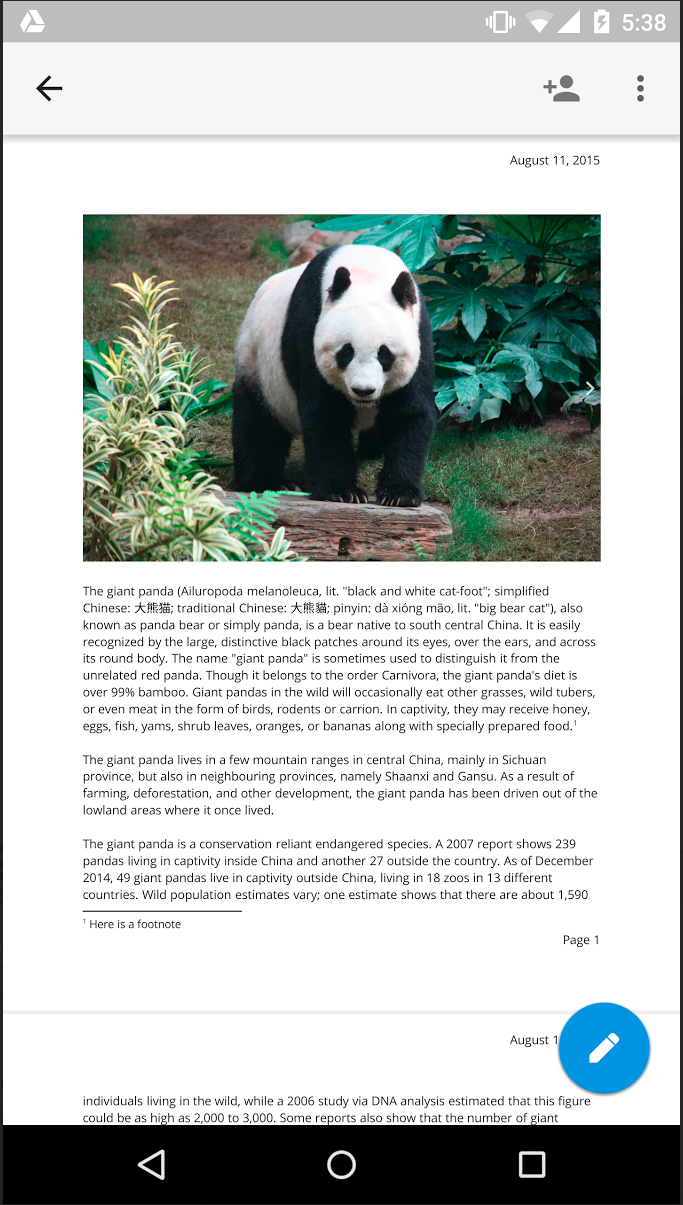
Print Layout view in Google Docs for Android and iOS
Users can now select Print Layout from the overflow menu in the Google Docs app on Android and iOS to view a fully paginated, read-only version of their document. This feature is currently in beta, with editing capabilities planned for future rollouts.
Release: Both • Rapid: 2015-08-20 • Scheduled: 2015-08-20 -
2015-08-14Admin & Security
Improvements to the holds system in Google Vault, including OU-based holds and UI enhancements.
Google Vault is introducing several improvements to its holds system to help organizations better meet legal and preservation obligations. Key updates include the ability to create and manage holds for specific organizational units (OUs), a change in logic so that holds with no specified users apply to no one (rather than everyone), and an updated user interface for a more intuitive experience.
Release: Both • Rapid: 2015-08-14 • Scheduled: 2015-08-14 -
2015-08-12Content & Collaboration
Launch desktop applications from Google Drive Preview in Chrome
Google Drive has extended the ability to open files in compatible desktop applications to the Drive viewer. Users with the Drive app for Mac or PC (version 1.23+) can now launch apps such as advanced image/video editors, accounting software, or 3D design tools directly from preview mode in the Chrome browser using the 'Open with' menu, with changes syncing back to Drive across devices.
Release: Both • Rapid: 2015-08-12 • Scheduled: 2015-08-12 -
2015-08-10Comms & Meetings
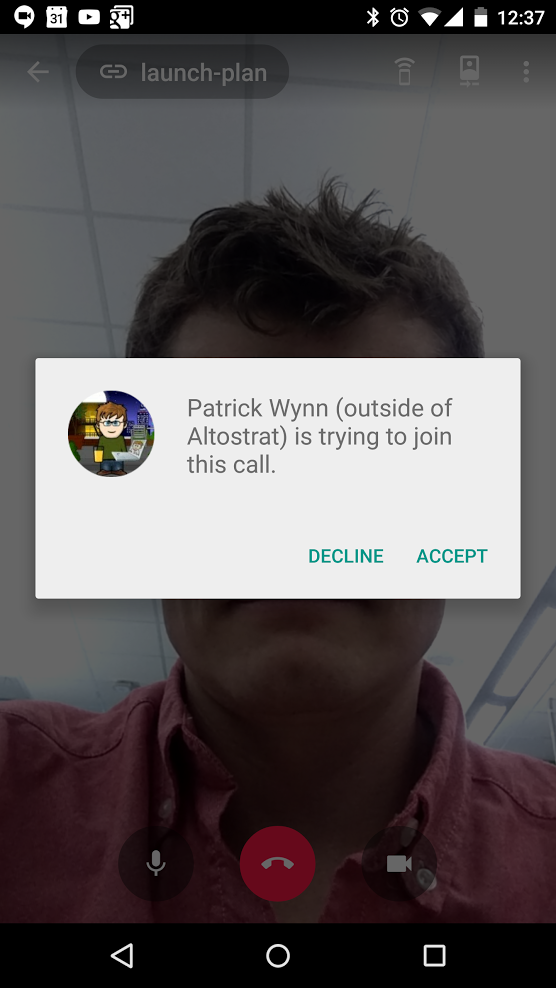
Ability to accept or reject external guest requests on Hangouts Android app
External participants to a Hangouts video call can now be accepted or rejected directly within the Hangouts Android app, matching the functionality already available on iOS and web platforms.
Release: Both • Rapid: 2015-08-10 • Scheduled: 2015-08-10 -
2015-08-10Comms & Meetings
Custom status messages added to Hangouts Android app
Users of the Hangouts Android app can now add custom status messages and view the status messages of others in the Contacts view, bringing feature parity with the web and iOS versions of the app.
Release: Both • Rapid: 2015-08-10 • Scheduled: 2015-08-10 -
2015-08-10Content & Collaboration
New owners of Google Docs, Sheets, and Slides files now receive all comment notifications.
When ownership of a document, spreadsheet, or presentation is transferred to a new owner, the new owner will now receive all email notifications for any comments added to the file. Previously, the 'all notifications' setting remained with the original owner. Following this change, previous owners will only receive notifications if they are explicitly mentioned in a comment, similar to other collaborators.
Release: Both • Rapid: 2015-08-10 • Scheduled: 2015-08-10 -
2015-08-06Content & Collaboration
Present Google Slides presentations to Google Hangouts using the Android app.
The latest version of the Google Slides app for Android now allows users to present their work directly to Google Hangouts. Users can join scheduled calendar meetings or initiate new video calls, with the ability to see participants, advance slides, view speaker notes, and use a built-in timer, all from their mobile device.
Release: Both • Rapid: 2015-08-06 • Scheduled: 2015-08-06 -
2015-08-05Education
General availability of the Classroom API
The Classroom API has moved from developer preview to general availability, allowing all developers to create applications and integrations. Google Apps for Education users can now authorize third-party apps to access their Classroom data, subject to administrator controls. Furthermore, the API is now integrated with Apps Script, enabling the creation of custom scripts and add-ons for Docs, Sheets, and Forms.
Release: Both • Rapid: 2015-08-05 • Scheduled: 2015-08-05 -
2015-08-04Other
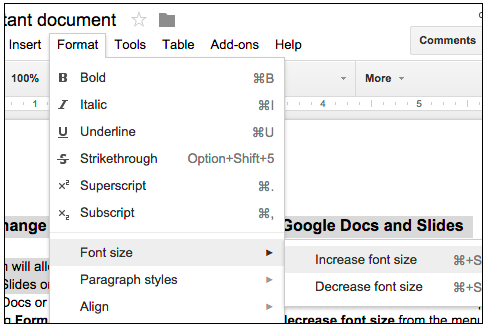
Easily change the relative font size of text in Google Docs and Slides.
Users can now increase or decrease the relative font size of selected text or textboxes in Google Docs and Slides in 1-pt increments by navigating to Format > Font size. If the selected text contains multiple font sizes, each will be increased or decreased accordingly.
Release: Both • Rapid: 2015-08-04 • Scheduled: 2015-08-04 -
2015-08-03Content & Collaboration
Include hidden and filtered data in Google Sheets charts.
Google Sheets now provides the option to include hidden or filtered source data in charts. When users filter or hide source data, a notification appears allowing them to include that data in the chart. This setting can also be toggled within the Chart Editor under the 'Chart types' section by checking or unchecking 'Include hidden / filtered data'. This update also improves the accuracy of imported Microsoft Excel spreadsheets that contain hidden data.
Release: Both • Rapid: 2015-08-03 • Scheduled: 2015-08-17 -
2015-07-27Content & Collaboration
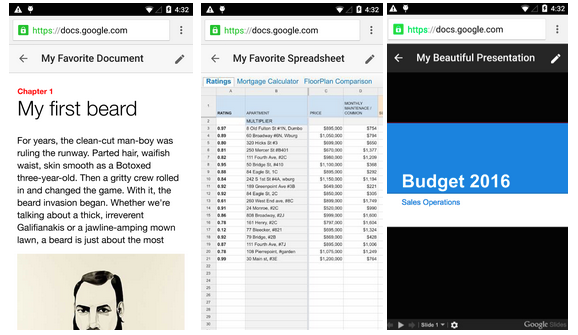
New uniform interface for Google Docs, Sheets, and Slides viewers on the mobile web.
Google is introducing a simpler and more uniform interface for the viewers of Google Docs, Sheets, and Slides on the mobile web to ensure a consistent user experience across these three products.
Release: Both • Rapid: 2015-07-27 • Scheduled: 2015-07-27