-
2015-06-15Content & Collaboration
New data analysis tools including formula previews and conditional filtering.
Users can now preview formula results and errors instantly as they type and filter rows and columns based on specific conditions such as 'less than', 'greater than', 'text contains', and 'date after'.
Release: Both • Rapid: 2015-06-15 • Scheduled: 2015-06-29 -
2015-06-15Content & Collaboration

Enhanced chart customization options in Google Sheets.
Google Sheets now offers more ways to visualize data with the addition of data labels to display exact values of bars and points, custom shapes and symbols for data points in line and scatter charts, and improved functionality for moving and resizing charts.
Release: Both • Rapid: 2015-06-15 • Scheduled: 2015-06-29 -
2015-06-11Content & Collaboration
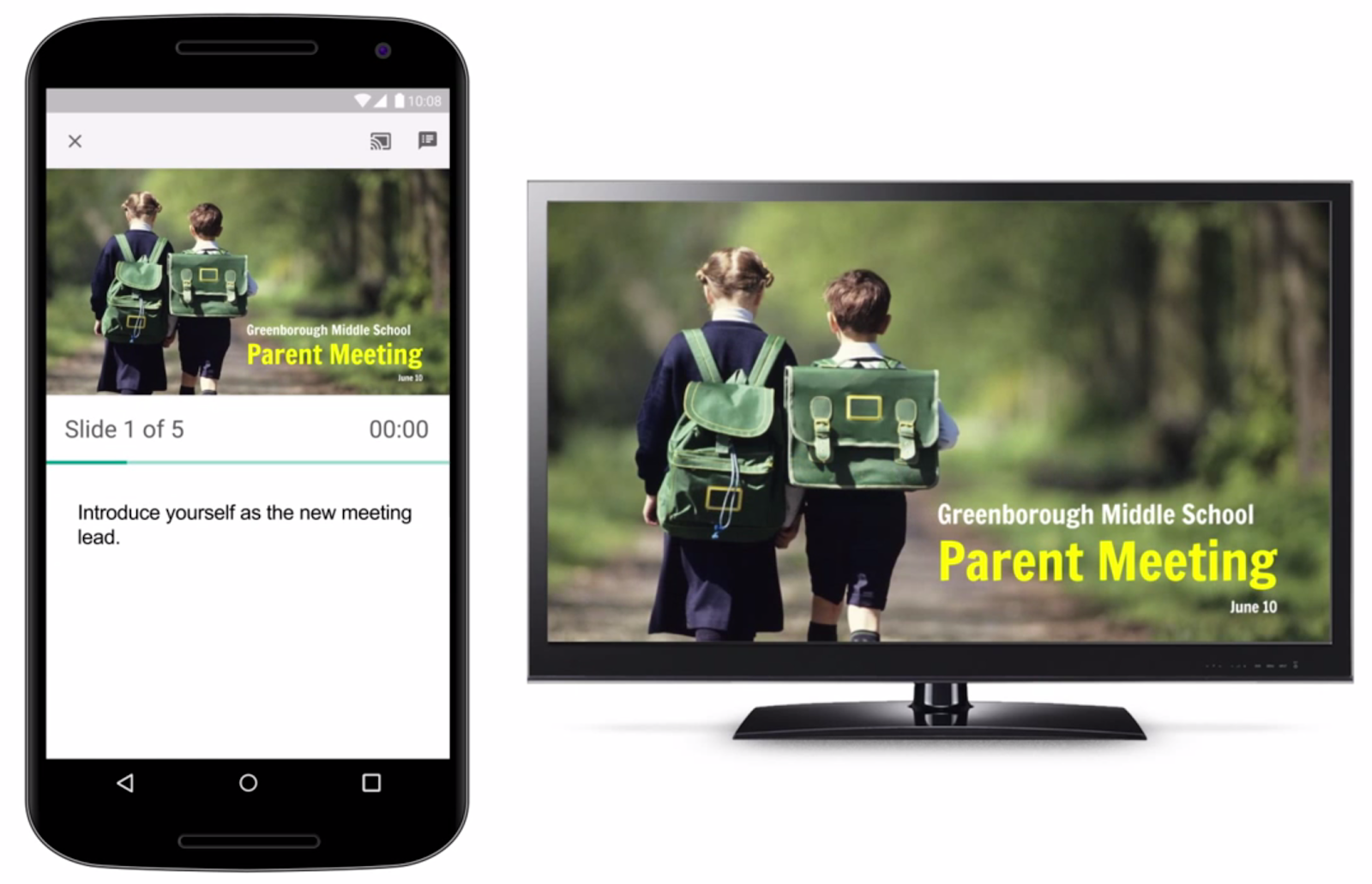
Google Slides app now supports Chromecast and AirPlay.
The Google Slides app has been updated to enable users to present their presentations on big screens using Chromecast or AirPlay from a phone or tablet. While presenting, the mobile device can be used as a remote to advance slides, view speaker notes, and monitor a timer.
Release: Both • Rapid: 2015-06-11 • Scheduled: 2015-06-11 -
2015-06-11Comms & Meetings
Full-view screen sharing for Google Hangouts
Google Hangouts is launching full-view screen sharing, which allows shared content to occupy as much of the visible screen area as possible. In 'Present to everyone' mode or when a participant is pinned, attendee thumbnails will overlay the content at the bottom by default, and a new button in the control bar allows participants to hide these thumbnails.
Release: Both • Rapid: 2015-06-11 • Scheduled: 2015-06-11 -
2015-06-09Other

Introduction of iOS Account Wipe (Selective Wipe) for corporate data.
Google Apps admins can now use iOS Account Wipe (Selective Wipe) to safely delete an employee's corporate account and data from an iPhone or iPad without affecting the employee's personal data, such as photos. This is distinct from the existing Remote Wipe functionality which wipes the entire device.
Release: Both • Rapid: 2015-06-09 • Scheduled: 2015-06-09 -
2015-06-09Other
Updated Google Apps Device Policy app to display more Work Profile information.
The Google Apps Device Policy app for Android has been updated to provide admins with more detailed information when an employee is using a Work Profile, including the status of unknown sources, developer options, and the domain names of other accounts added to the Work Profile.
Release: Both • Rapid: 2015-06-09 • Scheduled: 2015-06-09 -
2015-06-08Content & Collaboration
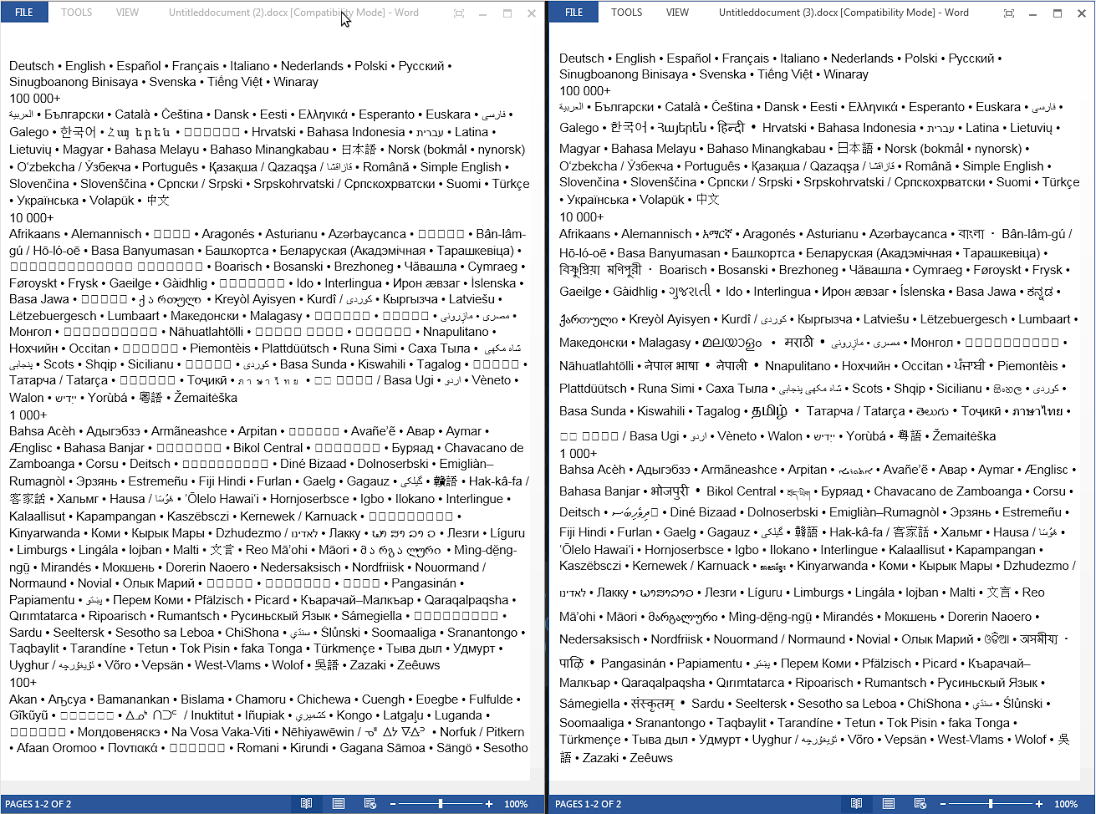
Google Docs now supports exporting non-Latin text and specific unicode blocks to Microsoft Word.
Google Docs on desktop now allows users to export documents containing non-Latin scripts—including Armenian, Bengali, Devanagari, and 13 others—as well as various unicode blocks like Arrows, Bopomofo, and mathematical operators, to Microsoft Word while maintaining readability. This update facilitates better collaboration for users working in more than 25 different languages.
Release: Both • Rapid: 2015-06-08 • Scheduled: 2015-06-08 -
2015-06-03Content & Collaboration
New UI and performance improvements for the Google Drive app for iOS.
A new version of the Google Drive app for iOS is available, introducing a new material design, faster syncing with Google Drive web, improved image viewing and scrolling (removing the 'Load more' requirement), and a swipe gesture to go back.
Release: Both • Rapid: 2015-06-03 • Scheduled: 2015-06-03 -
2015-06-01Other
Launch of privacy.google.com for privacy and security information.
Google has rolled out a new site, privacy.google.com, which serves as a resource to answer common questions about data collection, security, encryption, and spam filtering, explaining how personal information is used to customize the Google experience.
Release: Both • Rapid: 2015-06-01 • Scheduled: 2015-06-01 -
2015-06-01Other
Introduction of sign-in alerts for unrecognized devices or browsers.
Starting June 15th, Google for Work account owners will receive email notifications when a sign-in occurs from an unrecognized browser or device. Users can also monitor a list of recently used devices and new sign-ins on their Sign-in & security page to take quick action against suspicious activity.
Release: Both • Rapid: 2015-06-15 • Scheduled: 2015-06-15 -
2015-06-01Other
Launch of the My Account hub for centralized privacy and security management.
Google has launched My Account, a single hub that replaces the previous Google Account settings page. It features dedicated sections for managing sign-in and security settings, personal info, and privacy settings, and includes step-by-step Privacy and Security Checkups to help users safeguard their data.
Release: Both • Rapid: 2015-06-01 • Scheduled: 2015-06-01 -
2015-05-13Content & Collaboration
Mobile image and table insertion and manipulation now available in Google Slides apps for Android and iOS.
New versions of the Google Slides app for Android and iOS now support inserting, cropping, and masking images, as well as inserting and manipulating tables. These improvements are available for both online and offline use.
Release: Both • Rapid: 2015-05-13 • Scheduled: 2015-05-13 -
2015-05-13Content & Collaboration
Google Drive folder and page URLs will no longer include hash marks.
To improve overall performance, Google Drive is moving from using hash marks (#) to the HTML5 History API. Consequently, folder and page URLs will no longer include hash marks (e.g., /drive/#folders/ABC becomes /drive/folders/ABC). While existing links with hash marks will continue to work, this change may impact Google Apps admins or employees who parse URLs for the '#' symbol or use Chrome extensions that rely on the old URL structure.
Release: Both • Rapid: 2015-05-13 • Scheduled: 2015-06-09 -
2015-05-13Content & Collaboration
Mobile image insertion now available in Google Docs apps for Android and iOS.
New versions of the Google Docs app for Android and iOS now allow users to insert images directly from their mobile devices. This functionality is available for both online and offline use.
Release: Both • Rapid: 2015-05-13 • Scheduled: 2015-05-13 -
2015-05-06Education

New mobile app features for teachers to create, edit, and grade assignments.
Google Classroom has introduced several new features for its mobile app on iOS and Android to support teachers. Teachers can now create and edit assignments, make copies of attachments, attach new photos, grade assignments, and add private comments for students directly from their mobile devices. Additionally, they can snap pictures of whiteboards or notes to post directly to the class stream.
Release: Both • Rapid: 2015-05-06 • Scheduled: 2015-05-06