All Google Calendar updates
172 updates to Google Calendar tracked so far.
-
2023-08-24Comms & Meetings
Microsoft Outlook users will now be displayed as organizers in Google Calendar meeting attendee lists.
Google Calendar is updating the experience for meetings organized by Microsoft Outlook users. Previously, the Outlook organizer's display name would not appear in the attendee list; now, the Outlook user who organized the meeting will be listed among other attendees as the meeting organizer.
Release: Both • Rapid: 2023-08-24 • Scheduled: 2023-08-24 -
2023-08-16Comms & Meetings
Calendar API now supports reading and writing user working locations.
The ability to programmatically read and write a user's working location using the Calendar API is now generally available. This allows developers to better understand campus flow, adapt on-site resources, and integrate with third-party tools such as hot desk booking or travel management systems.
Release: Both • Rapid: 2023-08-16 • Scheduled: 2023-08-16 -
2023-07-21Comms & Meetings
Programmatically read and write working locations for portions of the day via the Calendar API.
Google has introduced the ability for developers to programmatically read and write working locations for specific portions of the day using the Calendar API. This update expands on previous working location functionality and is available for eligible Google Workspace editions, including Business Standard, Business Plus, Enterprise, Education, and Nonprofits.
Release: Rapid • Rapid: 2023-07-21 -
2023-07-17Comms & Meetings

Google Calendar is combining room suggestion types to better optimize meeting room allocation based on working locations.
Google Calendar has updated its meeting room suggestions by combining previously separate suggestion types into a single structured meeting room setting. The system now prioritizes the user's set working location and main office building to suggest the most appropriate rooms. If location data is unavailable, it falls back to suggesting frequently used rooms, ensuring more efficient room allocation in hybrid work environments.
Release: Both • Rapid: 2023-07-17 • Scheduled: 2023-07-31 -
2023-07-10Comms & Meetings

Paid appointment bookings are now available in Google Calendar via Stripe integration.
Google Calendar is integrating paid appointment bookings, allowing appointment providers to connect their Stripe accounts to set a price for their booking pages. Bookers can select their preferred time and enter credit card information to pay upfront. Google does not process or store payment information, and all cancellations and refunds are managed through the Stripe dashboard.
Release: Both • Rapid: 2023-07-27 • Scheduled: 2023-08-07 -
2023-07-07Comms & Meetings
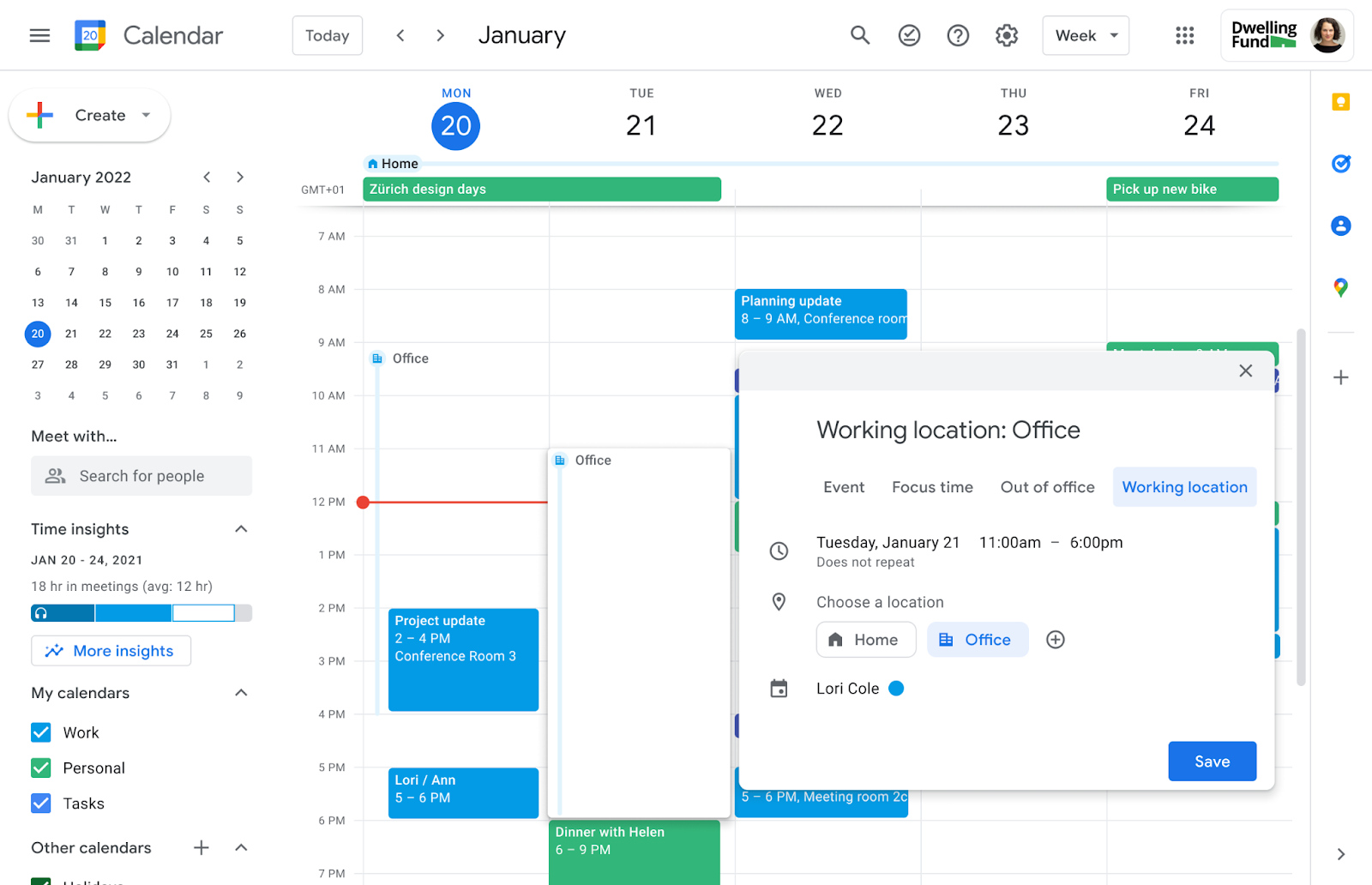
Delegates can now edit working locations for the calendars they manage.
Users with delegate access to another person's Google Calendar can now fully edit working locations for the entire day or for specific portions of the day. This update is designed to assist those who manage calendars for others, such as executive assistants.
Release: Both • Rapid: 2023-07-07 • Scheduled: 2023-07-14 -
2023-07-07Comms & Meetings
Google Calendar now allows users to set working locations for specific portions of the day.
Google Calendar is introducing the ability to set working locations for specific portions of the day rather than just the full day. This allows users in hybrid work environments to more accurately reflect their physical availability as it changes throughout the day.
Release: Both • Rapid: 2023-07-07 • Scheduled: 2023-07-14 -
2023-06-28Comms & Meetings

New Google Calendar setting mutes notifications for the duration of your focus time directly in Calendar.
To increase concentration and bridge the gap between do not disturb and focus time, you can now mute notifications for the duration of your focus time directly in Calendar.
Release: Both • Rapid: 2023-06-28 • Scheduled: 2023-07-12 -
2023-06-28Comms & Meetings
Mute Google Chat notifications directly when creating focus time in Google Calendar.
Google Calendar now allows users to mute notifications for the duration of their focus time directly within the Calendar interface. By checking the 'Do not disturb' box when adding a Focus time entry, users can automatically synchronize their Calendar focus time with Google Chat's do not disturb setting to minimize distractions during heads-down work.
Release: Both • Rapid: 2023-06-28 • Scheduled: 2023-07-12 -
2023-06-20Comms & Meetings
Programmatically write working locations using the Calendar API (Beta).
Google is launching a beta feature through the Developer Preview Program that allows developers to programmatically write a user's working location using the Calendar API. This capability enables the synchronization of working locations with third-party tools, such as hot desk booking or travel booking systems. The feature is available for eligible Google Workspace editions, including Business Standard, Business Plus, Enterprise, Education, and Nonprofits.
Release: Both • Rapid: 2023-06-20 • Scheduled: 2023-06-20 -
2023-05-15Comms & Meetings
Improvements to Calendar Interoperability for better synchronization with Microsoft Outlook and other systems.
Google has improved Calendar Interoperability to ensure events created in different calendar systems are accurately propagated. Key updates include allowing Microsoft Outlook users with the same email to receive Google Calendar invites and RSVPs, generating default meeting reminders in Outlook for Google Calendar events, and improving the accuracy of updates for non-Google recurring events.
Release: Both • Rapid: 2023-05-15 • Scheduled: 2023-05-15 -
2022-09-27Comms & Meetings
New Google Calendar shortcuts improve glanceability for screen reader users
Users of screen readers can now type a keyboard shortcut that verbalizes the content of an event, such as the title, date and time, guest list, and much more. These shortcuts greatly improve glanceability because they enable Calendar details to be heard on demand instead of time consuming navigation through information.
Release: Both • Rapid: 2022-09-27 • Scheduled: 2022-09-27 -
2022-09-08Comms & Meetings

Admins can configure multiple role accounts in the Calendar Interop Admin console.
Starting this week, admins can configure multiple role accounts in the Calendar Interop Admin console. This will provide support for a higher number of requests and enable Calendar Interop to work more seamlessly at scale.
Release: GA • Rapid: 2022-09-06 • Scheduled: 2022-09-06 -
2022-08-01Comms & Meetings

To continue using Calendar Interop, upgrade to OAuth 2.0 authentication before October 1, 2022.
On October 1, 2022, Microsoft will begin to remove the ability to use Basic authentication in Exchange Online for Exchange Web Services. To continue using Calendar Interop, upgrade to OAuth 2.0 authentication before October 1, 2022.
Release: Scheduled • Scheduled: 2022-08-01 -
2021-12-14Comms & Meetings
Account profile pictures added to Google Calendar on mobile for easier account identification and switching.
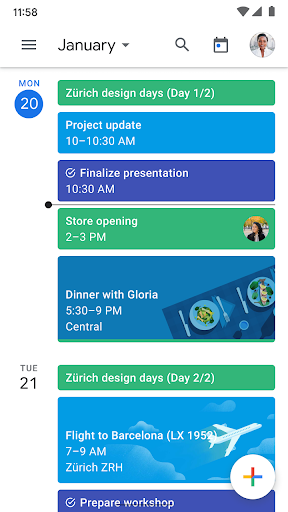
Google Calendar on mobile now displays the account profile picture in the top right corner, allowing users to quickly identify which account they are currently using. Clicking the profile picture enables users to toggle between enabled accounts, similar to other Google apps, while still maintaining visibility of events from all logged-in accounts.
Release: Both • Rapid: 2021-12-14 • Scheduled: 2021-12-14