Google Classroom updates from June 2023
4 updates to Google Classroom were tracked in June 2023.
-
2023-06-16Education

Rich text formatting added to class and private comments in Google Classroom.
Rich text formatting is now available for class and private comments in Google Classroom, allowing teachers and students to emphasize content using bolding, underlining, italicizing, and bulleted lists.
Release: Both • Rapid: 2023-06-16 • Scheduled: 2023-06-16 -
2023-06-16Education
Originality reports in Google Classroom now support Microsoft Word files.
Educators can now run originality reports on Microsoft Word (.docx) files in Google Classroom to check for authenticity. The tool identifies uncited content and plagiarism by comparing the file against books and webpages on the internet.
Release: Both • Rapid: 2023-06-16 • Scheduled: 2023-06-16 -
2023-06-06Education
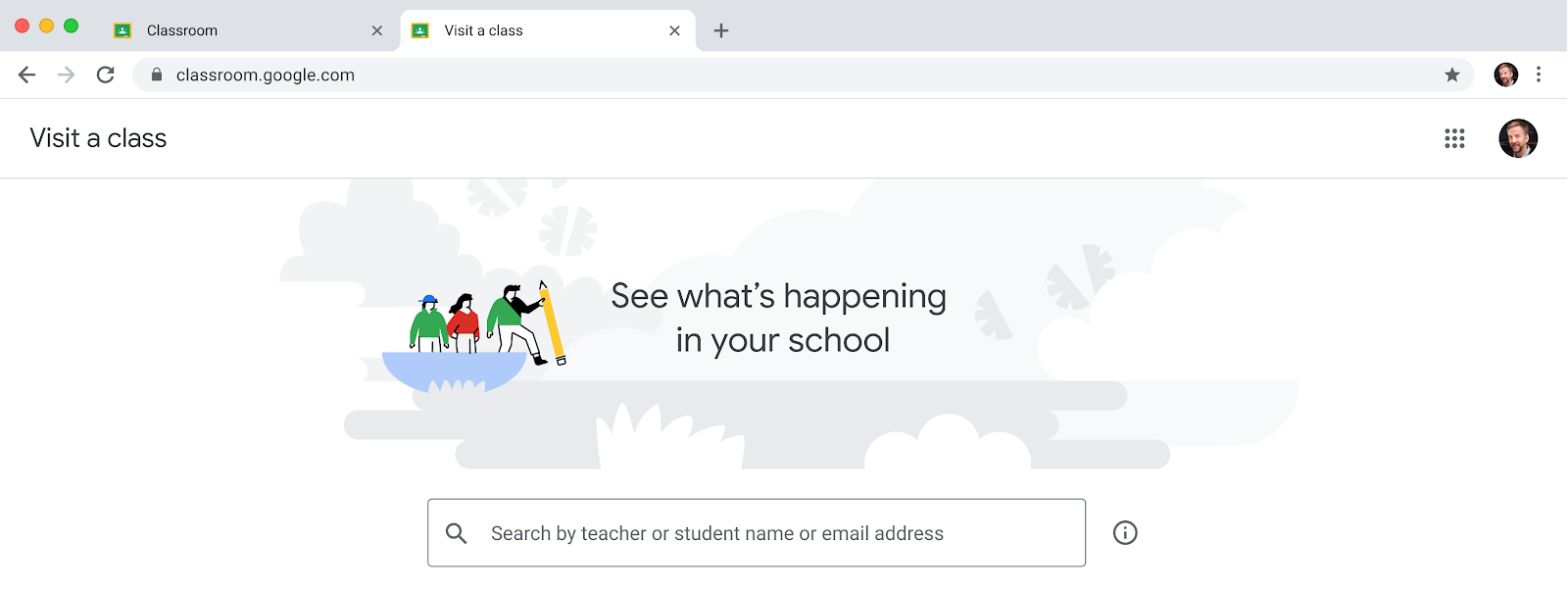
Introduction of the 'visit a class' feature for education leaders and support staff in Google Classroom.
Google Classroom is introducing a new ability for permissioned users, such as principals, department heads, and school counselors, to temporarily access classes to support educators, post announcements, and view student profiles without being assigned as permanent co-teachers. This feature helps reduce homepage clutter and unnecessary notifications for support staff. Access is managed by Super Admins through a custom admin role with the 'Manage Classes' privilege in the Admin Console and requires a Google Workspace for Education Plus license.
Release: Both • Rapid: 2023-06-06 • Scheduled: 2023-06-06 -
2023-06-02Education

Google Classroom introduces grading periods to help teachers organize and analyze assignments and grades.
Google Classroom is introducing grading periods, allowing teachers to define and apply specific segments of the school year to their assignments. In the gradebook view, teachers can now filter by grading period while sorting by student, enabling them to track student performance trends over time as an aggregate or within a specific period.
Release: Both • Rapid: 2023-06-02 • Scheduled: 2023-06-02