All Google Classroom updates
99 updates to Google Classroom tracked so far.
-
2024-01-31Education

Shareable class templates and classwork in Google Classroom are now generally available.
Curriculum leads and verified teachers can now share links to high-quality classes and class templates so other educators in their organization can preview and import classwork to an existing class or to a new class. This will provide educators with ideas for instructional design and enable them stay up-to-date with the best materials.
Release: Both • Rapid: 2024-01-31 • Scheduled: 2024-01-31 -
2023-09-01Education
Expanding grading systems in Google Classroom
Google Classroom has expanded its available grading systems to provide educators with more flexibility in how they assess student work.
Release: Both -
2023-08-28Education

Introducing customizable grading scales so that a school’s or teacher’s grading preferences are better reflected in Google Classroom
In order to support other forms of grading, such as letter grades or proficiency ratings (ex. unsatisfactory to excellent), we’re introducing customizable grading scales so that a school’s or teacher’s grading preferences are better reflected in Google Classroom. With this update, teachers will have the option to select from numerical, letter grade, proficiency, four-point grading scales, or set up their own scale.
Release: Both • Rapid: 2023-08-28 • Scheduled: 2023-08-28 -
2023-08-28Education
Google Classroom now supports customizable grading scales, including letter grades and proficiency ratings.
Google Classroom is introducing customizable grading scales to provide teachers with more flexibility in how they assess students. Teachers can now select from numerical, letter grade, proficiency, or four-point grading scales, or create their own custom scale. These scales can be applied to new and existing assignments, and teachers can enter grades using either the point value or the scale level, with Classroom automatically displaying both to the teacher and student.
Release: Both • Rapid: 2023-08-28 • Scheduled: 2023-08-28 -
2023-08-07Education
Teachers now have more control over student resources in Google Classroom practice sets.
Google Classroom is updating practice sets to give teachers greater control over the resources provided to students. Teachers can now review suggested resources, add their own text-based hints or YouTube videos, remove unwanted resources, and customize the order in which these resources appear to students to better tailor the support their students receive.
Release: Both • Rapid: 2023-08-07 • Scheduled: 2023-08-07 -
2023-08-01Education
Google Classroom now supports grade export to Skyward Qmlativ SIS.
Google Classroom teachers can now export their grades to Skyward Qmlativ, a third-party Student Information System (SIS). This integration allows administrators to establish a connection between the district SIS and Google Classroom, enabling teachers to link their classes and sync assignments and grades, which reduces manual data entry and duplicative work.
Release: Both • Rapid: 2023-08-01 • Scheduled: 2023-08-01 -
2023-07-31Education

Users can now create a Drive item and collaborate on it with other users in the course within Canvas using Google Assignments LTI 1.3.
Today, we’re introducing a new feature exclusively for Canvas that allows users to create a Drive item and collaborate on it with other users in the course. Teachers and students can now work together on a variety of Google Drive items, including Docs, Sheets, Slides, Sites, Forms, Jamboards, and Drawing.
Release: Both -
2023-07-31Education
Google Assignments now enables collaboration on Google Drive items directly within Canvas.
Google is introducing a new feature for Google Assignments LTI 1.3 integrated with Canvas, allowing teachers and students to create and collaborate on various Google Drive items—including Docs, Sheets, Slides, Sites, Forms, Jamboards, and Drawings—with other users in the course.
Release: Both • Rapid: 2023-07-31 • Scheduled: 2023-07-31 -
2023-07-27Education

New option for teachers to disable submissions after an assignment is past the due date.
Following the recent announcement of grading periods in Google Classroom, we’re introducing another feature that enables teachers to customize grading in Classroom. The new option to disable submissions after a due date allows teachers to stop accepting submissions for an assignment past the due date.
Release: Both • Rapid: 2023-07-27 • Scheduled: 2023-07-27 -
2023-07-27Education
Teachers can now disable submissions after a due date in Google Classroom.
Google Classroom is introducing a new feature that allows teachers to stop accepting submissions for an assignment once the due date has passed. Teachers can decide whether to require a strict due date or manually disable submissions at any point, providing greater control over assignment flexibility and grading workflows.
Release: Both • Rapid: 2023-07-27 • Scheduled: 2023-07-27 -
2023-06-16Education

Rich text formatting added to class and private comments in Google Classroom.
Rich text formatting is now available for class and private comments in Google Classroom, allowing teachers and students to emphasize content using bolding, underlining, italicizing, and bulleted lists.
Release: Both • Rapid: 2023-06-16 • Scheduled: 2023-06-16 -
2023-06-16Education
Originality reports in Google Classroom now support Microsoft Word files.
Educators can now run originality reports on Microsoft Word (.docx) files in Google Classroom to check for authenticity. The tool identifies uncited content and plagiarism by comparing the file against books and webpages on the internet.
Release: Both • Rapid: 2023-06-16 • Scheduled: 2023-06-16 -
2023-06-06Education
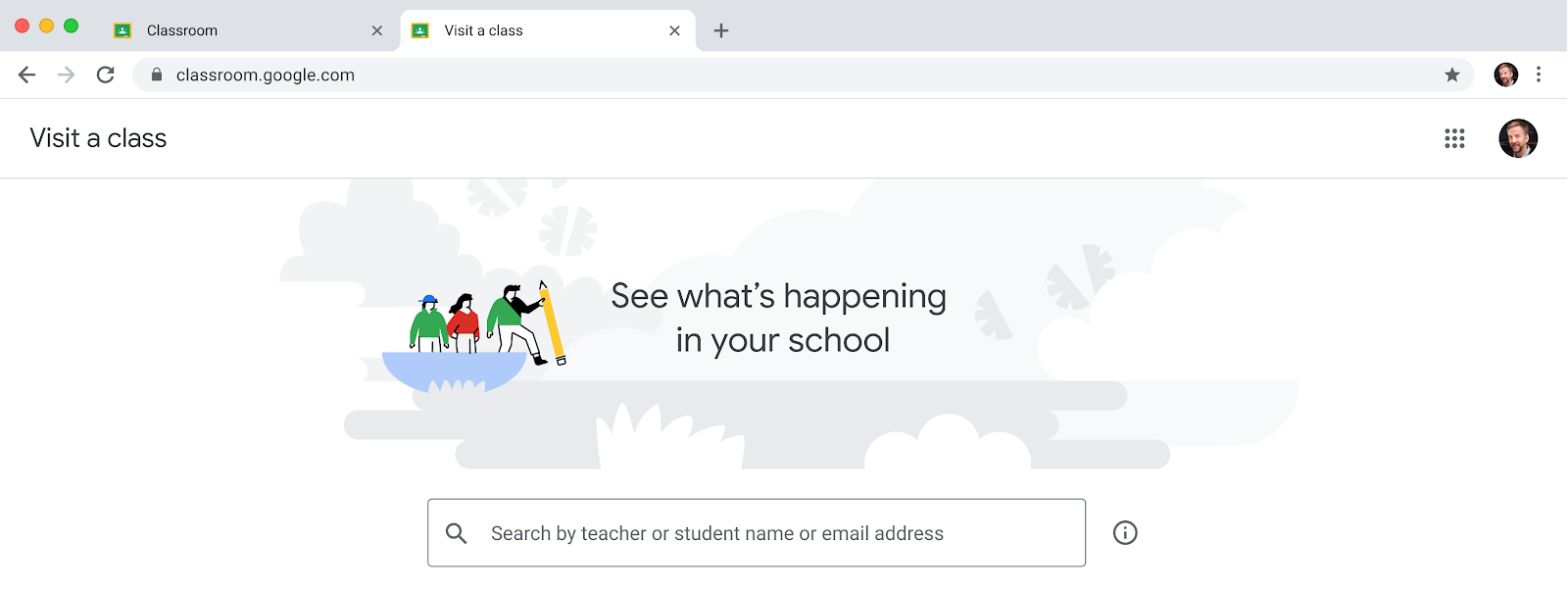
Introduction of the 'visit a class' feature for education leaders and support staff in Google Classroom.
Google Classroom is introducing a new ability for permissioned users, such as principals, department heads, and school counselors, to temporarily access classes to support educators, post announcements, and view student profiles without being assigned as permanent co-teachers. This feature helps reduce homepage clutter and unnecessary notifications for support staff. Access is managed by Super Admins through a custom admin role with the 'Manage Classes' privilege in the Admin Console and requires a Google Workspace for Education Plus license.
Release: Both • Rapid: 2023-06-06 • Scheduled: 2023-06-06 -
2023-06-02Education

Google Classroom introduces grading periods to help teachers organize and analyze assignments and grades.
Google Classroom is introducing grading periods, allowing teachers to define and apply specific segments of the school year to their assignments. In the gradebook view, teachers can now filter by grading period while sorting by student, enabling them to track student performance trends over time as an aggregate or within a specific period.
Release: Both • Rapid: 2023-06-02 • Scheduled: 2023-06-02 -
2023-05-26Education

Additional refinements to email notifications sent from Google Classroom
Google Classroom is updating its email notification experience with a refreshed visual design and language, a clearer focus on action items, and easier access to notification settings to help students and teachers find information more efficiently.
Release: Both