All Google Docs updates
216 updates to Google Docs tracked so far.
-
2015-08-10Content & Collaboration
New owners of Google Docs, Sheets, and Slides files now receive all comment notifications.
When ownership of a document, spreadsheet, or presentation is transferred to a new owner, the new owner will now receive all email notifications for any comments added to the file. Previously, the 'all notifications' setting remained with the original owner. Following this change, previous owners will only receive notifications if they are explicitly mentioned in a comment, similar to other collaborators.
Release: Both • Rapid: 2015-08-10 • Scheduled: 2015-08-10 -
2015-08-04Other
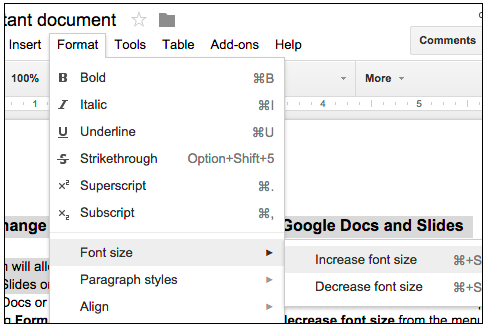
Easily change the relative font size of text in Google Docs and Slides.
Users can now increase or decrease the relative font size of selected text or textboxes in Google Docs and Slides in 1-pt increments by navigating to Format > Font size. If the selected text contains multiple font sizes, each will be increased or decreased accordingly.
Release: Both • Rapid: 2015-08-04 • Scheduled: 2015-08-04 -
2015-07-27Content & Collaboration
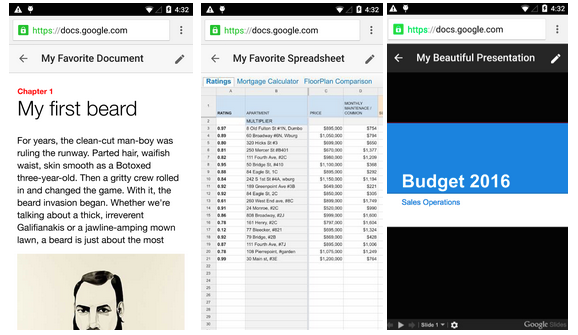
New uniform interface for Google Docs, Sheets, and Slides viewers on the mobile web.
Google is introducing a simpler and more uniform interface for the viewers of Google Docs, Sheets, and Slides on the mobile web to ensure a consistent user experience across these three products.
Release: Both • Rapid: 2015-07-27 • Scheduled: 2015-07-27 -
2015-07-27Content & Collaboration
Editing Google Docs files on the mobile web is being replaced by the mobile app.
To encourage the use of the more robust mobile app, Google is removing the ability to edit Google Docs files on the mobile web. Users attempting to edit Docs files on the mobile web will now be directed to the app or prompted to download it.
Release: Both • Rapid: 2015-07-27 • Scheduled: 2015-07-27 -
2015-07-20Other
Clearer indication of 'View' and 'Comment' access in Google Docs editors
Google is introducing UI tweaks to Google Docs, Sheets, Slides, and Drawings to make it more apparent when a user has only 'View' or 'Comment' access. Users with 'View only' access will see a new blue button in the toolbar, while those with 'Comment only' access (in Sheets, Slides, and Drawings) will see a green button, both of which allow the user to easily request edit access from the file owner.
Release: Both • Rapid: 2015-07-20 • Scheduled: 2015-08-03 -
2015-07-09Content & Collaboration
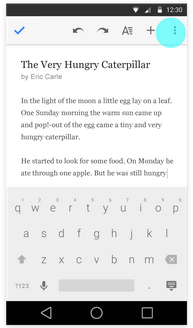
Easier file renaming in Android apps
Users can now edit document, spreadsheet, and presentation titles directly from the overflow menu in the top right corner of the Google Docs, Sheets, and Slides apps for Android, making renaming files faster and simpler.
Release: Both • Rapid: 2015-07-09 • Scheduled: 2015-07-09 -
2015-07-09Content & Collaboration
Improved comment and suggestion handling in Office Compatibility Mode for Android
In the Google Docs app for Android, users can now reply to comments when working in Office Compatibility Mode. Additionally, suggestions and comments in this mode now appear in the Comments panel in the order they were made, rather than grouped by type.
Release: Both • Rapid: 2015-07-09 • Scheduled: 2015-07-09 -
2015-07-06Content & Collaboration

New download functionality for Microsoft Office files in Google Docs, Sheets, and Slides.
The Office Compatibility Mode extension in Chrome now includes a feature that allows users to instantly download a local copy of edited Microsoft Office files. This functionality is accessible via the File drop-down menu and a button in the top right corner of the screen, making it easier for users to share files in Microsoft Office format or upload them via webforms.
Release: Both • Rapid: 2015-07-06 • Scheduled: 2015-07-06 -
2015-06-22Content & Collaboration
Expanded image type support for file conversion in Google Docs, Sheets, and Slides.
Google has expanded the image types supported during the conversion of Microsoft Office files to Google Docs, Sheets, and Slides. In addition to JPEG, PNG, EMF, and WMF, users can now successfully import and export larger images, less common formats like TIFF, and images with non-RGB color profiles such as CMYK.
Release: Both • Rapid: 2015-06-22 • Scheduled: 2015-06-22 -
2015-06-08Content & Collaboration
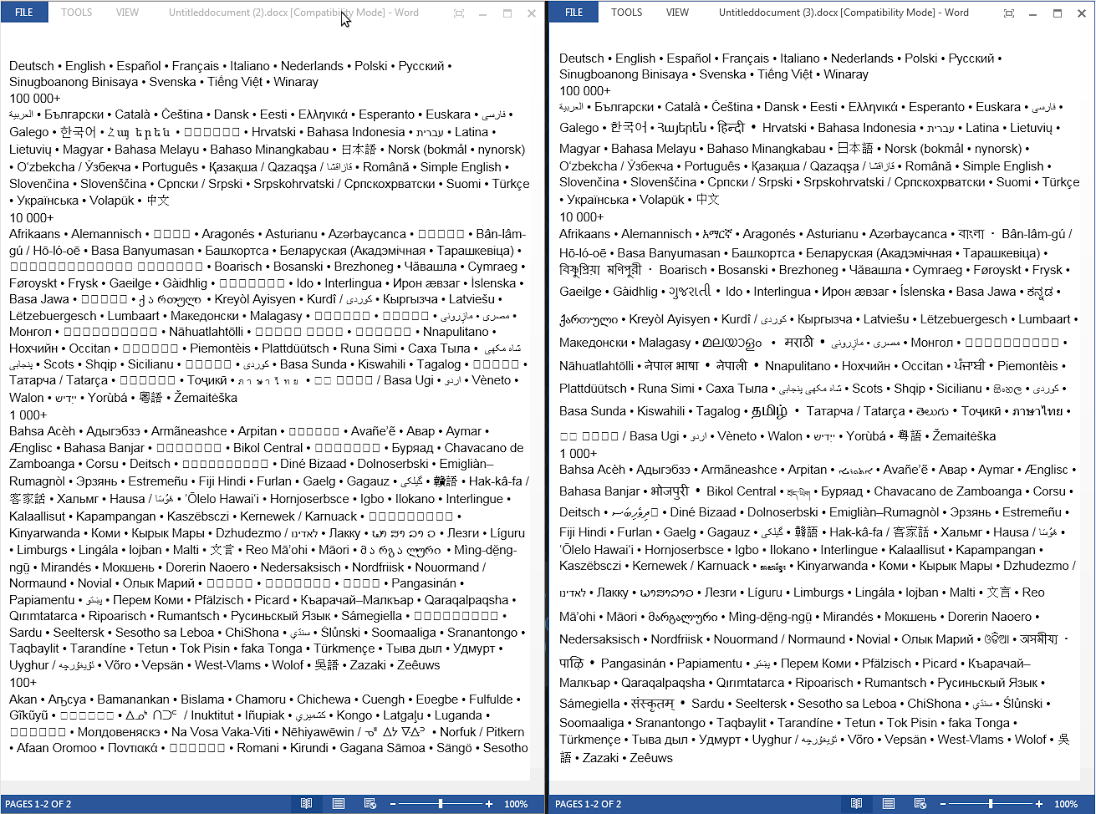
Google Docs now supports exporting non-Latin text and specific unicode blocks to Microsoft Word.
Google Docs on desktop now allows users to export documents containing non-Latin scripts—including Armenian, Bengali, Devanagari, and 13 others—as well as various unicode blocks like Arrows, Bopomofo, and mathematical operators, to Microsoft Word while maintaining readability. This update facilitates better collaboration for users working in more than 25 different languages.
Release: Both • Rapid: 2015-06-08 • Scheduled: 2015-06-08 -
2015-05-13Content & Collaboration
Mobile image insertion now available in Google Docs apps for Android and iOS.
New versions of the Google Docs app for Android and iOS now allow users to insert images directly from their mobile devices. This functionality is available for both online and offline use.
Release: Both • Rapid: 2015-05-13 • Scheduled: 2015-05-13 -
2015-04-16Content & Collaboration
New features for Google Docs apps on Android and iOS.
The Google Docs app for Android and iOS has been updated to allow users to accept, reject, or comment on suggestions and manage tracked changes and comments within Word files. Additionally, table editing is now available for iOS users.
Release: Both • Rapid: 2015-04-16 • Scheduled: 2015-04-16 -
2012-09-05Content & Collaboration
Export Google Docs files in OXML formats (.docx, .xlsx, .pptx)
Users can now export Google Docs, Sheets, and Slides files in OXML formats (.docx, .xlsx, .pptx) via the “Download as” menu. Additionally, rapid release domains will no longer have the option to export files in the older .doc, .xls, or .ppt formats.
Release: Both • Rapid: 2012-09-05 -
2012-08-01Content & Collaboration
Ability to create documents offline
Users can now create documents offline, provided they are running the latest version of Chrome or ChromeOS and have the Google Drive Chrome app installed.
Release: Scheduled • Scheduled: 2012-07-31 -
2012-07-25Content & Collaboration
Offline document creation for Google Docs
Users will have the ability to create new documents offline. This functionality requires the latest version of Chrome or ChromeOS and the installation of the Google Drive Chrome app.
Release: Scheduled • Scheduled: 2012-07-31