All Google Docs updates
216 updates to Google Docs tracked so far.
-
2017-12-13Content & Collaboration

New template categories for Project Management, Sales, HR, and Freelancer Engagement
Google has introduced four new template categories developed in partnership with experts: Project Management in Sheets (with Smartsheet), Sales in Docs (with PandaDoc), Human Resources in Docs (with Zenefits), and Freelancer Engagement in Docs (with Upwork). These templates are currently available in English on the web.
Release: Both • Rapid: 2017-12-13 • Scheduled: 2017-12-13 -
2016-01-27Content & Collaboration
Comment swiping in the Google Docs, Sheets, and Slides apps
Users can now swipe to move from one comment to the next in the iOS apps for Docs, Sheets, and Slides, as well as the Android app for Slides.
Release: Both • Rapid: 2016-01-27 • Scheduled: 2016-01-27 -
2016-01-27Content & Collaboration
Instant mentions in Google Docs, Sheets, and Slides on the web, Android, and iOS
When typing a name or email address in a comment, a list of suggested contacts will appear. Selecting a contact triggers an email notification without the need to type '+' or '@' before the name.
Release: Both • Rapid: 2016-01-27 • Scheduled: 2016-01-27 -
2016-01-27Content & Collaboration

Instant comments in Google Docs on the web
Users can now highlight text or hover over the edge of a page to surface a small commenting icon, allowing them to quickly add a comment to that specific area of the document.
Release: Both • Rapid: 2016-01-27 • Scheduled: 2016-02-10 -
2016-01-11Content & Collaboration
Search results on Docs, Sheets, and Slides home screens now include files from all three apps.
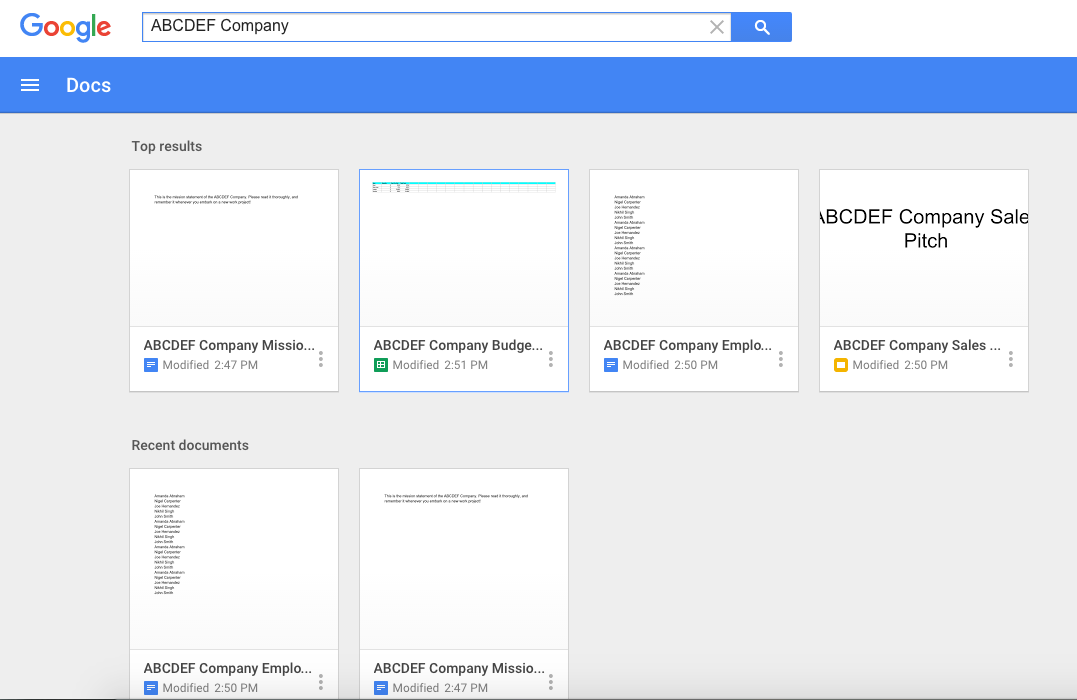
Google has updated the search functionality on the home screens of Google Docs, Sheets, and Slides on the web. Now, searching from any of these home screens will return results from all three applications. The results page will display 'Top results' containing a mix of relevant files, followed by a section for recent files specific to the app the user is currently accessing.
Release: Both • Rapid: 2016-01-11 • Scheduled: 2016-01-25 -
2015-12-15Content & Collaboration

Templates are now available in Google Docs, Sheets, and Slides mobile apps for Android and iOS.
Google is rolling out template functionality to the Android and iOS apps for Google Docs, Sheets, and Slides. Users can now create new documents, spreadsheets, or presentations using pre-defined templates—such as meeting agendas, pitch decks, and expense reports—by clicking the red “+” button, bringing the same functionality available on the web to mobile devices.
Release: Both • Rapid: 2015-12-15 • Scheduled: 2015-12-15 -
2015-11-12Content & Collaboration
Enhanced commenting and suggestions management in the Google Docs app for Android.
The Google Docs app for Android now allows users to view comments and suggestions in Print Layout view. Users can now resolve, close, accept, or reject these comments and suggestions directly from their mobile device, facilitating a smoother transition between desktop and mobile workflows.
Release: Both • Rapid: 2015-11-12 • Scheduled: 2015-11-12 -
2015-10-28Content & Collaboration
Superscripts and subscripts support in Docs and Slides Android apps
The Google Docs and Slides Android apps now allow users to create superscript and subscript text using the text formatting palette.
Release: Both • Rapid: 2015-10-28 • Scheduled: 2015-10-28 -
2015-09-02Content & Collaboration
Templates for Docs, Sheets, and Slides
A wide variety of pre-designed templates for newsletters, invoices, pitch decks, and more are now available on the home screens of Google Docs, Sheets, and Slides on the web.
Release: Both • Rapid: 2015-09-02 • Scheduled: 2015-09-21 -
2015-09-02Content & Collaboration
Google Fonts preservation in Microsoft Word and PowerPoint
Google Fonts are now preserved when downloading Google Docs and Slides files as Microsoft Word or PowerPoint files on PCs, ensuring consistent formatting when sharing with external partners.
Release: Both • Rapid: 2015-09-02 • Scheduled: 2015-09-02 -
2015-09-02Content & Collaboration
See new changes in Google Docs
Users can now easily identify changes made to a document since they last viewed it by clicking 'See new changes' from the File menu or the top of the document on the web.
Release: Both • Rapid: 2015-09-02 • Scheduled: 2015-09-21 -
2015-09-02Content & Collaboration
Voice typing in Google Docs
Voice typing allows users to dictate ideas directly into Google Docs across Chrome on the web, Android, and iOS mobile apps, supporting more than 40 languages.
Release: Both • Rapid: 2015-09-02 • Scheduled: 2015-09-21 -
2015-09-02Content & Collaboration
Research in Google Docs for Android
The Docs Android app now includes a Research feature that allows users to search Google without leaving the app and directly add facts, images, and quotes to their documents.
Release: Both • Rapid: 2015-09-02 • Scheduled: 2015-09-02 -
2015-08-24Content & Collaboration
Hover over the Share button in Google Docs, Sheets, and Slides to see warnings if sharing settings are invalid.
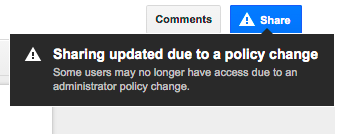
Starting August 24, 2015, users with permission to edit a file's sharing settings in Google Docs, Sheets, or Slides will see a warning when hovering over the Share button if sharing settings are invalid. This warning appears if sharing outside the employee's domain is disabled, if sharing into the recipient's domain is disabled, or if 'anyone' sharing options are restricted, providing increased visibility into file sharing restrictions.
Release: Both • Rapid: 2015-08-24 • Scheduled: 2015-08-24 -
2015-08-20Content & Collaboration
Print Layout view in Google Docs for Android and iOS
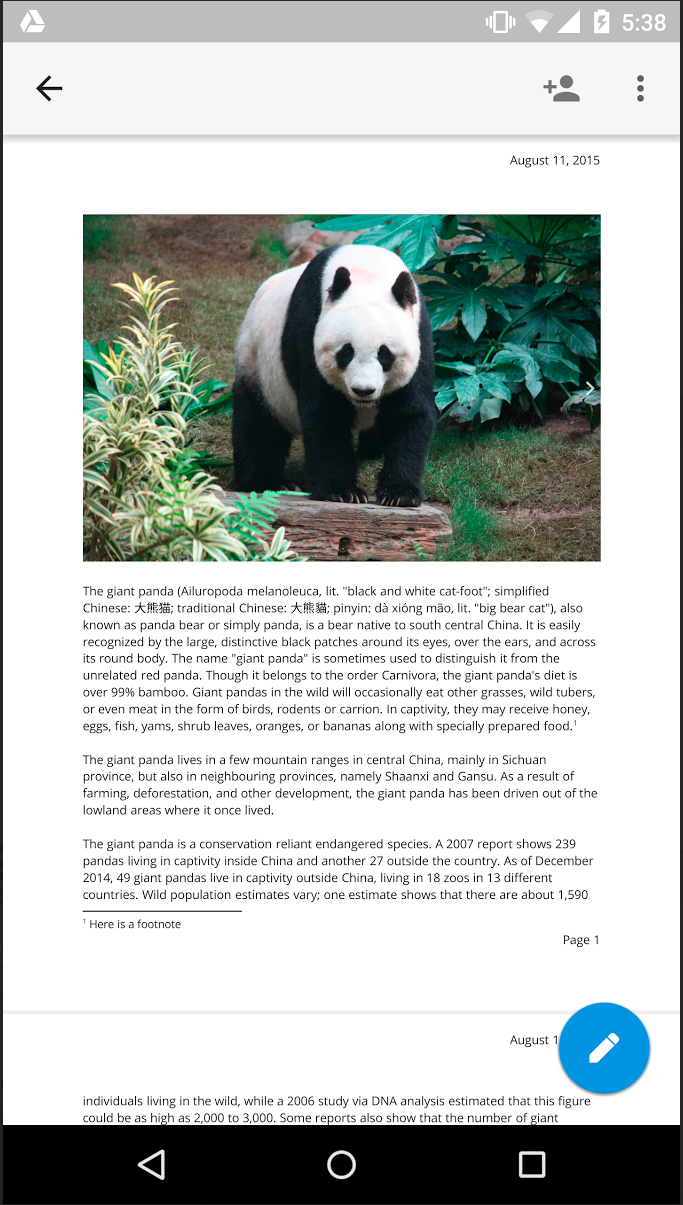
Users can now select Print Layout from the overflow menu in the Google Docs app on Android and iOS to view a fully paginated, read-only version of their document. This feature is currently in beta, with editing capabilities planned for future rollouts.
Release: Both • Rapid: 2015-08-20 • Scheduled: 2015-08-20