All Google Docs updates
216 updates to Google Docs tracked so far.
-
2024-10-21Content & Collaboration

Improved comments experience on Android tablets for Google Docs.
Google Docs on Android tablets is receiving a redesigned comments experience to align with the web experience. This update allows users to view the first comment and two most recent replies in a thread, enjoy in-context commenting, and use navigation tabs and filters within the comments panel for better navigation.
Release: Both • Rapid: 2025-01-27 • Scheduled: 2025-02-10 -
2024-10-16Content & Collaboration
Use Gemini in the side panel of Google Docs in seven additional languages (Alpha)
You can now use Gemini in the side panel of Google Docs in seven additional languages: German, Italian, Japanese, Korean, Portuguese, Spanish, French. The additional languages are available in alpha for Workspace customers with a Gemini Business, Gemini Enterprise, Gemini Education, and Gemini Education Premium add-on.
Release: Alpha • Rapid: 2024-10-16 • Scheduled: 2024-10-16 -
2024-09-24Content & Collaboration

personalize and differentiate documents with full-bleed cover images that extend from one edge of your document to the other
To insert, you can either Click the new “Cover image” chip at the top of your Doc (similar to the ones introduced last year).
Release: Both • Rapid: 2024-09-24 • Scheduled: 2024-09-24 -
2024-05-23Content & Collaboration

Voice typing in Google Docs expands to additional browsers
Expanding support for voice typing features to additional browsers, such as Edge and Safari. When a user turns on voice typing, the web browser controls the speech-to-text service, determines how speech is processed, and then sends text data to Google Docs.
Release: Both • Rapid: 2024-05-22 • Scheduled: 2024-06-11 -
2024-02-27Content & Collaboration

New markups feature in Google Docs allows handwritten annotations on Android devices.
The new markups experience lets you add handwritten annotations to documents with a stylus or your finger when using an Android device.
Release: Both • Rapid: 2024-02-27 • Scheduled: 2024-05-20 -
2024-02-27Content & Collaboration
New ways to annotate Google Docs
The new markups experience lets you add handwritten annotations to documents with a stylus or your finger when using an Android device.
Release: Both • Rapid: 2024-02-27 • Scheduled: 2024-02-27 -
2024-02-15Content & Collaboration

Sort, filter and manage comments faster in Google Docs, Sheets and Slides
We’re introducing an improved comments experience in Google Docs, Sheets, and Slides to help you find and take action on comments easier than ever before.
Release: Both -
2024-01-16Content & Collaboration

Use comments & action items on your client-side encrypted Google Docs.
You can now collaborate with others on client-side encrypted Google Docs to add, edit, reply, filter, or delete comments. You can also assign action items to yourself or others.
Release: Both • Rapid: 2024-01-16 • Scheduled: 2024-02-01 -
2023-09-08Content & Collaboration

Updated zoom in/out capabilities across Google Docs, Slides and Drawings
New zoom keyboard shortcuts are being introduced for Google Docs and Slides on web to allow users to zoom in, zoom out, or scale to 100%. Additionally, Google Slides now supports smooth zooming using a trackpad or mouse wheel combined with a modifier key (cmd/ctrl).
Release: Both • Rapid: 2023-09-08 • Scheduled: 2023-09-08 -
2023-09-01Content & Collaboration
A new look for Google Docs, Sheets, and Slides apps on Android devices
Google has introduced a refreshed visual design for the Google Docs, Sheets, and Slides applications on Android devices to improve the user experience.
Release: Rapid -
2023-09-01Content & Collaboration
Paste HTML into document on iOS
Google Docs for iOS now supports the ability to paste HTML content directly into documents, improving content migration and formatting.
Release: Scheduled -
2023-08-29Content & Collaboration
.png)
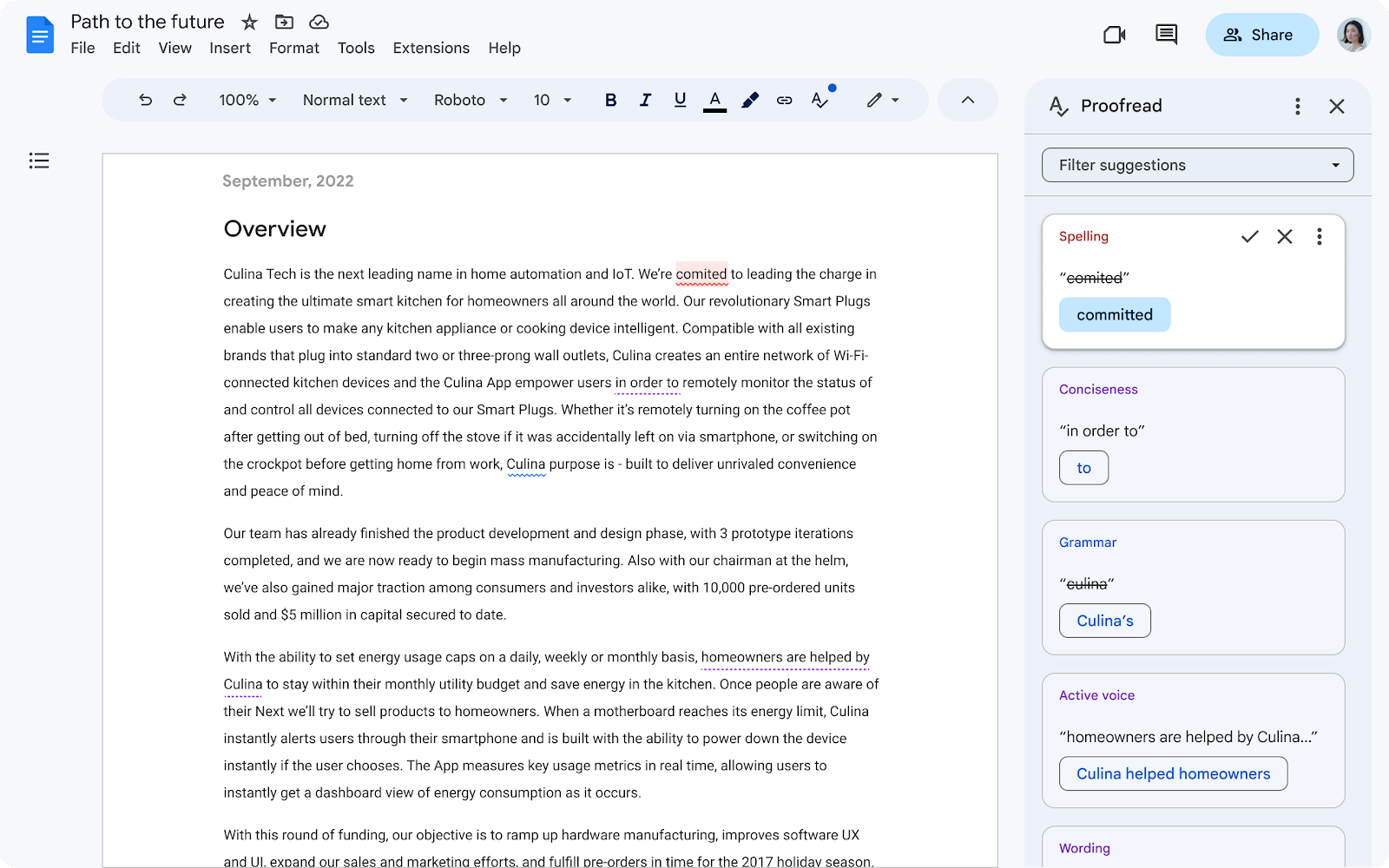
Proofread, next generation of writing suggestions, powered by AI will provide a list of suggestions you can review and accept.
Google Docs offers several existing capabilities to help you write faster and with more confidence, such as grammar suggestions, smart compose, and smart reply. Today, we’re introducing the next generation of writing suggestions, powered by AI: Proofread.
Release: Both • Rapid: 2023-08-29 -
2023-08-29Content & Collaboration

AI-powered 'Help me write' features in Google Docs for content generation and refinement.
Google Docs now features 'Help me write' powered by Duet AI, enabling users to generate initial drafts from a few words. Users can refine content by adjusting the tone, summarizing sections, converting text to bullets, elaborating, shortening, or providing custom instructions. Additionally, the feature integrates smart canvas elements like smart chips, variables, and building blocks into the generated content.
Release: Rapid • Rapid: 2023-08-29 -
2023-08-09Content & Collaboration

Introducing eSignature for Google Docs and Google Drive
Google is launching eSignature in open beta for Workspace Individual subscribers and in beta for select Google Workspace customers. This native integration allows users to request and capture signatures on official contracts directly within Google Docs and sign documents from Google Drive without switching apps, streamlining the workflow for solopreneurs and small businesses.
Release: Rapid • Rapid: 2023-08-08 -
2023-08-04Content & Collaboration
Paste HTML into document on iOS
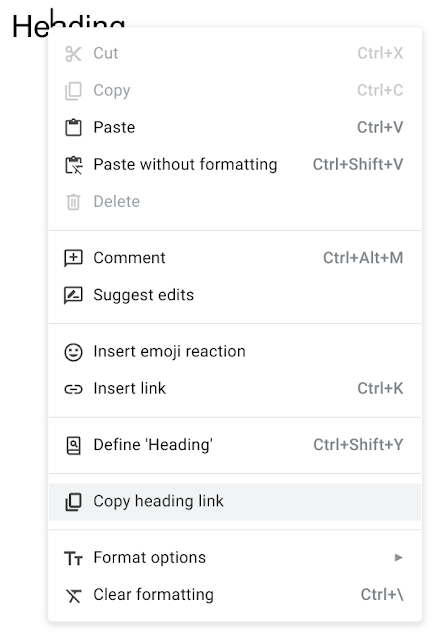
Following the introduction of HTML pasting on Android, Google Docs now supports the ability to paste copied HTML elements into documents on iOS devices.
Release: Both