All Google Drive updates
222 updates to Google Drive tracked so far.
-
2017-11-30Content & Collaboration

New Admin console setting to control who can move content out of Team Drives.
Google is introducing a new sharing setting in the Admin console that allows G Suite administrators to control who can remove content from their domain's Team Drives to prevent data from leaving the organization. This setting restricts moving content from a domain's Team Drive or a user's My Drive to an external domain, with three available options: 'Anyone', 'No one', or 'Only users in this domain'.
Release: Both • Rapid: 2017-11-30 • Scheduled: 2017-11-30 -
2017-08-08Content & Collaboration

Data Loss Prevention now available in Team Drives.
DLP analyzes the files in your organization’s Team Drives for sensitive content. You can set up policy-based actions that will be triggered when any sensitive content is detected. G Suite admins will be able to control what content members of the team can share externally using easily configured rules and easily enforced policies.
Release: Both • Rapid: 2017-08-08 • Scheduled: 2017-08-08 -
2017-08-08Content & Collaboration
DLP is now available in Team Drives.
Data Loss Prevention (DLP) is now available for content stored in Team Drives, giving G Suite Enterprise edition customers more control over how data is shared. Admins can set up policy-based actions that will be triggered when sensitive content is detected.
Release: Both -
2016-04-06Content & Collaboration

Updating the Google Drive plug-in for Microsoft® Office to include Outlook support.
From within Outlook for Windows, you can now: Insert files using Drive, Save local files to Drive seamlessly, Update sharing permissions
Release: Both • Rapid: 2016-04-06 • Scheduled: 2016-04-06 -
2016-01-25Content & Collaboration
Increased admin control over Google Drive file sharing options.
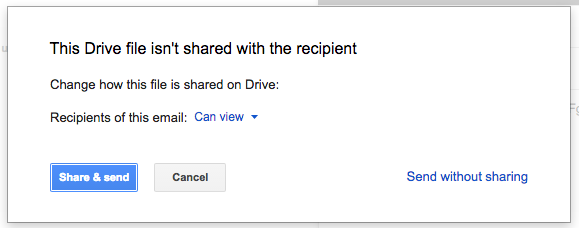
Google has introduced new Access Checker settings in the Admin console, allowing administrators to define the sharing options users see when sharing Drive files via Gmail, comments in Docs, Sheets, or Slides, protected ranges in Sheets, or Calendar invites. Depending on whether external public sharing is permitted, admins can now restrict these options to 'Recipients only', 'Recipients only or their domain', or 'Recipients only, their domain, or public'.
Release: Both • Rapid: 2016-01-25 • Scheduled: 2016-01-25 -
2016-01-12Content & Collaboration
Improved file and folder organization in Google Drive via new toolbar options and drag-and-drop functionality.
Google Drive is making it easier to organize files and folders. Users will now see 'Add to My Drive' or 'Move to' options in the toolbar when viewing search results, Shared with me, Recent, or Starred views. Additionally, users can now drag and drop items from search results into folders and organize files directly from the preview screen.
Release: Both • Rapid: 2016-01-12 • Scheduled: 2016-01-26 -
2016-01-07Content & Collaboration
Google Drive iOS app adds support for several new languages.
The Google Drive iOS app has been updated to support additional languages, including Hindi, Indian English, Canadian French, and Chinese (Hong Kong), improving accessibility for a wider range of global users.
Release: Both • Rapid: 2016-01-07 • Scheduled: 2016-01-07 -
2016-01-07Content & Collaboration

Google Drive iOS app introduces Peek and pop support via 3D Touch.
The latest version of the Google Drive iOS app adds Peek and pop functionality for iPhone 6s and 6s Plus users. This feature allows users to utilize 3D Touch to preview a file or folder and perform common actions before fully opening or sharing the item.
Release: Both • Rapid: 2016-01-07 • Scheduled: 2016-01-07 -
2015-12-09Content & Collaboration

Google Drive introduces an enhanced search experience with improved filters and platform-specific integrations.
Google Drive is rolling out a new search experience to help users find files more efficiently across Android, iOS, and the web. Key improvements include the ability to narrow searches by file type, instant access to advanced search options, and iOS-specific features like 3D Touch and search bar integration. Additionally, users can now search for shared files by the owner's name or email and utilize advanced filters such as modification date and specific keywords.
Release: Both • Rapid: 2015-12-09 • Scheduled: 2015-12-09 -
2015-11-20Content & Collaboration
Updated version (v1.1.132.0) of the Google Drive plug-in for Microsoft Office
Google has released version v1.1.132.0 of the Google Drive plug-in for Microsoft Office. This update introduces the ability for customers to send feedback from the settings menu and a new per-machine based enterprise installer for internal software distribution. Additionally, it fixes an 'unknown error' that occurred when saving sharing changes and resolves Japanese language UI issues.
Release: Both • Rapid: 2015-11-20 • Scheduled: 2015-11-20 -
2015-11-12Content & Collaboration
Smarter sorting experience for the 'Recent' view in Google Drive on the web.
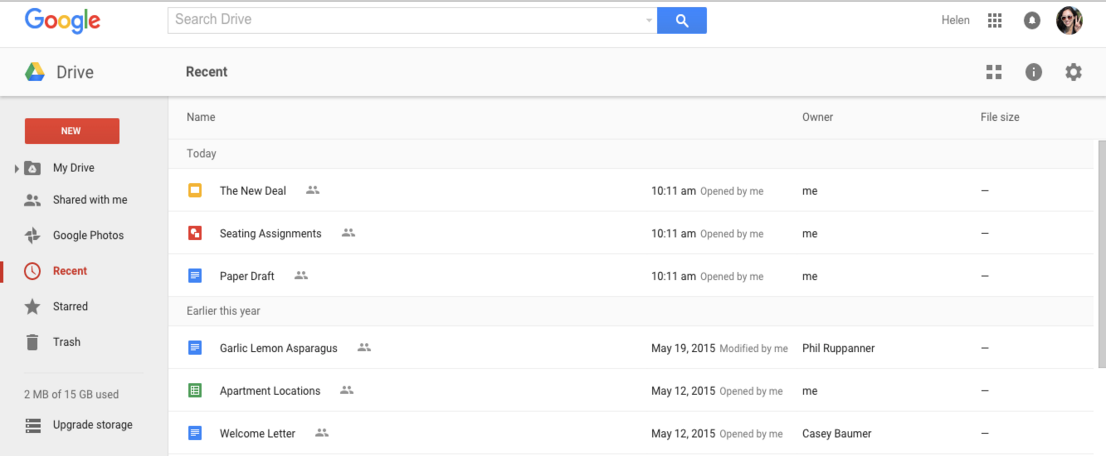
Google Drive is introducing a smarter sorting experience for the 'Recent' view on the web. The update replaces the previous sorting dropdown options ('Last modified,' 'Last modified by me,' and 'Last opened by me') with a dynamically-generated view based on the user's actions. Items will continue to be segmented into time-based sections, and the UI will now indicate whether an item was opened, modified, or uploaded by the user, prioritizing items the user interacted with over those acted upon by collaborators.
Release: Both • Rapid: 2015-11-12 • Scheduled: 2015-11-26 -
2015-11-04Content & Collaboration
Viewing shared files without a Google Account on Android
Google Drive for Android now allows users to view shared files without requiring a Google Account, bringing the Android app experience in line with the web version.
Release: Both • Rapid: 2015-11-04 • Scheduled: 2015-11-04 -
2015-11-04Content & Collaboration
Custom sharing messages for Google Drive on iOS
To provide a more consistent experience across platforms, users of the Google Drive and Docs editor apps on iOS can now add custom messages to recipients directly from the app when sharing a file.
Release: Both • Rapid: 2015-11-04 • Scheduled: 2015-11-04 -
2015-11-04Content & Collaboration
Mobile sharing notifications for Android and iOS
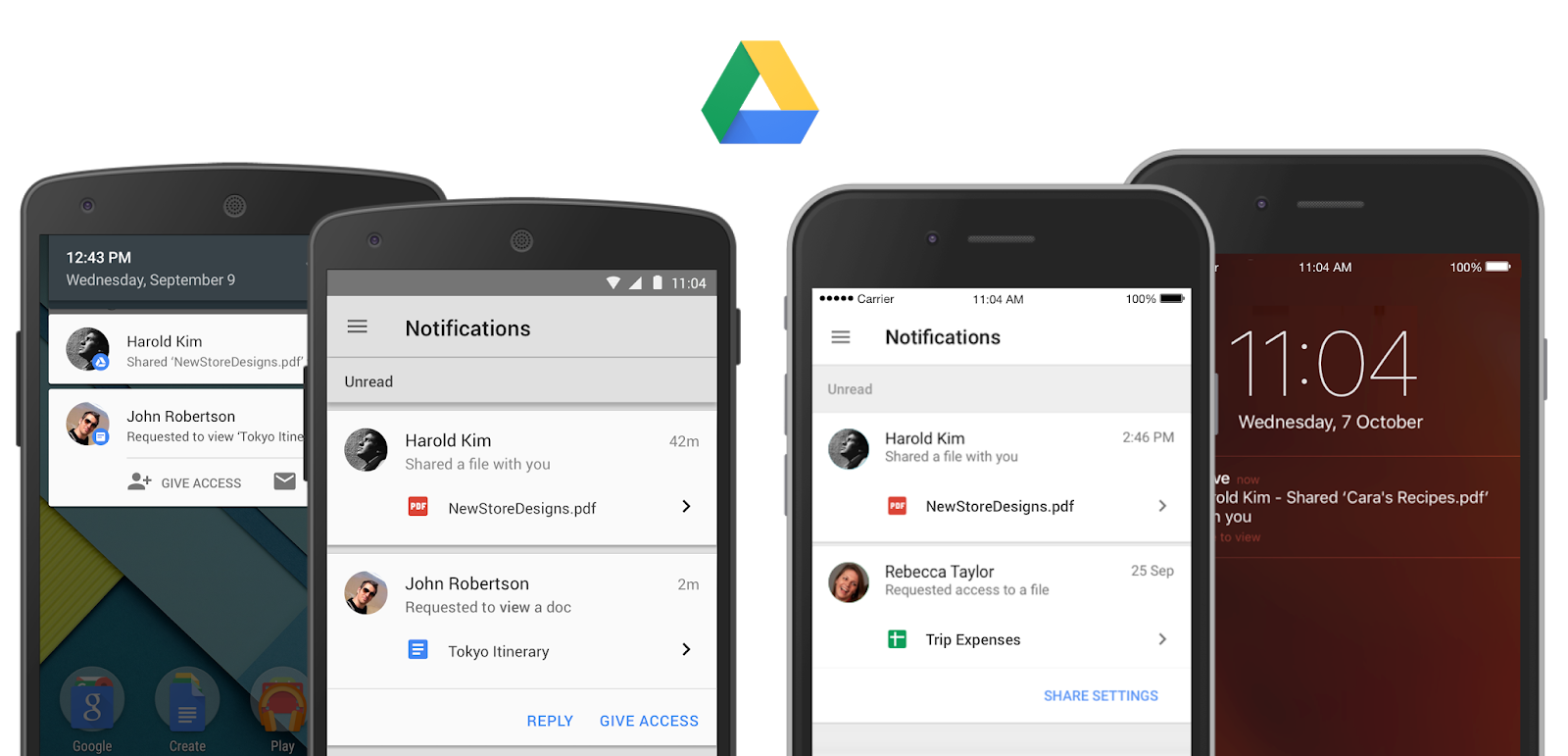
Users of the Google Drive app on Android and iOS can now receive mobile notifications when a file or folder is shared with them or when someone requests access to their content, allowing them to open files or grant access instantly from their mobile device.
Release: Both • Rapid: 2015-11-04 • Scheduled: 2015-11-04 -
2015-11-03Content & Collaboration
Improved previews for Excel and other spreadsheet files in Google Drive and Gmail.
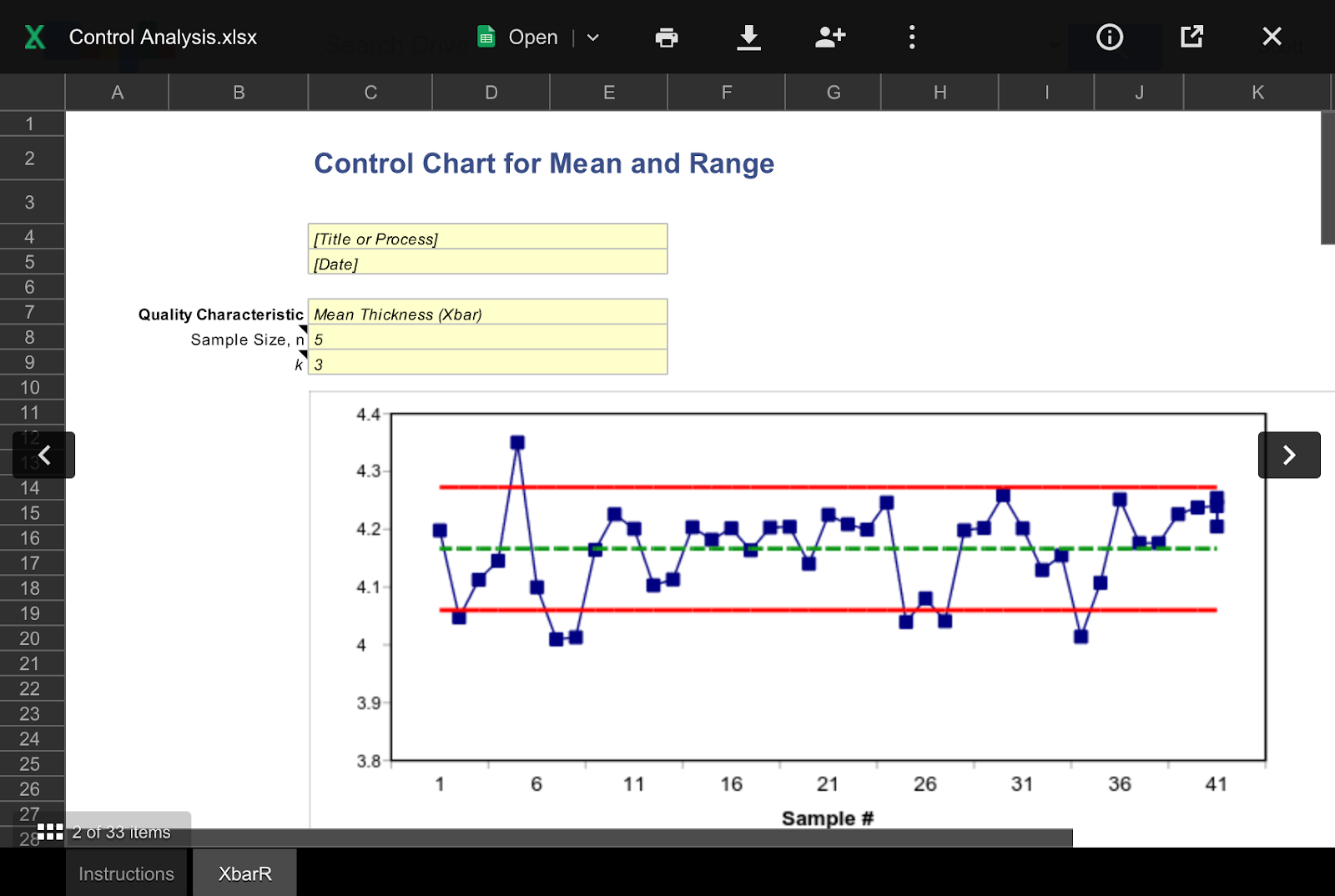
Google is introducing a more consistent and useful experience when previewing Excel and other spreadsheet files (such as .csv, .tsv, and .ods) in Google Drive and Gmail on the web. These files will now be displayed in a view-only format that is searchable and easily navigable, allowing users to print, download, share, or open the file in Google Sheets or another app for editing.
Release: Both • Rapid: 2015-11-03 • Scheduled: 2015-11-17