All Google Drive updates
222 updates to Google Drive tracked so far.
-
2015-10-08Content & Collaboration
Request access to files with the Google Drive Android app
A new version of the Google Drive Android app allows users to request access to Drive content links received via email, Hangouts, and other sources when they do not already have permission to view the file.
Release: Both • Rapid: 2015-10-08 • Scheduled: 2015-10-08 -
2015-10-06Content & Collaboration
Google Drive iOS app now supports backing up and sharing photos and videos from the iOS Photos app.
Users can now back up and share their photos and videos directly from the iOS Photos app to Google Drive using the latest app update.
Release: Both • Rapid: 2015-10-06 • Scheduled: 2015-10-06 -
2015-10-06Content & Collaboration
Google Drive iOS app now allows opening, editing, and saving files back to Drive using third-party apps.
The latest version of the Google Drive iOS app enables users to open files, edit them using other document editing applications, and save the changes directly back to Google Drive.
Release: Both • Rapid: 2015-10-06 • Scheduled: 2015-10-06 -
2015-09-03Content & Collaboration
New features and performance improvements for the Google Drive iOS app.
A new version of the Google Drive iOS app is being released, introducing the ability to multi-select files to keep offline, star, or organize. The update also allows users to share, rename, or view file details more quickly and includes general performance improvements.
Release: Both • Rapid: 2015-09-03 • Scheduled: 2015-09-03 -
2015-08-31Content & Collaboration
Deprecation of web hosting support in Google Drive
Beginning August 31, 2015, web hosting in Google Drive for users and developers is deprecated. Google Apps customers can continue to use this feature until August 31, 2016, after which serving content via googledrive.com/host/ will be discontinued. Users are encouraged to migrate to alternatives like Google Domains or Google Cloud Platform.
Release: Scheduled • Scheduled: 2015-08-31 -
2015-08-12Content & Collaboration
Launch desktop applications from Google Drive Preview in Chrome
Google Drive has extended the ability to open files in compatible desktop applications to the Drive viewer. Users with the Drive app for Mac or PC (version 1.23+) can now launch apps such as advanced image/video editors, accounting software, or 3D design tools directly from preview mode in the Chrome browser using the 'Open with' menu, with changes syncing back to Drive across devices.
Release: Both • Rapid: 2015-08-12 • Scheduled: 2015-08-12 -
2015-07-21Content & Collaboration
Google Drive plug-in for Microsoft Office allows opening and saving Office files directly to Drive.
Google has released a plug-in for Microsoft Office on Windows that enables users to open Word, Excel, and PowerPoint documents stored in Google Drive and save changes directly back to Drive. Users can also save local Office files to Google Drive from within the Office applications. The plug-in supports Office 2007, 2010, 2013, and Office 365.
Release: Both • Rapid: 2015-07-21 • Scheduled: 2015-07-21 -
2015-07-20Content & Collaboration
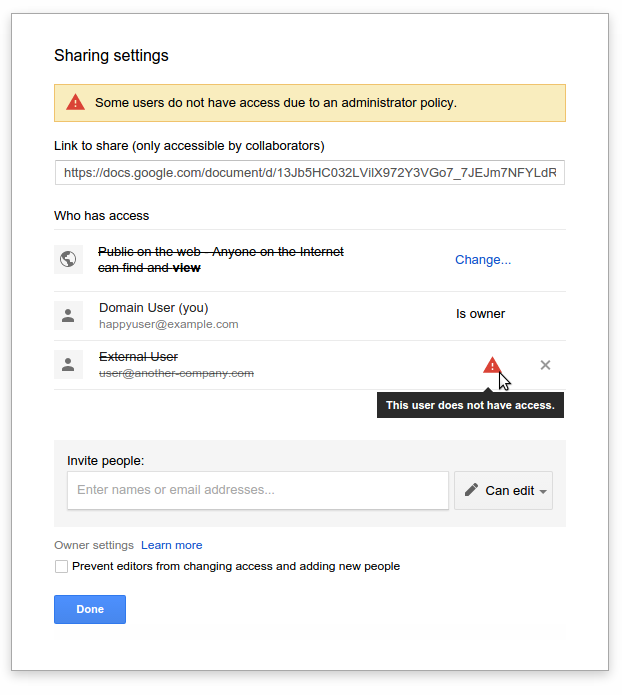
Google Drive, Docs, Sheets, and Slides now display warnings for invalid sharing settings.
Google is introducing warnings within the 'Sharing with others' dialog in Google Drive, Docs, Sheets, and Slides to notify users when sharing settings are invalid. Warnings will appear if a user attempts to share a file with someone outside their domain when such sharing is disabled by an administrator, or if they use 'anyone' sharing options while external publishing is restricted.
Release: Both • Rapid: 2015-07-20 • Scheduled: 2015-08-03 -
2015-07-14Content & Collaboration
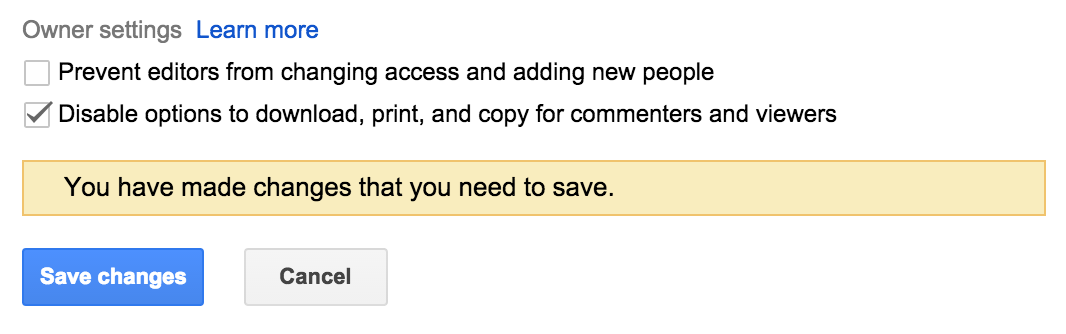
Disable downloading, printing, and copying for Google Drive files
Google Drive has introduced Information Rights Management (IRM) features that allow file owners to disable the ability for commenters and viewers to download, print, or copy files. This setting can be managed through the advanced sharing menu on the web or via API and applies to all file types in Drive, including Google Docs, Sheets, and Slides.
Release: Both • Rapid: 2015-07-14 • Scheduled: 2015-07-28 -
2015-07-13Content & Collaboration
Print and preview event support added to Google Drive audit logs
Google has added support for print and preview events to the Google Drive audit logs for both Google and non-Google file formats. Administrators can now filter these events by document name, user name, and timestamp, and can set alerts for specific files based on filenames and owners. This feature is available to Google Apps Unlimited/Google Drive for Work and Google Apps for Education customers.
Release: Both • Rapid: 2015-07-13 • Scheduled: 2015-07-13 -
2015-07-01Content & Collaboration
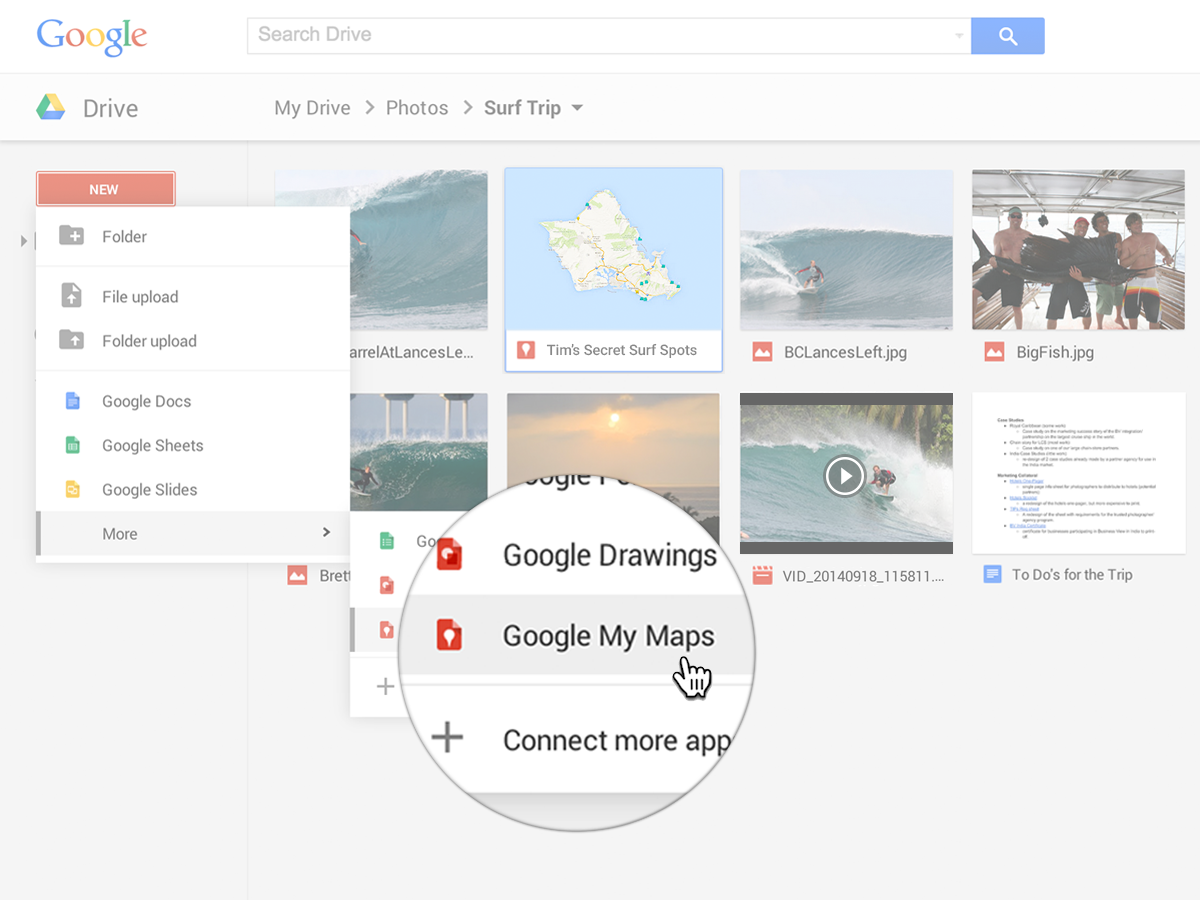
Google My Maps is now integrated with Google Drive for easier creation, sharing, and management of custom maps.
Google My Maps is now integrated with Google Drive, allowing users to create custom maps with lines, shapes, and placemarks, import geographic data, and share maps using Drive's permission settings. Google Apps admins can enable or disable the service for their domains or specific organizational units via the Admin console. These maps are web-only and do not count toward the user's Google Drive storage limit.
Release: Both • Rapid: 2015-07-01 • Scheduled: 2015-07-01 -
2015-06-26Content & Collaboration
Google Drive audit logs now include support for download events.
Admins for Drive for Work and Google Apps for Education can now track download events for both Google and non-Google file formats within the Drive audit logs. These logs are accessible via the Admin console Reports area and the Reports API, enabling admins to filter by document name, user name, and timestamp, and to set download alerts for specific files based on filenames or owners.
Release: Both • Rapid: 2015-06-26 • Scheduled: 2015-06-26 -
2015-06-25Content & Collaboration
New features and UI improvements for the Google Drive app for Android.
A new version of the Google Drive app for Android introduces several enhancements, including the ability to download multiple files in the background, use the 'Send File' feature on multiple files simultaneously, an improved sharing UI for adding people and reviewing access, file thumbnails in the folder details pane, and the ability to report abuse cases within Settings.
Release: Both • Rapid: 2015-06-25 • Scheduled: 2015-06-25 -
2015-06-19Content & Collaboration
Full launch of the new Google Drive UI
The new Google Drive user interface is being fully launched to Google Apps customers, and the option to revert to the old UI will be removed. The rollout begins for Rapid release customers on June 23, 2015, followed by Scheduled release customers on July 7, 2015. Users are advised to upgrade to supported browsers as older versions (Chrome 23, Firefox 23, IE9, and Safari 6) are not compatible.
Release: Both • Rapid: 2015-06-23 • Scheduled: 2015-07-07 -
2015-06-03Content & Collaboration
New UI and performance improvements for the Google Drive app for iOS.
A new version of the Google Drive app for iOS is available, introducing a new material design, faster syncing with Google Drive web, improved image viewing and scrolling (removing the 'Load more' requirement), and a swipe gesture to go back.
Release: Both • Rapid: 2015-06-03 • Scheduled: 2015-06-03