All Google Meet updates
373 updates to Google Meet tracked so far.
-
2022-01-13Comms & Meetings
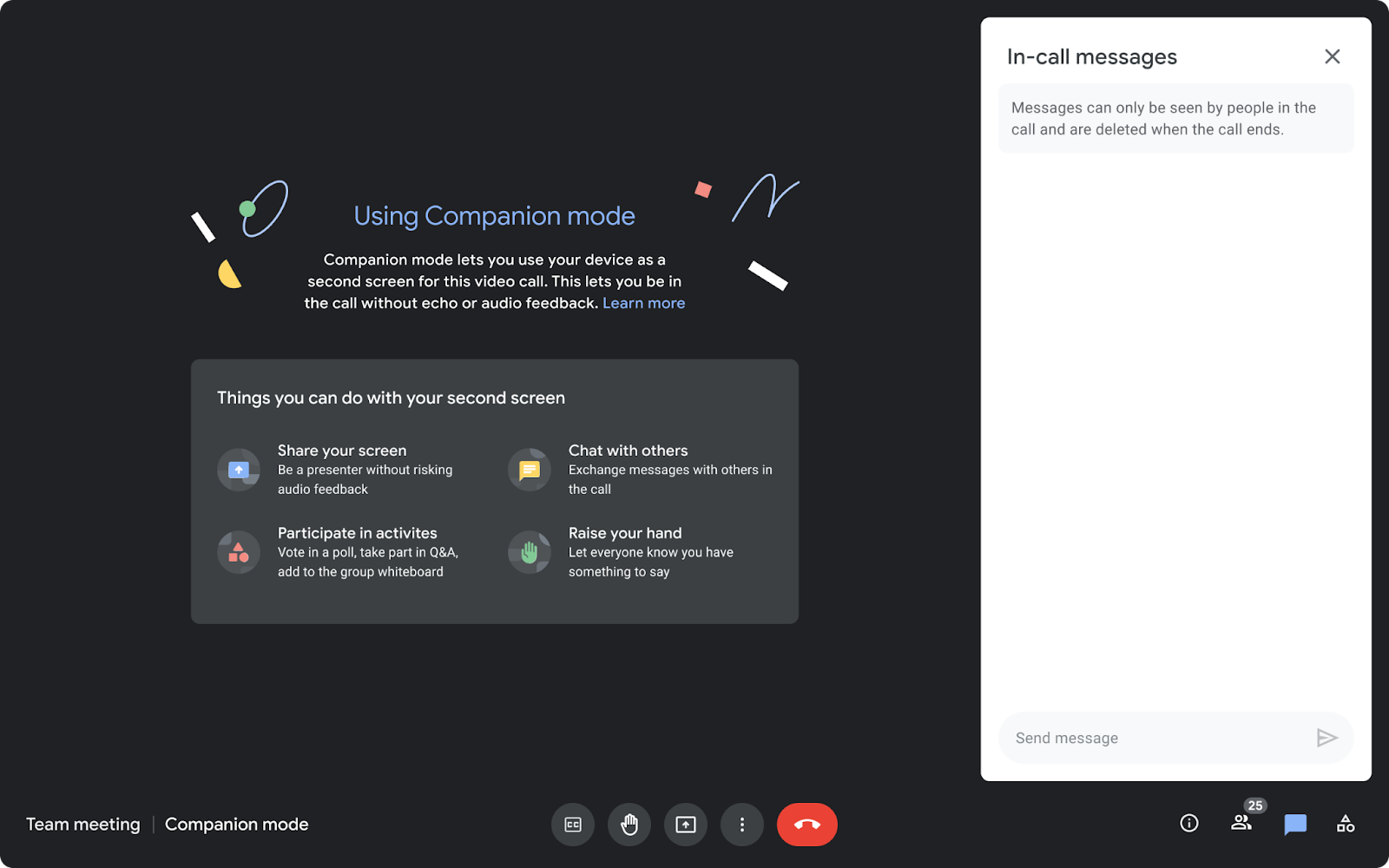
Companion mode is now available on the web for users joining meetings via Google Meet hardware or Nest Hub Max.
Companion mode allows users in hybrid meetings to connect via the web (using g.co/companion or g.co/present) while utilizing Google Meet hardware or Nest Hub Max for audio and video. This enables access to interactive features such as chat, screen sharing, hand raising, and polls without causing audio feedback, ensuring collaboration equity for all attendees regardless of their location.
Release: Both • Rapid: 2022-01-13 • Scheduled: 2022-01-27 -
2022-01-13Comms & Meetings
Beginning today, you can use Companion mode on the web when joining a meeting using Google Meet hardware or the Nest Hub Max.
Beginning today, you can use Companion mode on the web when joining a meeting using Google Meet hardware or the Nest Hub Max. Companion mode allows you to access interactive features and controls such as chat, screen sharing, hand raising, polls, host controls and more.
Release: Both • Rapid: 2022-01-13 • Scheduled: 2022-01-27 -
2022-01-12Comms & Meetings
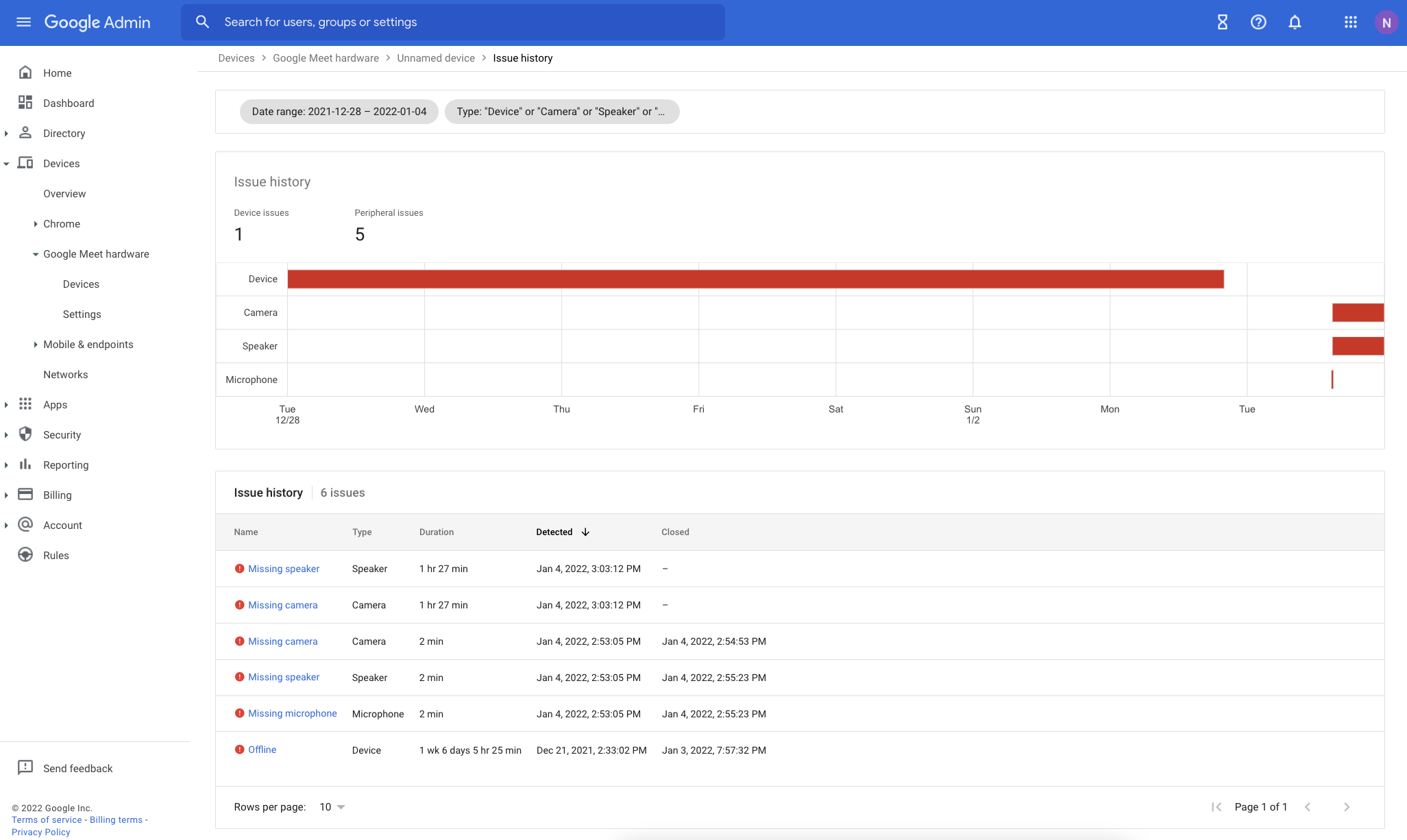
Improvements to Google Meet hardware issue troubleshooting in the Admin console.
Google has enhanced the issue detection engine for Google Meet hardware to provide more reliable alerts and reduce false signals. The Admin console now includes several new troubleshooting tools: an Issue History page for tracking device health over time, quick-filters for the device list, a detailed issue sidebar with troubleshooting recommendations, and new columns for aggregated issue counts over the last 28 days.
Release: Both • Rapid: 2022-01-12 • Scheduled: 2022-01-12 -
2022-01-12Comms & Meetings
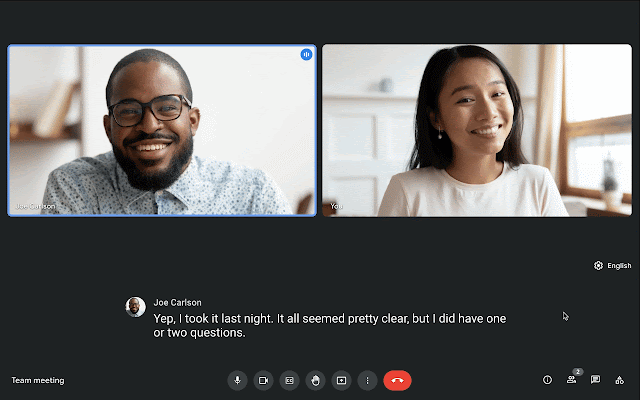
Live translated captions in Google Meet are now generally available for select Google Workspace editions.
Google Meet has made live translated captions generally available for select Google Workspace editions, allowing participants to translate English meetings into French, German, Portuguese, and Spanish. This feature is available on both web and mobile devices and is designed to make video calls more inclusive and collaborative by removing language proficiency barriers.
Release: Both • Rapid: 2022-01-12 • Scheduled: 2022-01-12 -
2022-01-12Comms & Meetings
We’ve made several improvements to the issue detection engine which notifies admins about peripheral and connectivity issues in their Google Meet hardware fleet.
We’ve made several improvements to the issue detection engine which notifies admins about peripheral and connectivity issues in their Google Meet hardware fleet. These improvements will make alerts more reliable and cut down on noise and false signals.
Release: Both • Rapid: 2022-01-12 • Scheduled: 2022-01-12 -
2022-01-12Comms & Meetings
We’re now making live translated captions generally available for select Google Workspace editions.
In 2021, we announced a beta for live translated captions in Google Meet. We’re now making live translated captions generally available for select Google Workspace editions. Meeting participants can translate English meetings to: French, German, Portuguese, Spanish
Release: Both • Rapid: 2022-01-12 • Scheduled: 2022-01-12 -
2021-12-15Comms & Meetings
Admins can now configure custom screen saver policies for Google Meet hardware devices to use them as digital signage.
Google is providing admins with more control over screen savers on Google Meet hardware devices, enabling their use as digital signage. Admins can now set a publicly accessible URL to display when devices are inactive, define the number of minutes of inactivity before the screen saver appears, and specify how soon before the next meeting the screen saver is dismissed.
Release: Both • Rapid: 2021-12-15 • Scheduled: 2021-12-15 -
2021-12-14Comms & Meetings
Google Meet introduces automatic return of breakout room participants to the main meeting room.
Google Meet is enhancing breakout room management by allowing hosts and co-hosts to automatically move participants back to the main meeting room once the breakout session ends. This update includes a countdown banner to notify participants of the transition, improved visual indicators confirming the move, and the automatic disabling of cameras and microphones upon return to the main room to ensure a smooth transition.
Release: Both • Rapid: 2021-12-14 • Scheduled: 2021-12-14 -
2021-12-07Comms & Meetings
New built-in interoperability between Google Meet and Cisco Webex.
Google Meet is introducing built-in video conferencing interoperability with Cisco Webex, allowing users to join Webex meetings from Google Meet hardware devices and join Google Meet calls from supported Cisco Webex devices. While core video conferencing features are supported, some advanced features like polls, breakout rooms, and dual-screen support may be unavailable. Admins can enable or disable this feature for specific organizational units via the Google Meet Hardware Settings page in the Admin console.
Release: Both • Rapid: 2021-12-07 • Scheduled: 2021-12-07 -
2021-12-06Comms & Meetings
Google Meet hosts and co-hosts can now lock participants' audio and video from iOS devices.
Google Meet hosts and co-hosts can now lock all participants’ audio and video from iOS devices, which allows them to mute all participants or prevent the use of cameras to reduce disruptions. Previously, these lock settings were only available on computers. The audio and video lock settings apply to all participants regardless of the device used to enable the lock.
Release: Both • Rapid: 2021-12-06 • Scheduled: 2021-12-06 -
2021-11-17Comms & Meetings
New immersive backgrounds, light and color filters, and stylized backgrounds for Google Meet on the web.
Google Meet on the web is introducing five new immersive backgrounds featuring subtle animations and weather effects, such as snowy or rainy cafe and condo interiors, to help dispersed teams represent their current climate and time zone. Additionally, users will have more customization options through new light and color filters and stylized backgrounds, accessible via the effects settings panel before or during a call.
Release: Both • Rapid: 2021-11-17 • Scheduled: 2021-12-02 -
2021-11-16Comms & Meetings
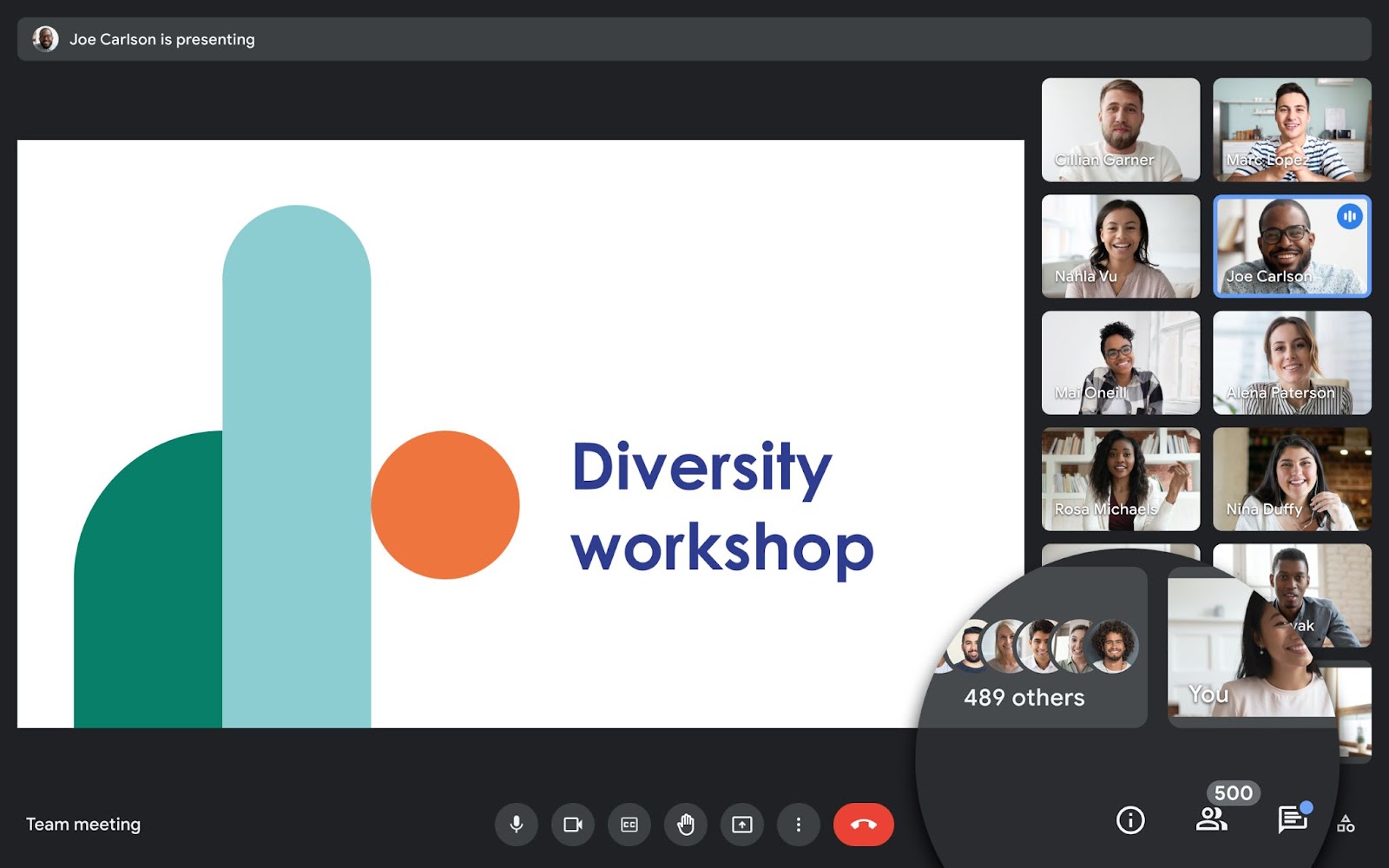
Google Meet now supports meetings with up to 500 participants for select Google Workspace editions.
Users in select Google Workspace editions, including Business Plus, Enterprise Standard, Enterprise Plus, and Education Plus, can now host Google Meet meetings with up to 500 participants to facilitate better collaboration with colleagues, clients, and customers.
Release: Both • Rapid: 2021-11-16 • Scheduled: 2021-11-16 -
2021-10-21Comms & Meetings
Google Meet hosts can now lock participants' audio and video feeds.
Meeting hosts in Google Meet can now use Audio and Video Lock to turn off the microphones and/or cameras of other participants in both main and breakout rooms, preventing them from turning them back on until the host unlocks them. This feature provides hosts with more control to manage disruptive participants and decide levels of participation.
Release: Both • Rapid: 2021-10-21 • Scheduled: 2021-11-01 -
2021-10-11Comms & Meetings
Expanded device support and default availability for continuous framing on Google Meet hardware.
Google is expanding continuous framing support to more Meet-certified cameras, including the Logitech PTZ Pro 2, Logitech MeetUp, and Logitech Rally. Additionally, the continuous framing toggle will now be available by default for eligible devices in the meeting room settings, provided it hasn't been explicitly disabled in the Admin console.
Release: Both • Rapid: 2021-10-11 • Scheduled: 2021-10-11 -
2021-10-06Comms & Meetings
Hand raising is now available on Google Meet hardware devices.
Google is extending the hand raising feature to all Google Meet hardware to improve the hybrid working experience. Users on touch controllers can tap 'Raise Hand' at the top, while those using room kits with remote controls can access the feature via the participant list. Moderators and participants will see a list of raised hands in the order they were raised, along with notifications and badges on video tiles.
Release: Both • Rapid: 2021-10-06 • Scheduled: 2021-10-06