All Google Sheets updates
201 updates to Google Sheets tracked so far.
-
2023-08-25Content & Collaboration
Filter by expression for Connected Sheets for Looker
Users can now use common Looker filter expressions, such as “last 30 days”, “last quarter”, or “NOT 50”, to filter pivot tables in Connected Sheets for Looker.
Release: Both -
2023-08-18Content & Collaboration

Introduction of 'Type @ to insert' prompt for smart canvas in Google Sheets.
When opening a new spreadsheet or tab in Google Sheets, users will now see a 'Type @ to insert' prompt to help them discover and start using the smart canvas features available in Sheets.
Release: Both -
2023-08-11Content & Collaboration

Pre-fill feature for dropdown chips in Google Sheets
A new pre-fill feature allows users to automatically populate dropdown chip values from manually entered cell data when a range of cells is selected for dropdown insertion. Users can then refine these options and add styles via the dropdown sidebar.
Release: Both • Rapid: 2023-08-11 • Scheduled: 2023-08-11 -
2023-08-11Content & Collaboration
Bulk conversion for place chips in Google Sheets
Users can now convert links to place chips in bulk from the insert menu or cell menu. This update simplifies the process of formatting data for event schedules, vendor lists, and trip itineraries by allowing multiple location links to be converted to smart chips simultaneously.
Release: Both • Rapid: 2023-08-11 • Scheduled: 2023-08-11 -
2023-08-04Content & Collaboration
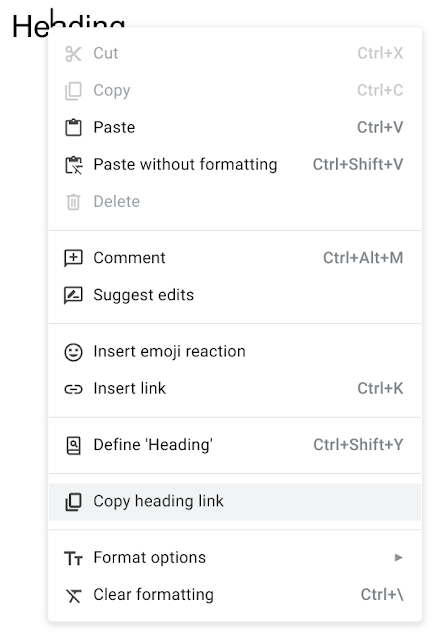
People chips in Google Sheets now available on mobile devices
People chips, which allow users to quickly view contact information, job titles, and locations of colleagues or contacts, are now available for Google Sheets on both iOS and Android devices.
Release: Both -
2023-08-01Content & Collaboration

Import and convert sensitive Excel files into client-side encrypted Google Sheets.
Google Sheets is introducing an open beta that allows users to import and convert sensitive .xlsx Excel files into client-side encrypted Google Sheets. The original encrypted Excel file remains unchanged during this process. The feature supports files up to 20MB and a maximum of 5 million cells, though any unsupported Excel features will be ignored during the import process.
Release: Both • Rapid: 2023-08-01 • Scheduled: 2023-08-01 -
2023-07-14Content & Collaboration
Add emojis in Google Sheets
Users can now insert emojis into Google Sheets by either typing '@' and selecting 'Emoji' or by navigating to the 'Insert' menu and selecting 'Emoji'.
Release: Both -
2023-07-14Content & Collaboration
Filter by measures and value in a pivot table with Connected Sheets for Looker
Looker users can now filter by measures and values in pivot tables within Connected Sheets, enabling more targeted analysis of their data.
Release: Both -
2023-07-14Content & Collaboration
Extending long running queries within Connected Sheets
Google has extended the timeout for queries in Connected Sheets for BigQuery and Looker from 5 minutes to 10 minutes, allowing users to analyze larger data sets within Sheets.
Release: Both -
2023-07-07Content & Collaboration

Convert email addresses and links into smart chips using the tab key in Google Sheets.
Google Sheets now allows users to quickly convert pasted email addresses or links to Google Drive files, Google Maps places, or YouTube videos into smart chips by simply pressing the tab key.
Release: Both • Rapid: 2023-07-07 • Scheduled: 2023-07-07 -
2023-06-30Content & Collaboration
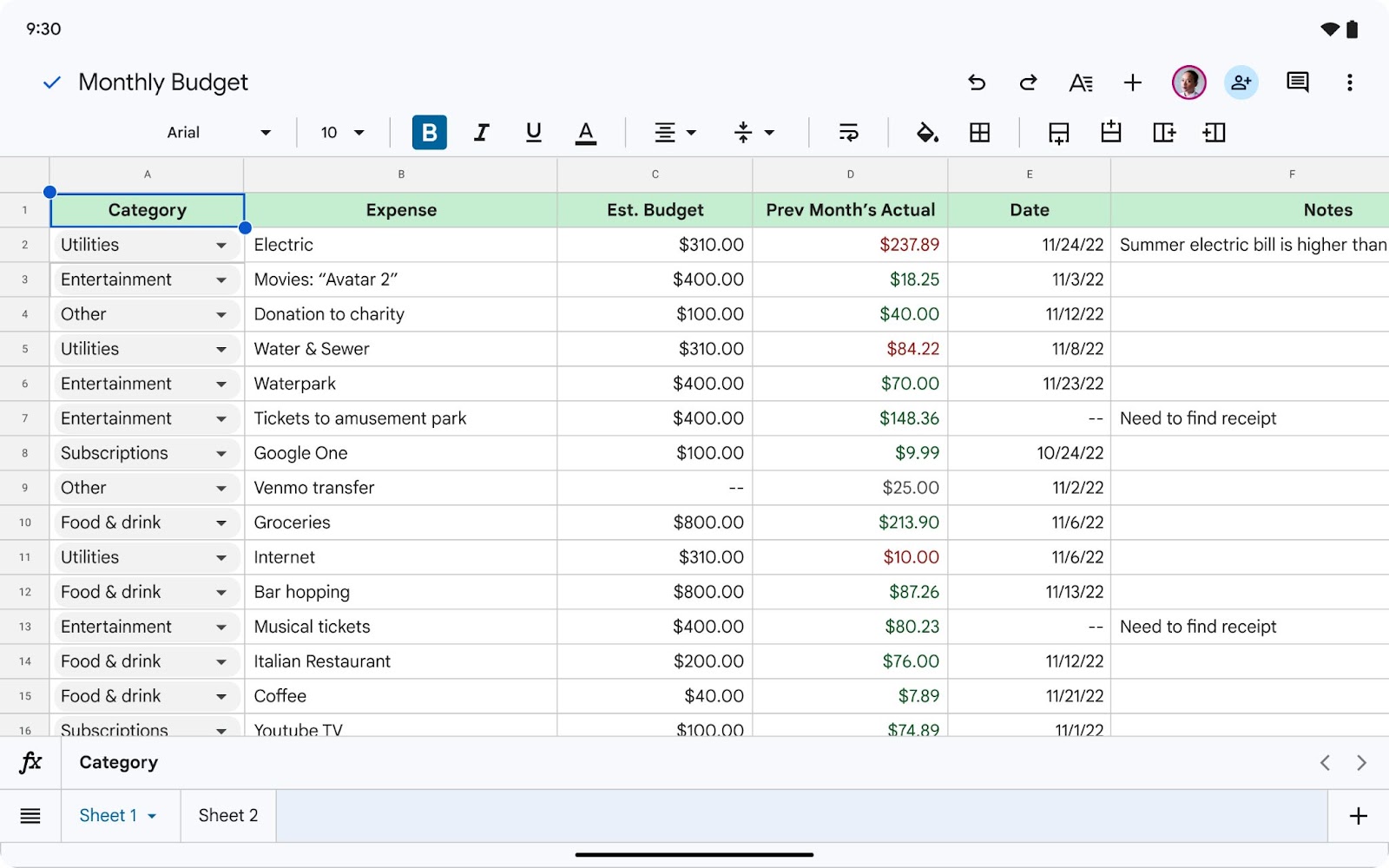
Revamped First Open Experience for Sheets and Slides on Android tablets and foldables.
Google is introducing a more creation-focused experience when first opening the Sheets and Slides apps on Android foldable and tablet devices. In Sheets, users will see larger tap targets and easier access to the formula bar, tab bar, and contextual formatting toolbar. In Slides, a filmstrip will now appear on the left-hand side, and selecting an object will expose the contextual toolbar and an on-screen keyboard.
Release: Both • Rapid: 2023-06-30 • Scheduled: 2023-06-30 -
2023-06-13Other
.png)
Add or remove client-side encryption from existing Google Sheets and Google Slides files.
Users can now add or remove client-side encryption for existing spreadsheets in Google Sheets and presentations in Google Slides by navigating to File > Make a copy > Add/Remove additional encryption. This update provides greater flexibility in controlling encryption as documents and projects evolve, bringing this capability to Sheets and Slides after it was previously introduced for Google Docs.
Release: Both • Rapid: 2023-06-13 • Scheduled: 2023-07-05 -
2023-06-02Content & Collaboration

Hardware keyboard support for formulas in Google Sheets on Android
Google is enhancing the Google Sheets app on Android devices by allowing users to use a hardware keyboard to insert ranges in a formula via arrow keys and adding more formula-related keyboard shortcuts.
Release: Both -
2023-05-26Content & Collaboration

Introducing new keyboard shortcuts in Google Sheets
New keyboard shortcuts are being added to Google Sheets to increase productivity, including shortcuts for applying or removing bold formatting, moving to the next sheet, and displaying the Find and Replace box.
Release: Both • Rapid: 2023-05-26 • Scheduled: 2023-06-07 -
2023-05-24Content & Collaboration
Google Sheets adds enhanced formatting, collapsed card views, and print/download support to timeline view.
Google Sheets is expanding its timeline view feature with several new capabilities to improve project tracking. These updates include enhanced formatting options such as card text truncation and undo/redo functionality, a new card collapsed view that allows users to merge cards into a single row for each card group, and the addition of print and download support.
Release: Both • Rapid: 2023-05-24 • Scheduled: 2023-06-07