All Google Sheets updates
201 updates to Google Sheets tracked so far.
-
2023-05-24Content & Collaboration
New capabilities to expand the timeline view feature in Google Sheets.
Today, we’re adding the following capabilities to expand the timeline view feature: Enhanced formatting options, including card text truncation and the undo/redo option, A card collapsed view that enables you to merge cards into a single row for each card group, Print and download support
Release: Both • Rapid: 2023-05-24 • Scheduled: 2023-06-07 -
2023-05-19Content & Collaboration

Export client-side encrypted spreadsheets to Excel files
Google Sheets now supports the export of client-side encrypted spreadsheets into Excel format, allowing users to convert files as needed while maintaining their encryption protection.
Release: Both • Rapid: 2023-05-19 -
2023-05-17Content & Collaboration

New smart chip data extraction in Google Sheets allows users to pull metadata from people, file, and event chips into cells.
Google Sheets has introduced smart chip data extraction, enabling users to extract metadata associated with people, file, and event chips into their own cells. This functionality allows for advanced sorting, filtering, and analysis of data derived from smart chips. Users can perform these extractions via a dedicated sidebar or by using formulas, and can keep the extracted data current using the 'Refresh & manage' section.
Release: Both • Rapid: 2023-05-17 • Scheduled: 2023-06-14 -
2023-05-12Content & Collaboration
Autofill using a mouse is now available on the Google Sheets Android app.
Users of the Google Sheets Android app can now utilize the autofill feature using a mouse, improving data entry efficiency on Android devices.
Release: Scheduled -
2022-08-15Content & Collaboration

More control over accessibility preferences in Google Sheets
Improving the ability to adjust your accessibility preferences for Sheets separately. Rather than having the same accessibility settings apply across these products, you’re now able to set preferences for each product individually. We expect this change to make it easier to ensure accessibility settings are personalized to best meet each user’s needs.
Release: Both • Rapid: 2022-08-15 • Scheduled: 2022-08-29 -
2021-11-17Content & Collaboration
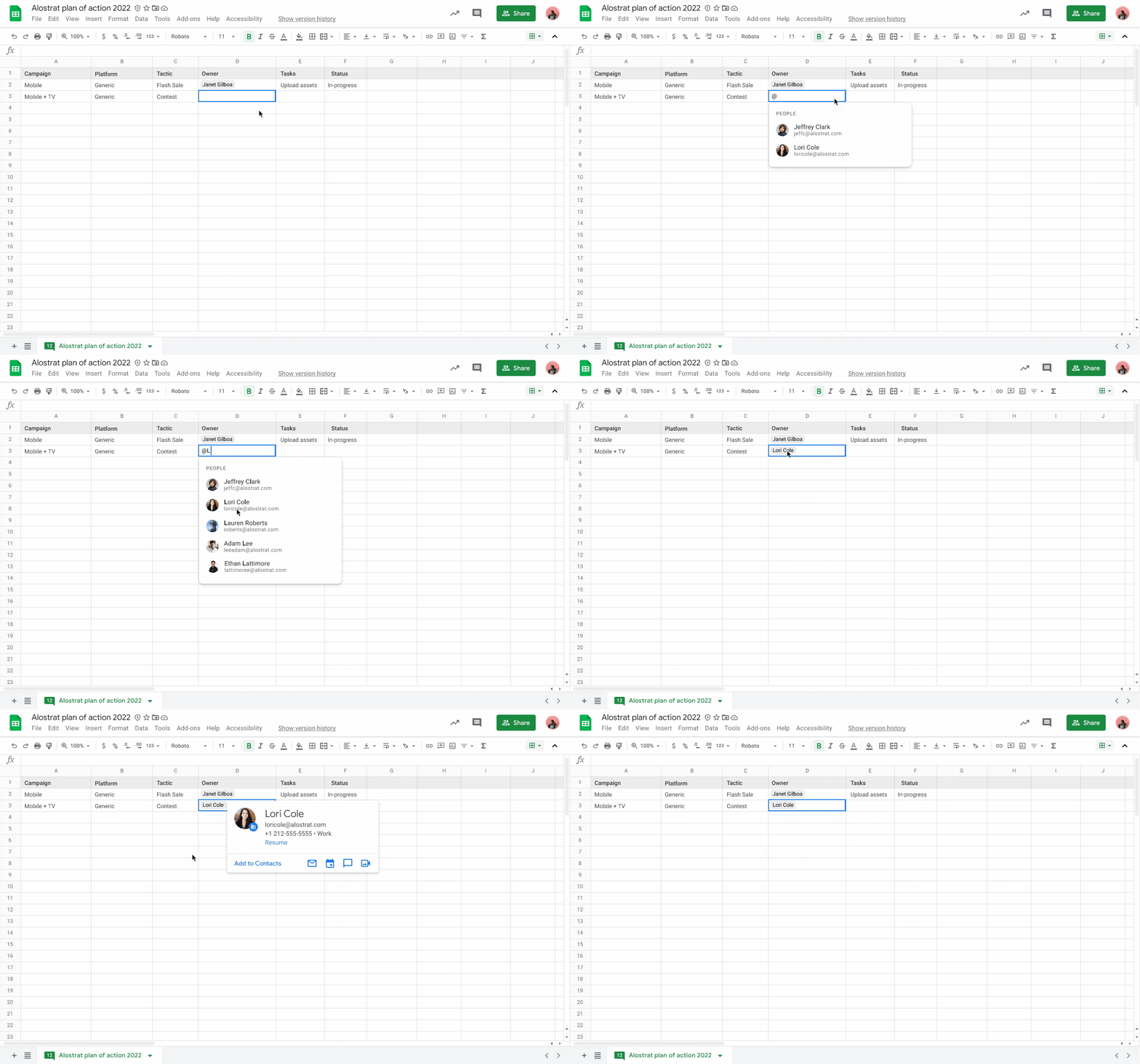
Insert people chips in Google Sheets to view contact information and take actions.
Users can now add people chips directly into Google Sheets by typing '@' or selecting Insert > People chip. These chips allow users to quickly view detailed information about colleagues or contacts, including their location, job title, and contact information, and perform actions such as booking meetings, starting a Chat, or sending an email directly from the smart chip.
Release: Both • Rapid: 2021-11-17 • Scheduled: 2021-11-17 -
2021-10-26Content & Collaboration
Google Sheets is updating its menus to improve the findability of key features.
Google Sheets is updating its menu bar and right-click menus to make commonly-used features easier to locate. The update includes shortening menus to prevent them from being hidden off-screen, reorganizing features into more intuitive locations (such as adding freeze row/column to the right-click menu), shortening item descriptions for faster recognition, and adding icons. These changes affect all menus, including File, Edit, View, Insert, Format, Data, Tools, Extensions, Help, and Accessibility.
Release: Both • Rapid: 2021-10-26 • Scheduled: 2021-10-26 -
2021-08-25Content & Collaboration

New intelligent, context-aware suggestions for formulas and functions in Google Sheets.
Google Sheets now offers in-line, sequential, and context-aware suggestions for formulas and functions as users begin typing. These suggestions are designed to help users write formulas more accurately and speed up data analysis. Users can access additional incremental suggestions via a drop-down menu, and the feature can be disabled through the Tools menu or the suggestion dialog box.
Release: Both • Rapid: 2021-08-25 • Scheduled: 2021-08-25 -
2021-08-17Content & Collaboration

Easily customize and identify theme colors in Google Sheets and Slides.
Google has updated the color picker in Sheets and Slides to make theme colors easier to find and select. The theme colors section is now located at the top of the color picker, and the theme placeholder now displays the name of the active theme, allowing users to more easily identify and apply company brand colors.
Release: Both • Rapid: 2021-08-17 • Scheduled: 2021-08-17 -
2020-03-11Content & Collaboration
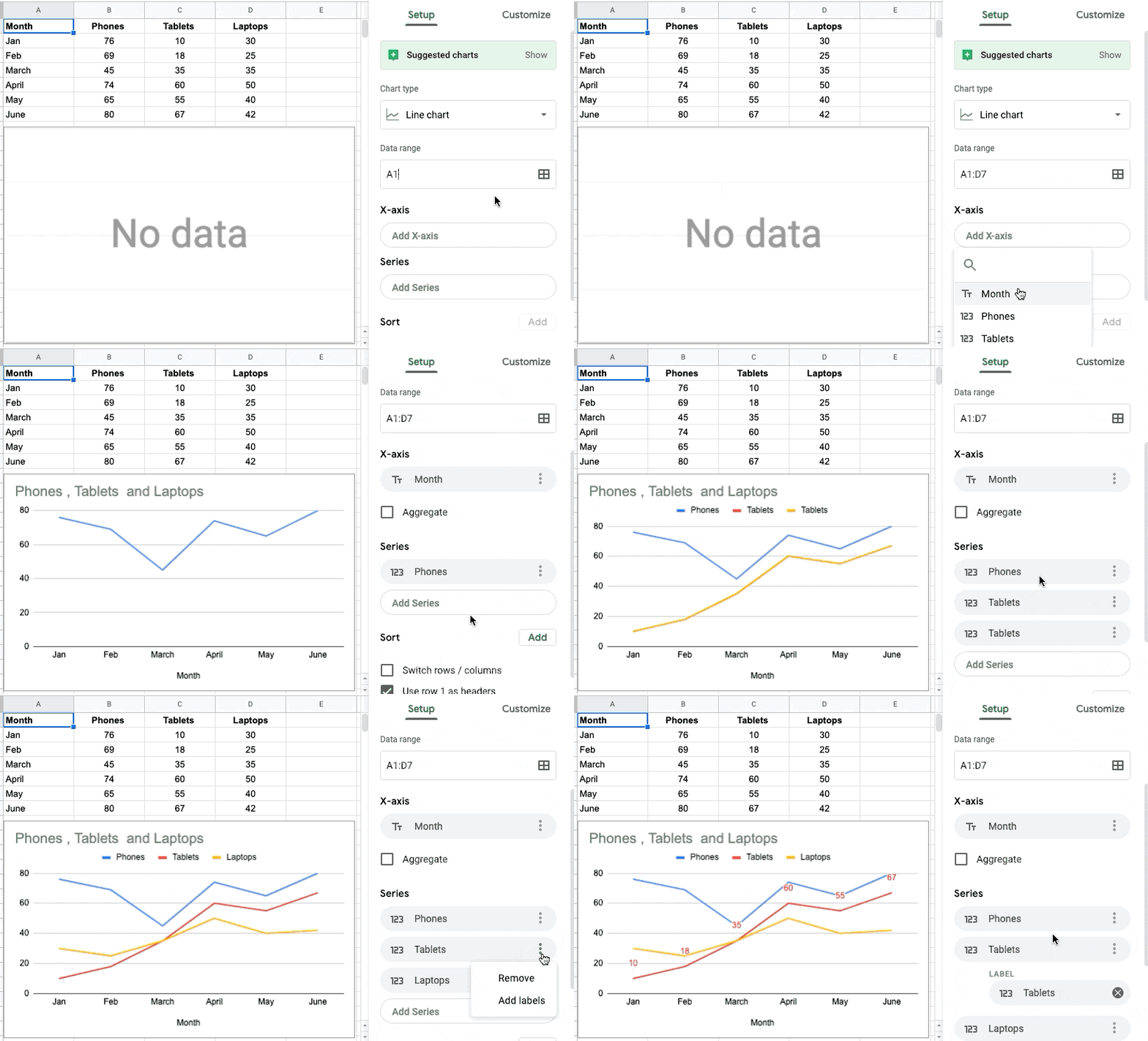
Set custom table ranges for charts in Google Sheets
Google Sheets is improving the way data is suggested and selected when creating charts. Users can now specifically select which columns to use for the chart axis and series, rather than having all data ranges on a table automatically used. This allows for quicker customization of charts to display the most relevant data when working with datasets containing slicers, pivot tables, and other elements.
Release: Both • Rapid: 2020-03-10 • Scheduled: 2020-03-30 -
2020-03-11Content & Collaboration
Set custom table ranges for charts in Google Sheets
Improving the way data is suggested and how data is selected when creating a chart in Google Sheets. Allowing to select which columns to use for the chart axis and series
Release: Both • Rapid: 2020-03-10 • Scheduled: 2020-03-30 -
2020-03-11Content & Collaboration

Sort and filter cells by text or fill color in Google Sheets
Added two additional parameters to filter and sort cells by in Google Sheets: Text color and Fill (background) color.
Release: Both • Rapid: 2020-03-11 • Scheduled: 2020-03-23 -
2020-02-07Content & Collaboration
Retirement of the Sheets v3 API and migration to v4 API.
Google is retiring the Sheets v3 API and requiring developers to migrate their applications to the v4 API. Following several timeline extensions, the final turndown of all components of the v3 API is scheduled for August 2, 2021.
Release: Scheduled -
2020-02-07Content & Collaboration
Update to Sheets API v4 migration timeline
Extending the timeline to allow developers additional time to migrate their applications from Sheets v3 API to the v4 API.
Release: Scheduled • Scheduled: 2020-04-09 -
2020-01-08Content & Collaboration

Break out a single value within a pie chart in Google Sheets
Google Sheets now allows users to highlight a specific slice of a pie or donut chart by 'pulling it out,' providing more control over chart aesthetics and better visibility for the most important data points.
Release: Both • Rapid: 2020-01-08 • Scheduled: 2020-01-21