-
2021-12-06Comms & Meetings
Google Meet hosts and co-hosts can now lock participants' audio and video from iOS devices.
Google Meet hosts and co-hosts can now lock all participants’ audio and video from iOS devices, which allows them to mute all participants or prevent the use of cameras to reduce disruptions. Previously, these lock settings were only available on computers. The audio and video lock settings apply to all participants regardless of the device used to enable the lock.
Release: Both • Rapid: 2021-12-06 • Scheduled: 2021-12-06 -
2021-12-06Comms & Meetings
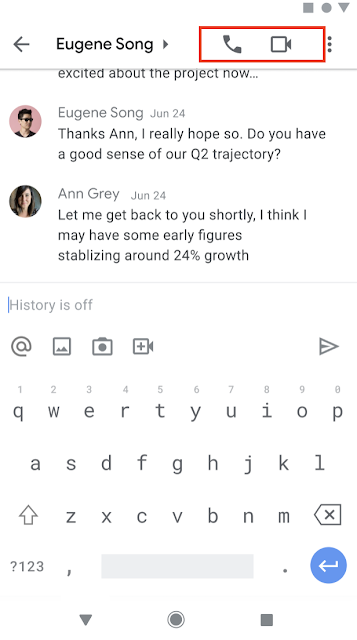
Start and join meetings and audio calls from 1:1 chats using Google Chat in Gmail on mobile.
Users can now start or join meetings and audio calls directly from 1:1 chats in Google Chat within the Gmail app on Android and iOS. To initiate a call, users can select the phone or video icon in the top right corner of a 1:1 chat, or select the phone/video chip to join an existing call. Missed calls are indicated by red phone or video icons within the conversation and chat roster.
Release: Both • Rapid: 2021-12-06 • Scheduled: 2021-12-06 -
2021-11-19Other
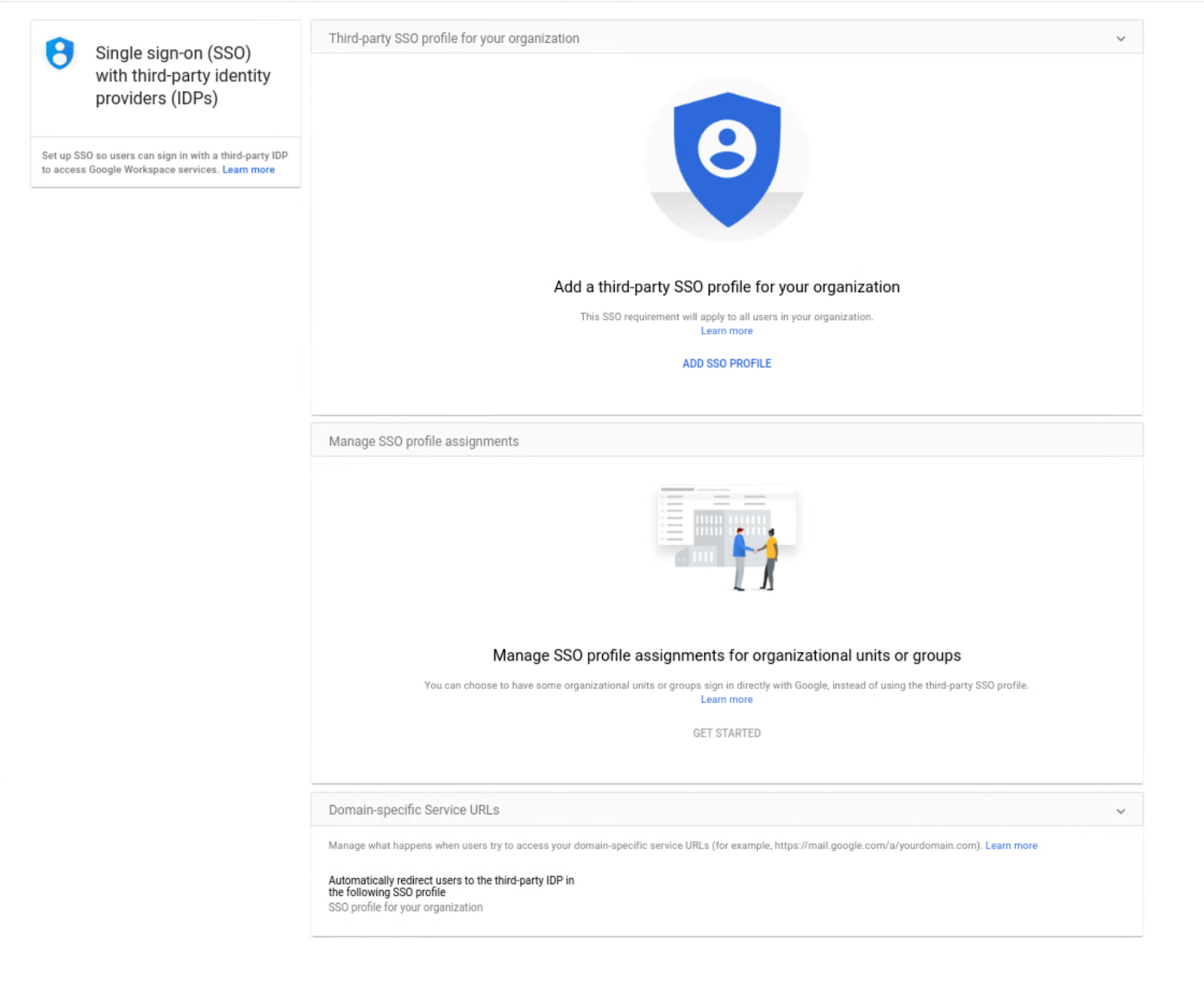
Assign SSO profile to organizational units or groups with the SAML Partial SSO feature, now generally available
This feature is now generally available and allows admins to specify groups or organizational units (OUs) to authenticate a subset of your users using Google.
Release: Both • Rapid: 2021-11-19 • Scheduled: 2021-11-19 -
2021-11-17Content & Collaboration
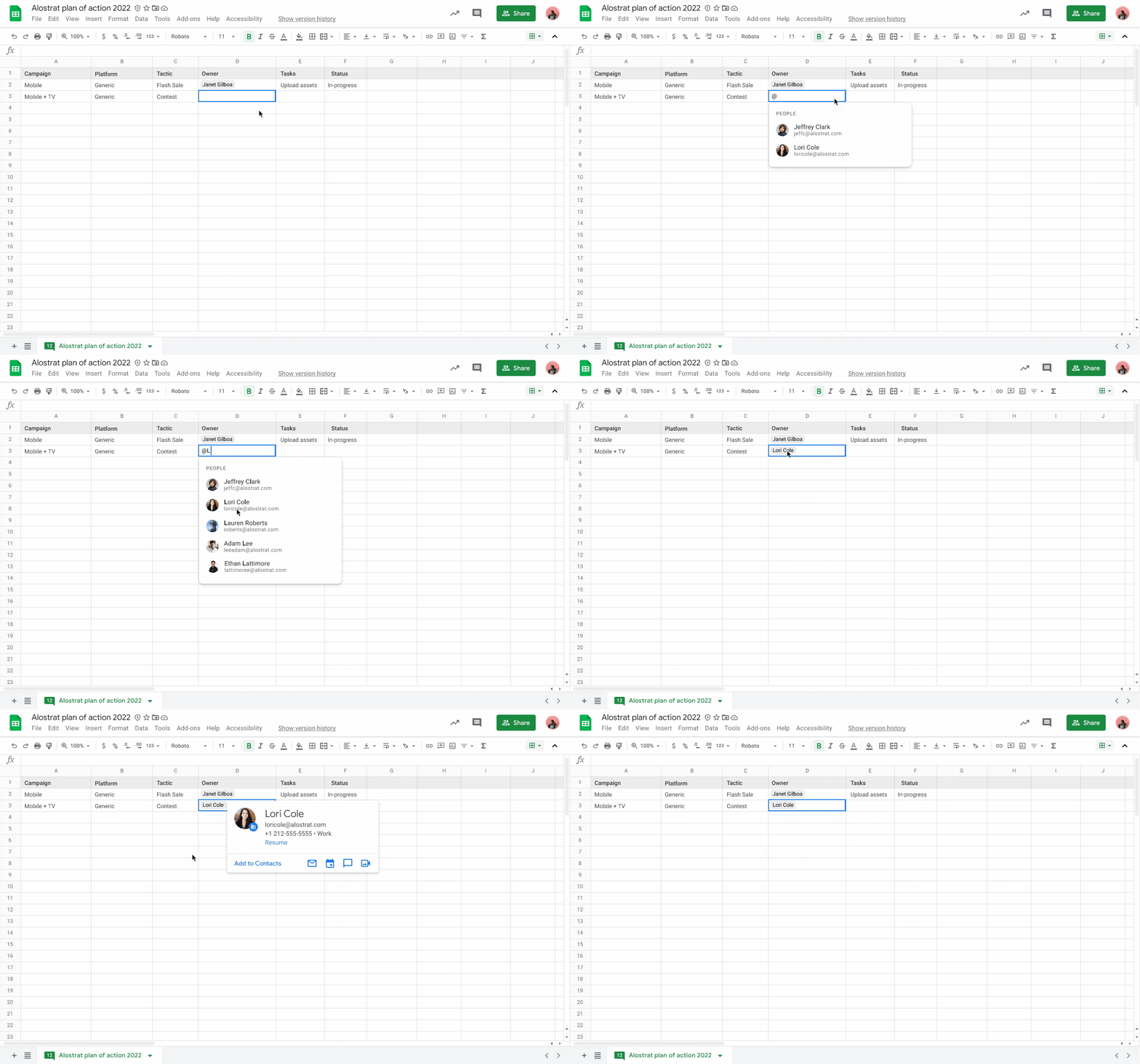
Insert people chips in Google Sheets to view contact information and take actions.
Users can now add people chips directly into Google Sheets by typing '@' or selecting Insert > People chip. These chips allow users to quickly view detailed information about colleagues or contacts, including their location, job title, and contact information, and perform actions such as booking meetings, starting a Chat, or sending an email directly from the smart chip.
Release: Both • Rapid: 2021-11-17 • Scheduled: 2021-11-17 -
2021-11-17Comms & Meetings
New immersive backgrounds, light and color filters, and stylized backgrounds for Google Meet on the web.
Google Meet on the web is introducing five new immersive backgrounds featuring subtle animations and weather effects, such as snowy or rainy cafe and condo interiors, to help dispersed teams represent their current climate and time zone. Additionally, users will have more customization options through new light and color filters and stylized backgrounds, accessible via the effects settings panel before or during a call.
Release: Both • Rapid: 2021-11-17 • Scheduled: 2021-12-02 -
2021-11-16Content & Collaboration
Bulk conversion tool in Classic Sites Manager is temporarily unavailable.
The bulk conversion tool within the Classic Sites Manager is temporarily unavailable as Google implements improvements to conversion fidelity for site settings. Admins and end-users can still convert individual classic Sites to new Google Sites in the meantime.
Release: Scheduled -
2021-11-16Content & Collaboration
Google is extending the transition timeline for Classic Google Sites.
Google has extended the timeline for migrating from classic Google Sites to new Google Sites to make the process easier for customers. Starting June 1, 2022, users will no longer be able to edit classic Sites, and starting July 1, 2022, classic Sites will no longer be viewable unless they have been converted to the new Google Sites format.
Release: Scheduled • Scheduled: 2022-06-01 -
2021-11-16Comms & Meetings
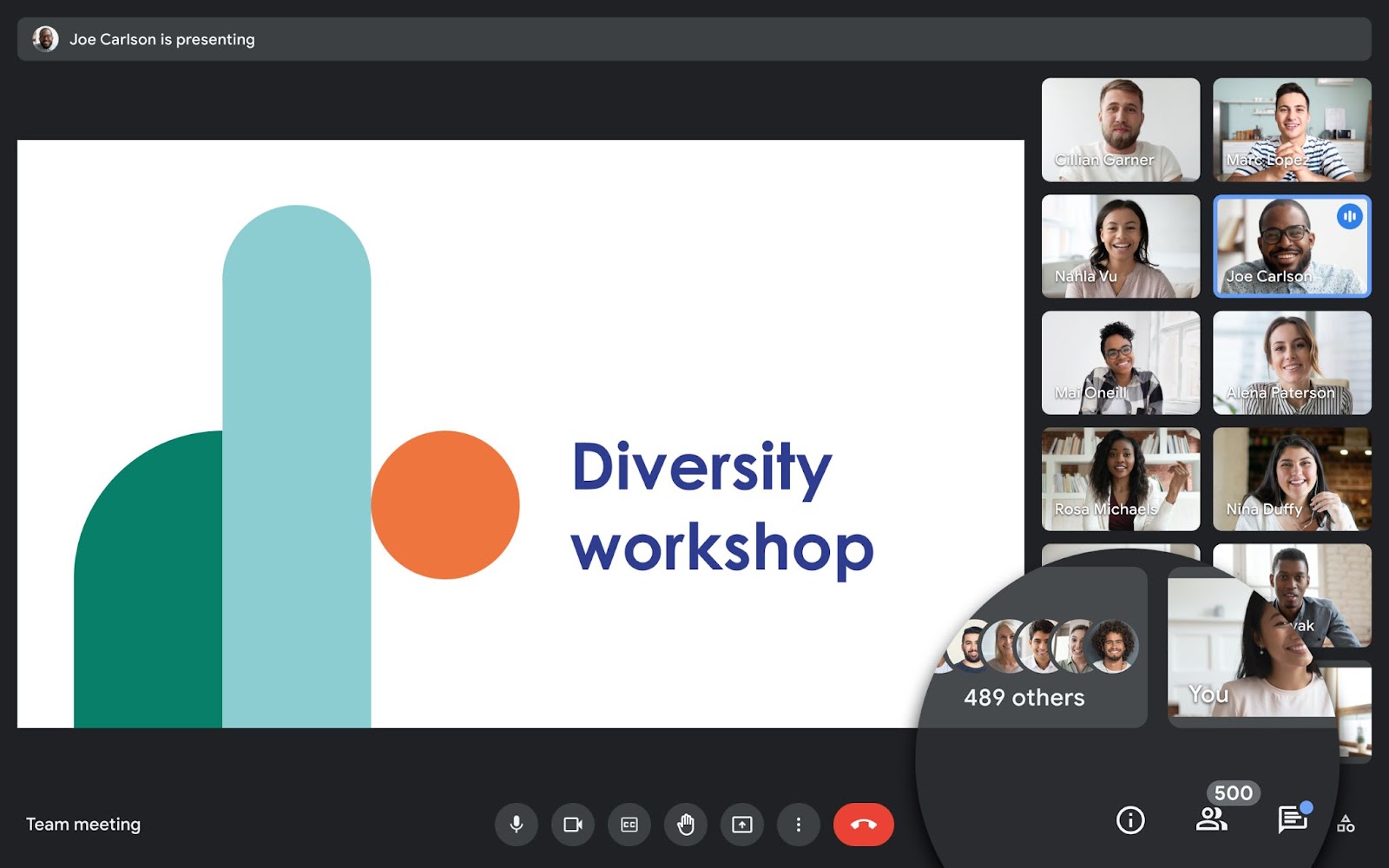
Google Meet now supports meetings with up to 500 participants for select Google Workspace editions.
Users in select Google Workspace editions, including Business Plus, Enterprise Standard, Enterprise Plus, and Education Plus, can now host Google Meet meetings with up to 500 participants to facilitate better collaboration with colleagues, clients, and customers.
Release: Both • Rapid: 2021-11-16 • Scheduled: 2021-11-16 -
2021-11-16Comms & Meetings

Google Chat now allows creators to delete named spaces in specific Google Workspace editions.
Creators of named spaces in Google Workspace Business Standard and Business Starter editions can now fully delete spaces, which removes all owned content, room tasks, and files not saved elsewhere. Once deleted, members lose access to the space, its files, and the member list. This feature is currently unavailable for editions that include Google Vault.
Release: Both • Rapid: 2021-11-16 • Scheduled: 2021-11-16 -
2021-11-10Content & Collaboration
Editors can now copy a single page or a subset of pages into a new Google Site.
Google Sites is adding the ability for editors to copy a single page or a specific subset of pages into a new site. Previously, users could only copy an entire site. This update allows for better content reuse and the ability to easily break large sites into smaller, more manageable ones.
Release: Both • Rapid: 2021-11-10 • Scheduled: 2021-11-10 -
2021-11-09Education
Google for Education transformation reports window is now open with improved access and real-time customization.
Google for Education transformation reports are now available for K-12 Google Workspace for Education customers worldwide. The current reporting window is open from November 2, 2021, to December 10, 2021. Key improvements include immediate access for super admins upon login without a waiting period, the removal of the requirement to request a report in advance, and the ability to adjust product data windows and expected user counts in real time.
Release: Both • Rapid: 2021-11-02 • Scheduled: 2021-11-02 -
2021-11-09Content & Collaboration
Google Drive user blocking now extends to comments and mentions.
Google is enhancing the user blocking feature in Google Drive to prevent notifications when there is an @-mention between a user and a blocked user in comments or action items across Google Docs, Sheets, and Slides. This restriction applies to both email and in-app notifications, making the blocking feature more comprehensive and predictable.
Release: Both • Rapid: 2021-11-09 • Scheduled: 2021-11-09 -
2021-11-08Content & Collaboration
Request and review formal document approvals in Google Docs, Sheets, and Slides.
Google is rolling out a feature that allows users to request and review formal approvals on Google Docs, Sheets, and Slides. Approvers can approve, reject, add comments, or edit documents within the secure Google Workspace environment. To maintain document integrity, files are locked once all reviewers have provided their approval. If any edits are made during the approval process, all reviewers are notified and must re-approve the latest version of the file.
Release: Both • Rapid: 2021-11-15 • Scheduled: 2021-11-24 -
2021-11-04Other
Fortanix and Stormshield added as Key access service partners for Client-side encryption
Google has added Fortanix and Stormshield as new Key access service partners. These partners provide tools that integrate with Google's key access service APIs, offering customers dedicated key management and access control capabilities for their encrypted Google Workspace data.
Release: Both • Rapid: 2021-11-04 • Scheduled: 2021-11-04 -
2021-11-04Other
Key access service APIs for Client-side encryption are now publicly available
Google has publicly released the key access service API specifications. This allows developers and organizations to build or integrate their own in-house key services to manage encryption keys and access control for Client-side encryption within Google Workspace.
Release: Both • Rapid: 2021-11-04 • Scheduled: 2021-11-04