Google Docs updates from July 2023
4 updates to Google Docs were tracked in July 2023.
-
2023-07-24Content & Collaboration
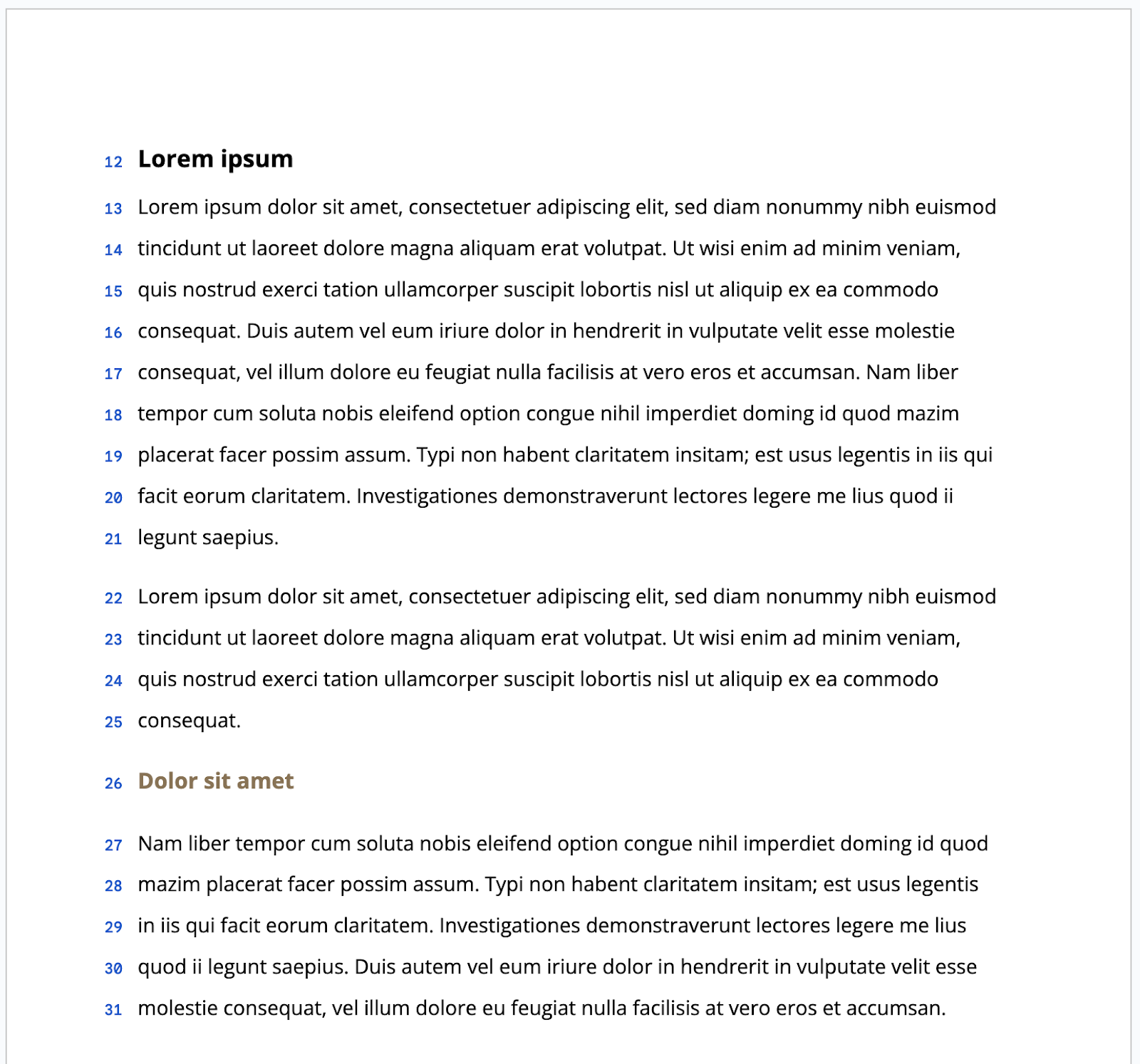
We’ve introduced the option to display line numbers within Docs that are set to paged mode.
In addition to previous updates that give you more control over formatting in Google Docs, such as viewing non-printing characters and enhancements to content organization, we’re introducing the option to display line numbers within Docs that are set to paged mode.
Release: Both • Rapid: 2023-07-24 • Scheduled: 2023-08-07 -
2023-07-24Content & Collaboration
Google Docs now allows users to display and configure line numbers in paged mode.
Google Docs has introduced the option to display line numbers for documents set to paged mode. These numbers are automatically calculated and can be configured for the entire document, a specific page, or a specific section, and are preserved when printing. This feature is designed to make it easier to reference specific content positions, especially when collaborating on long or complex documents.
Release: Both • Rapid: 2023-07-24 • Scheduled: 2023-08-07 -
2023-07-21Content & Collaboration

Alt text option added to the Image options sidebar in Docs, Sheets, Slides, and Drawings.
Google is improving the discoverability of the alternative text feature by adding the Alt text option directly to the Image options sidebar in Google Docs, Sheets, Slides, and Drawings. Previously, users had to right-click an image and select 'Alt text' to input descriptions.
Release: Both • Rapid: 2023-07-21 • Scheduled: 2023-07-21 -
2023-07-07Content & Collaboration

Revamped first open experience for Google Docs on Android foldable and tablet devices.
The Google Docs app for Android foldable and tablet devices now opens directly in edit mode. This update includes a more visible formatting toolbar, an I-beam cursor, and automatic on-screen keyboard exposure when tapping, unless a physical keyboard is connected.
Release: Both • Rapid: 2023-07-07 • Scheduled: 2023-07-07