Jamboard updates from March 2018
6 updates to Jamboard were tracked in March 2018.
-
2018-03-26More
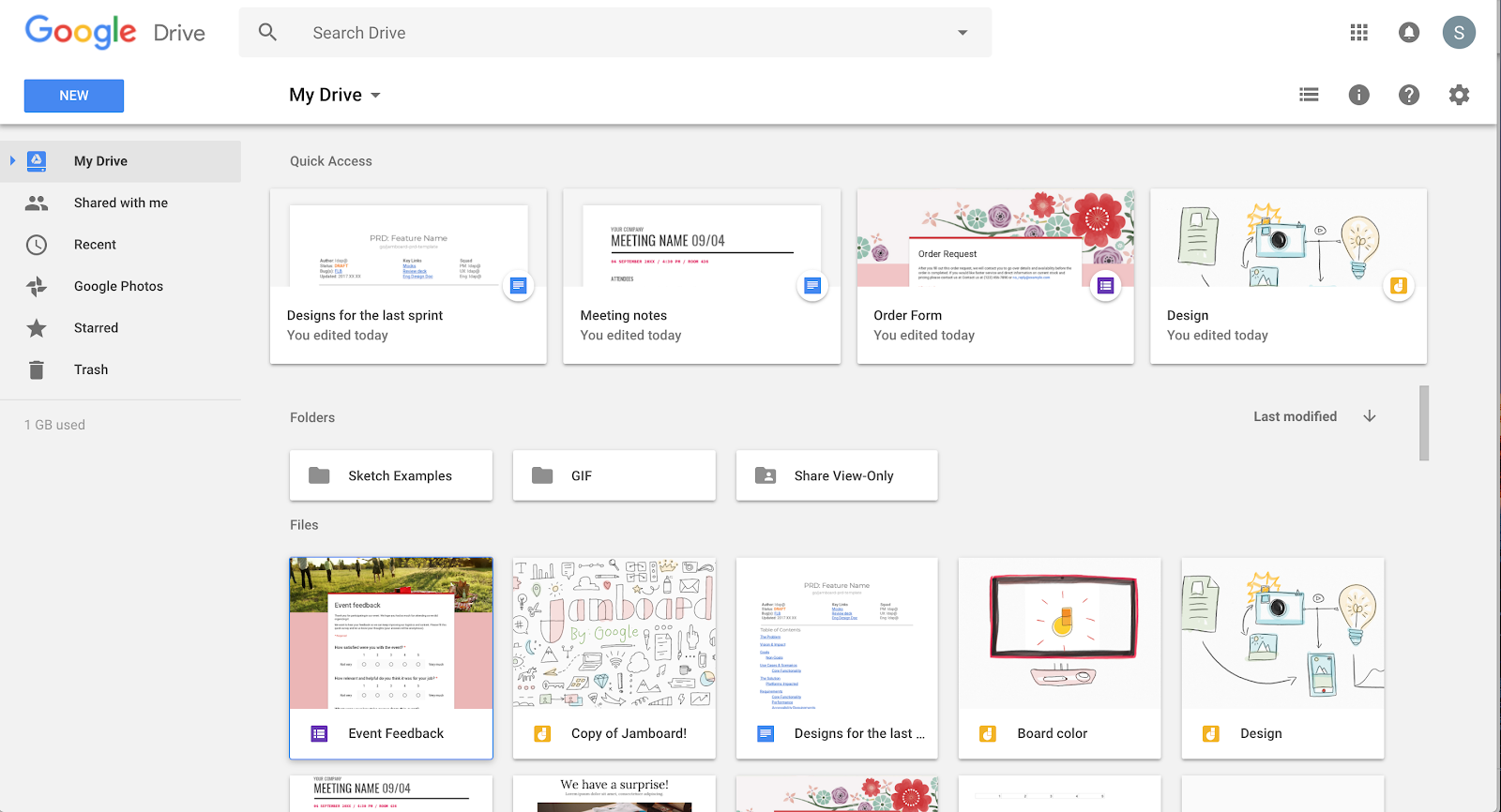
Jamboard files now appear in Google Drive for easier management and sharing.
To improve integration with G Suite, Jamboard files owned by users will now appear in their Google Drive folder. This allows users to open, copy, share, and search for jam files (using the search term 'type:jam') directly from My Drive across both web and mobile applications.
Release: Both • Rapid: 2018-03-26 • Scheduled: 2018-03-26 -
2018-03-21More
Landscape support for Jamboard mobile apps
Users can now interact with jams in landscape mode on both the iOS and Android Jamboard mobile applications.
Release: Both • Rapid: 2018-03-21 • Scheduled: 2018-03-21 -
2018-03-21More
Object connectors for Jamboard shapes
Users can now connect shapes on the Jamboard together by drawing lines between them, facilitating better diagramming and brainstorming.
Release: Both • Rapid: 2018-03-21 • Scheduled: 2018-03-21 -
2018-03-21More
Custom screensaver messages for Jamboard
Admins can now create a custom message in the Jamboard Admin console settings page under "Screensaver Message," which will display as a ticker on the Jamboard screensaver.
Release: Both • Rapid: 2018-03-21 • Scheduled: 2018-03-21 -
2018-03-21More

Custom backgrounds for Jamboard jams
Users can now select from a list of 7 unique backgrounds and patterns for their jams. Once selected, the background is applied to the jam across all devices.
Release: Both • Rapid: 2018-03-21 • Scheduled: 2018-03-21 -
2018-03-21More
Automatic document closeout for Jamboard kiosks
Admins can now configure a "Document Timeout" in the Jamboard Admin console, which allows Jams to be automatically closed if they are left open on a Jamboard kiosk for longer than a specified period of time.
Release: Both • Rapid: 2018-03-21 • Scheduled: 2018-03-21